You're probably in the same spot most agency teams hit sooner or later. The schema passes a quick validator, the page ships, and everyone assumes the job is done. A few weeks later, rich results disappear on key templates, Search Console starts flagging issues, or the markup looks valid in source code but broken in the rendered page.
That's why structured data testing needs a real workflow, not a launch checklist item.
The bigger shift is that passing Google's syntax checks still isn't enough. A page can be technically valid and still underperform in AI-driven discovery because the markup is too thin, too ambiguous, or disconnected from the actual entity the page is trying to describe. That gap is where many implementations remain vulnerable.
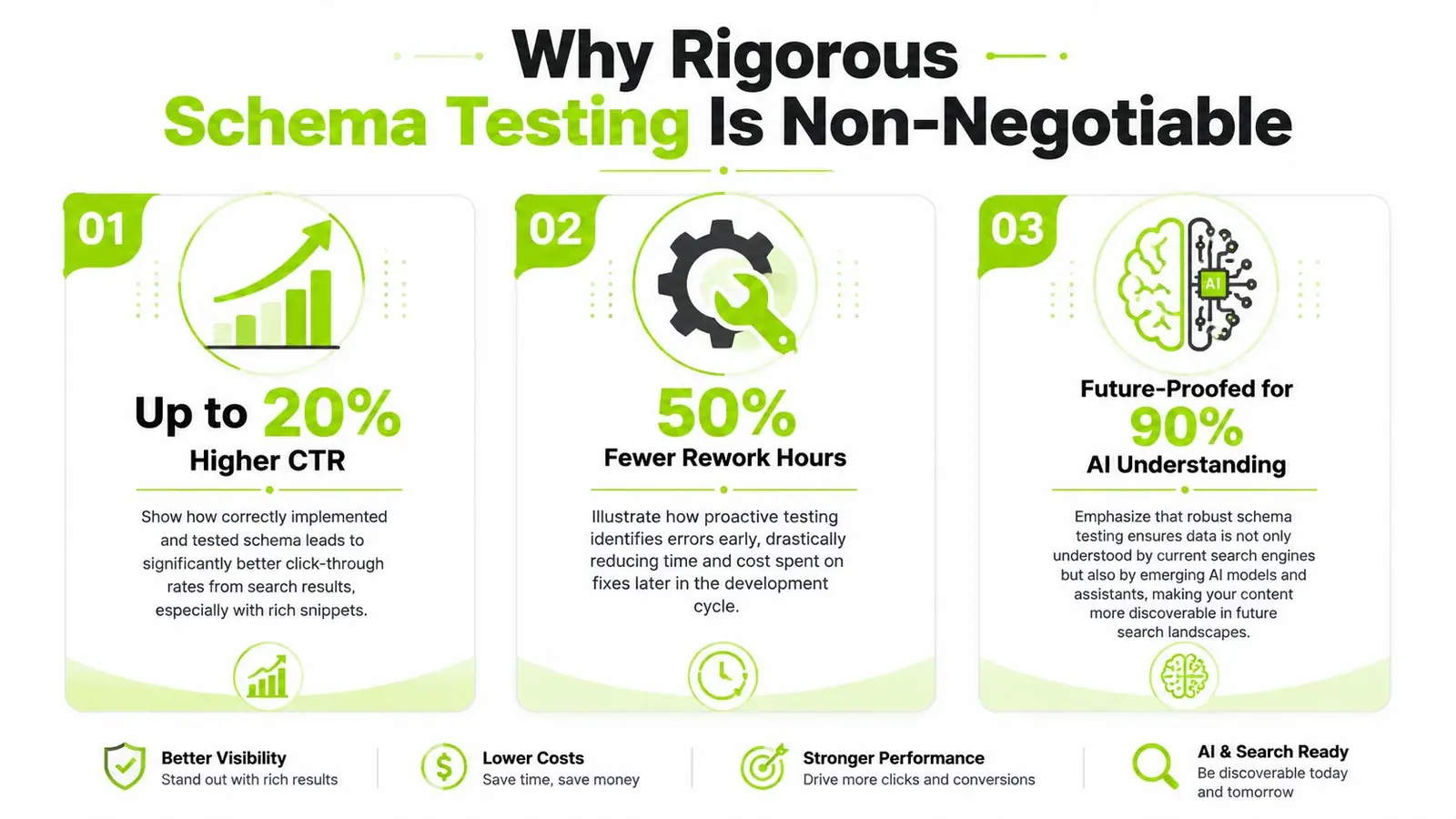
Why Rigorous Schema Testing Is Non-Negotiable
A release goes out on Friday. The JSON-LD parses. Nobody sees errors in a quick validator. By Monday, the product template is missing rich results on live pages, the rendered markup no longer matches the visible content, and the entity relationships are muddy enough that AI assistants have little reason to trust the page as a clean citation source.
That failure pattern is common because schema testing gets reduced to syntax checks. Production failures usually come from template logic, rendering order, field mapping, or weak entity definition. Passing code is only the first gate.
Structured data now sits inside a wider metadata stack that shapes how search engines and assistant systems interpret a page. Teams that treat schema as isolated markup miss the bigger issue. The page needs machine-readable clarity across the full entity model, not just valid JSON-LD. If you need a refresher on how these layers fit together, this guide to metadata in SEO is a useful reference.
Validation does not cover interpretation
Google's tools answer an important question. Can Google parse the markup and, in some cases, is it eligible for a supported feature. They do not answer the harder production question: does the markup describe the page clearly enough for search systems and AI models to connect the right entity, attributes, and claims?
That distinction matters.
I want teams to test structured data against three separate standards:
- Parseability. The code is valid and readable.
- Eligibility. Required properties and feature-specific rules are satisfied.
- Interpretation. The entity, relationships, and page context are explicit enough to support retrieval, disambiguation, and citation.
A page can pass the first two and still fail the third. That is the interpretation gap, and it explains why some pages look clean in validators but still underperform in rich results, assistant answers, and AI-generated summaries.
Spot checks break on real-world implementations
Manual spot checks still have value, but they stop working once you manage multiple templates, custom fields, plugins, feed-driven content, and JavaScript injection. The markup that looked fine in staging can fragment in production because one template suppresses a field, another duplicates an object, and a third outputs schema for the wrong page type.
Agency teams see this constantly. Product schema appears on collection pages. FAQ markup survives after the visible FAQ block was removed. Review data persists in code long after the on-page review module changed. None of those failures are exotic. They are normal consequences of distributed ownership across SEO, development, CMS operations, and third-party tooling.
For early structure checks, especially on custom generators or sensitive client datasets, privacy-first offline JSON Schema tools can help teams validate object structure before anything is pushed into a browser-based workflow.
What the testing process needs to prevent
The goal is not more QA for its own sake. The goal is to catch the failure modes that cost visibility after release.
| Focus | What it prevents | Why it matters |
|---|---|---|
| Pre-release schema checks | Broken properties, invalid nesting, missing required fields | Stops avoidable deployment errors |
| Rendered-page verification | JavaScript conflicts, template output mismatches, hidden or stale markup | Confirms the version crawlers and downstream systems actually receive |
| Entity-level review | Ambiguous authorship, weak page-to-entity mapping, disconnected references | Improves semantic understanding and citation potential |
| Release monitoring | Regressions introduced by CMS edits, plugin updates, or template changes | Protects search visibility after launch |
Teams that only paste snippets into a validator are testing the least risky part of the implementation. The expensive failures happen after merge, during rendering, or in the handoff between valid markup and actual machine interpretation.
Your Manual Structured Data Testing Toolkit
A release goes live. Rich Results Test shows green. Two weeks later, the client asks why their content still is not being cited cleanly by AI assistants, or why Google is surfacing the wrong entity details. The problem usually is not syntax. It is interpretation.
Manual testing catches that gap earlier than any automated rule set. It shows whether the schema is merely valid, whether it is eligible for a Google feature, and whether it gives machines a clear enough model of the page to connect entities, attributes, and intent correctly.
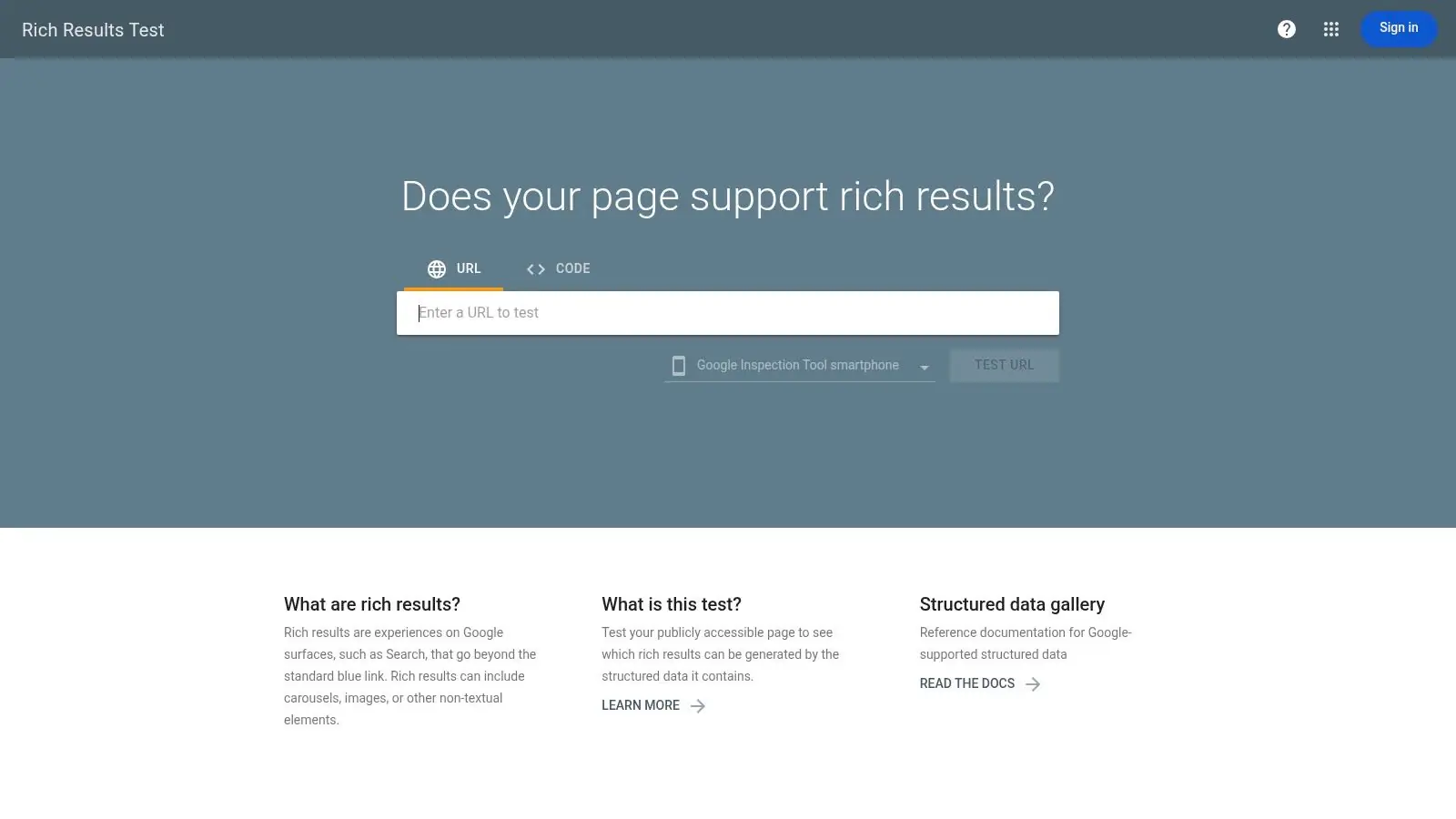
The two tools I use on every implementation are Google Rich Results Test and Schema Markup Validator. They solve different problems. If the team relies on one tool, it will miss issues that only appear in rendering, in the full schema graph, or in the way the markup frames the page for downstream systems.
Start with the live URL, not a detached snippet. Production failures often come from JavaScript rendering, CMS conditionals, personalization layers, consent tooling, or duplicate output from plugins and custom templates. A pasted code sample can look fine while the page Google and other systems fetch is wrong.
Use Google Rich Results Test for feature eligibility
Google Rich Results Test answers a narrow but important question. Is the rendered page eligible for Google-supported rich result features?
Use it in this order:
- Test the live URL first so the team sees rendered output, not the version sitting in a ticket or local file.
- Review detected items and confirm Google found the schema type you intended to publish.
- Open every error first. Warnings matter, but errors are what usually block eligibility.
- Check page fit. A valid Product object on a category page or a valid FAQ block on a weak support page can still be the wrong implementation.
- Compare extracted values to visible content so headline, price, availability, dates, and author details match what users can verify on the page.
Google's tool is good at answering "can this feature qualify?" It is less useful for answering "does this graph describe the page cleanly enough for broader machine understanding?" That distinction matters more now because search features, assistants, and LLM-driven summaries do not all interpret markup with the same goal.
Use Schema Markup Validator for graph inspection
Schema Markup Validator is better for reviewing the full structure of the markup and checking whether entity relationships make sense outside Google's supported rich result set.
I use it for three types of work:
- Entity mapping reviews where Organization, Person, Article, Product, or Service nodes need to connect cleanly
- Nested object debugging when a validator needs to show the graph more clearly than Google's interface does
- Interpretation checks where the markup technically passes, but the page still sends mixed signals about what the primary entity is
This matters on pages that blend multiple intents. Agency teams see this all the time on client sites with reusable templates. A thought leadership article inherits Product markup. A location page includes Organization, LocalBusiness, FAQ, and Review objects from different systems. Every piece may validate, but the combined graph muddies the page's meaning.
Teams also need a clean distinction between visible copy, HTML metadata, and structured data. Confusion between those layers causes conflicting values and duplicate signals later in the workflow. For junior reviewers, this guide to metadata in SEO is a useful reference before they start editing templates or schema generators.
A manual review routine that catches production mistakes
Keep the review sequence fixed. Consistency is what makes hand testing useful across SEO, dev, and QA.
- Confirm the primary page intent first: decide whether the page is mainly an article, product, service, category, profile, or local landing page before judging the markup.
- Match the main entity to that intent: the primary schema type should support the page's real job, not just mirror whatever the CMS can output.
- Check visible-to-structured parity: names, dates, pricing, availability, author details, and business information should match what users can see.
- Review canonical identifiers and URLs: absolute URLs, stable entity references, and correct canonical targets prevent broken relationships.
- Look for duplicate or competing objects: plugins, GTM injections, and theme logic often publish overlapping schema blocks.
- Read the graph like a machine would: ask what an assistant or LLM would conclude is the main subject, who published it, what claims are supported, and whether the page provides enough context to cite it accurately.
That last step is the one teams skip. It is also where a lot of lost value sits. A page can pass Google's checks and still fail to establish a strong semantic frame for AI-driven systems that are trying to resolve entities, attribute facts, and choose what to cite.
Here's a walkthrough if you want a visual refresher before training the team on the process:
A page can pass validation and still be modeled poorly. Manual testing is where the team checks whether the markup helps machines interpret the page correctly, not just whether a tool accepts it.
Interpreting and Fixing Common Schema Errors
Teams often don't struggle to find errors. They struggle to fix them cleanly without creating new ones.
The fastest way to improve structured data testing quality is to make error handling predictable. When the same five failures keep recurring, the team should know exactly what the broken pattern looks like and what the corrected version should be.
If you need examples of how rich results appear once the markup is working, this overview of what rich snippets are is a useful reference point for newer team members. It helps connect code fixes to SERP outcomes.
Missing required fields
This is the most common blocker. The object exists, but a required property for eligibility is absent.
Before
{
  "@context": "https://schema.org",
  "@type": "Article",
  "headline": "Structured Data Testing Guide"
}
After
{
  "@context": "https://schema.org",
  "@type": "Article",
  "headline": "Structured Data Testing Guide",
  "author": {
    "@type": "Person",
    "name": "Jane Smith"
  }
}
The fix isn't “add more fields everywhere.” Add the fields required for the schema type and page context you want recognized.
Incorrect data types
This happens when the property exists but the value is formatted as the wrong kind of data.
Before
{
  "@context": "https://schema.org",
  "@type": "Product",
  "name": "Trail Shoe",
  "offers": {
    "@type": "Offer",
    "price": {
      "value": "89.00"
    }
  }
}
After
{
  "@context": "https://schema.org",
  "@type": "Product",
  "name": "Trail Shoe",
  "offers": {
    "@type": "Offer",
    "price": "89.00"
  }
}
The principle is simple. Don't improvise object structures. Use the expected property format for that schema type.
Relative URLs instead of absolute URLs
Relative URLs often look harmless in development, then fail validation or create ambiguity.
Before
{
  "@context": "https://schema.org",
  "@type": "Organization",
  "name": "Northwind Studio",
  "url": "/about"
}
After
{
  "@context": "https://schema.org",
  "@type": "Organization",
  "name": "Northwind Studio",
  "url": "https://www.example.com/about"
}
Use the full canonical form. That removes guesswork for validators and downstream systems.
If a property identifies a real-world entity, location, image, or page, give it the most explicit reference you can.
Conflicting schema blocks
This is common on CMS builds where plugins, components, and custom code all output markup.
Before
{
  "@context": "https://schema.org",
  "@type": "Article",
  "headline": "Structured Data Testing Guide"
}
{
  "@context": "https://schema.org",
  "@type": "BlogPosting",
  "headline": "Different Headline"
}
After
{
  "@context": "https://schema.org",
  "@type": "BlogPosting",
  "headline": "Structured Data Testing Guide"
}
Two overlapping objects can confuse parsers when they describe the same page differently. Consolidate where possible. One clear object beats multiple competing ones.
JSON syntax errors
Syntax errors are the easiest to catch and the most frustrating to ship.
Before
{
  "@context": "https://schema.org",
  "@type": "FAQPage",
  "mainEntity": [{
    "@type": "Question",
    "name": "What is structured data testing?",
    "acceptedAnswer": {
      "@type": "Answer",
      "text": "It verifies schema markup."
    }
  }]
After
{
  "@context": "https://schema.org",
  "@type": "FAQPage",
  "mainEntity": [{
    "@type": "Question",
    "name": "What is structured data testing?",
    "acceptedAnswer": {
      "@type": "Answer",
      "text": "It verifies schema markup."
    }
  }]
}
Missing braces, commas, or quotes are small mistakes, but they break the entire object. That's why syntax checks should happen before anyone spends time reviewing semantic quality.
Automating Validation in Your CI/CD Pipeline
Friday release. Product pages look fine in staging. By Monday, Search Console starts flagging missing product markup because a frontend dependency changed the rendered JSON-LD after deployment. The templates passed review. The live DOM failed.
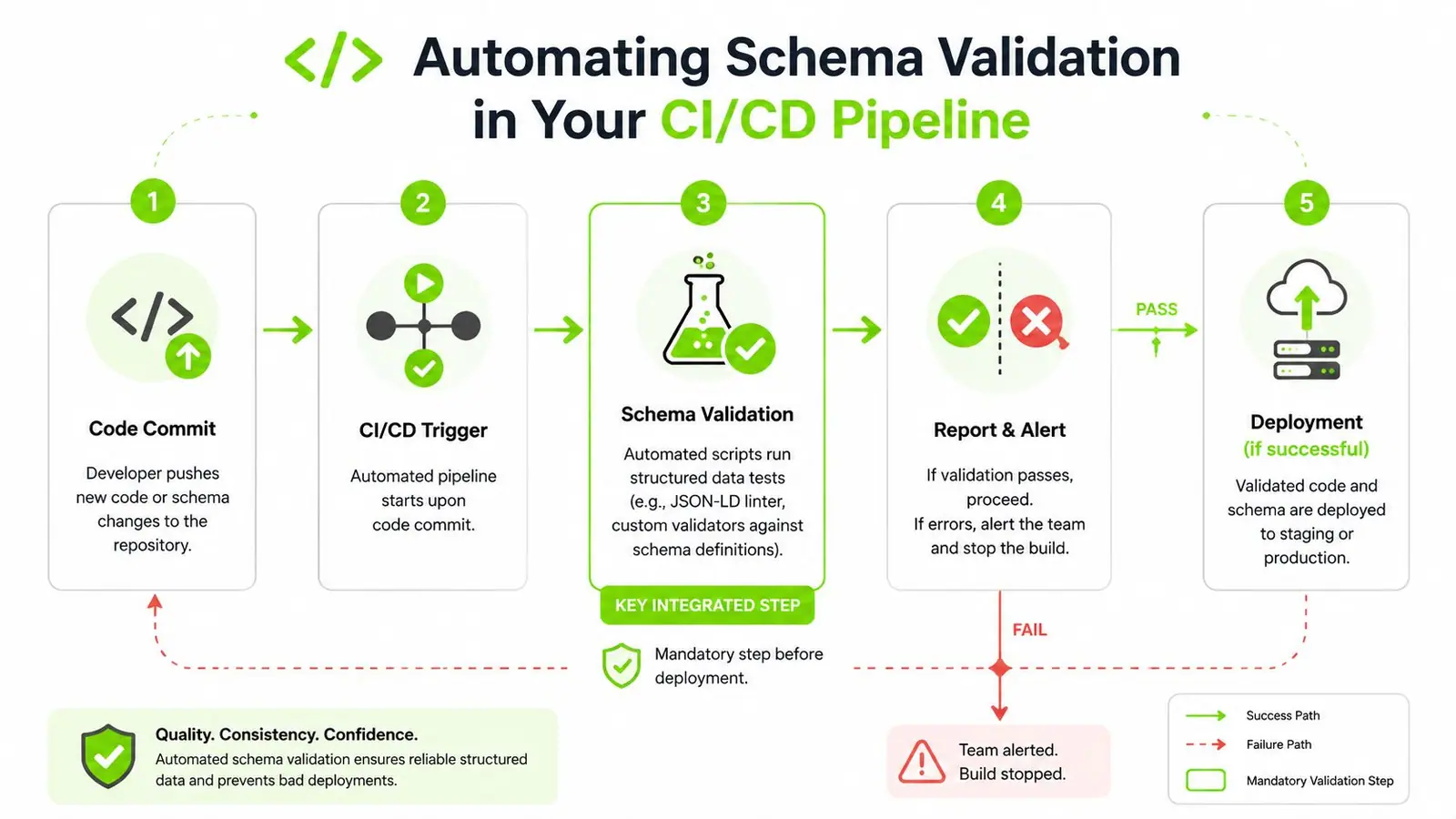
That is why schema validation belongs in CI/CD.
Manual checks teach pattern recognition, but they do not protect a multi-client release pipeline, especially on JavaScript-heavy builds where source code and rendered output drift. If structured data affects product visibility, publisher features, local discovery, or eligibility for AI-generated answer surfaces, treat it like any other production test.
What the pipeline should actually do
The pipeline needs to catch four failure types. Broken syntax. Missing required properties. Rendered markup that differs from the expected graph. Entity relationships that still validate but become ambiguous after a template change.
That last one gets missed often.
A page can pass a rich result eligibility check and still become harder for systems to interpret if a release strips identifiers, disconnects nested entities, or swaps stable fields for vague text. That gap matters for search features now, and it matters even more for AI-driven discovery covered in our guide to Google AI Overviews and SEO.
A practical setup usually looks like this:
| Stage | What happens | Failure condition |
|---|---|---|
| Development | Lint JSON-LD and validate schema shape in local builds | Invalid JSON, malformed objects, missing required fields |
| Pull request | Run tests only on changed templates and affected page types | Expected properties disappear or object types change |
| Staging | Render pages in a headless browser and extract final schema from the DOM | Client-side output differs from source or expected graph |
| Production verification | Test a controlled set of live URLs after deploy | Release modified or removed markup on live pages |
| Monitoring | Track regressions in Search Console and crawl-based tests | New enhancement errors or graph drift appears |
Build blockers are usually the right trade-off
Release teams push back on schema gates because nobody wants SEO holding a deploy. The better question is what happens after bad markup ships.
Engineers lose time on rollback analysis. SEO teams file avoidable tickets. Account teams explain traffic and feature losses to clients after the fact. If the affected templates drive revenue or lead volume, blocking the build is cheaper than cleaning up production.
Set the threshold carefully. I do not recommend failing every build over a missing optional property on a low-value template. I do recommend failing a pull request when core fields disappear from Product, Article, FAQ, Event, Organization, or LocalBusiness implementations. That is a policy decision, not a tooling problem.
For teams aligning release controls with engineering practice, the CloudCops CI/CD pipeline guide is useful because it frames validation as a normal quality gate with ownership, thresholds, and rollback criteria.
Test the rendered DOM, not just repository snippets
Source-level validation catches obvious mistakes. Production failures usually happen later.
Hydration can replace server output. Tag managers can inject conflicting objects. Personalization layers can remove fields. Frontend components can duplicate nodes or delay script execution long enough that one crawler sees the graph and another does not. If the schema is not present in the rendered DOM in the expected form, the implementation is not ready.
Use fewer tests if needed. Just make them high-confidence tests on high-value templates.
The workflow I trust in production is simple:
- Lint raw JSON-LD in templates or generated payloads
- Render representative URLs with a headless browser
- Extract the final JSON-LD from the DOM
- Compare it against expected properties, types, and entity connections
- Fail the check when critical fields or relationships change unexpectedly
That last step is what closes the interpretation gap before release. Syntax validation tells you the markup can be parsed. CI/CD validation should also tell you whether the graph still says the same thing after code, rendering, and deployment all do their part.
Testing for AI and Assistant Visibility
The common assumption is that if a page passes Google's Rich Results Test, the structured data is ready for modern discovery. That assumption is already outdated.
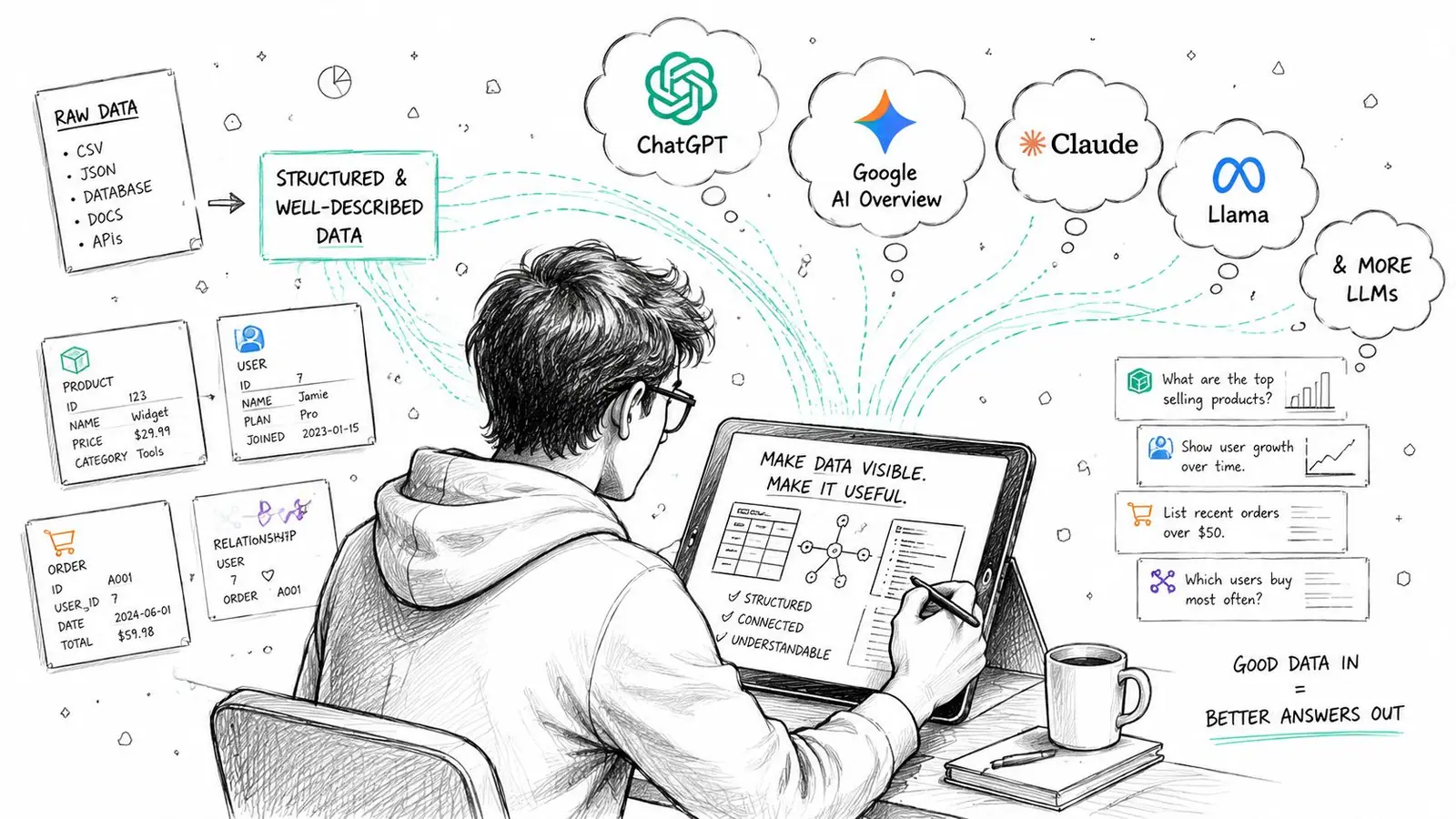
The bigger challenge now is interpretation, not just syntax. A page can be technically valid while still being too vague for AI systems to use confidently as a citation or supporting source.
According to research on structured data and AI citation behavior, 95% of tested pages pass Google's Rich Results Test for syntax, but only 62% are cited by AI assistants like Gemini when queried. That's the interpretation gap in plain terms.
Why valid schema still gets ignored
AI systems don't just parse field names. They infer relationships, resolve entities, compare signals, and decide whether the page is clear enough to trust for an answer.
That means weak implementations often share the same problems:
- The entity is underspecified: The page mentions a product, company, or author, but the schema doesn't describe it clearly.
- The graph is disconnected: Useful objects exist, but they don't relate to each other in a way that builds context.
- The markup is technically correct but semantically thin: There's not enough detail to help a model interpret the page with confidence.
This is part of why teams working on Google AI Overviews SEO need to think beyond rich result eligibility. Search presentation and AI citation are overlapping goals, not identical ones.
What better AI-oriented schema looks like
When I review pages for assistant visibility, I'm looking for clarity before cleverness.
Use these principles:
-
Name the primary entity explicitly
Don't leave the model guessing whether the page is mainly about a product, an article topic, an organization, or a person. -
Connect related entities cleanly
Author to article. Organization to product. Product to offer. FAQ to the main page topic. Relationships help interpretation. -
Keep schema aligned with visible language
If the page headline, on-page copy, and structured data describe the subject in different ways, the page becomes harder to trust. -
Prefer complete, relevant objects over minimal eligibility markup
Meeting the bare minimum may be enough for a validator. It often isn't enough for machine understanding.
Good AI-facing schema reads like a clean data model of the page, not like a checklist completed in the fewest fields possible.
The teams that do this well usually stop asking, “Did it pass?” and start asking, “Would another system understand this page without human guesswork?”
Continuous Monitoring for Long-Term Schema Health
A schema rollout can look clean on launch day and still fail a week later. A CMS field gets renamed. A JavaScript component starts injecting a second Product object. A template update strips author or offers from an entire page type. The validator passed earlier. Production changed.
That is why schema health needs an operating routine, not a one-time QA pass.
I treat monitoring in two layers. First, catch hard failures that affect eligibility in search features. Second, catch interpretation drift, where the markup still parses but becomes less useful to search systems and AI assistants trying to identify the main entity, connect related objects, and cite the page with confidence.
Weekly checks that catch real regressions
Google Search Console belongs in the weekly workflow.
Review enhancement reports for changes in pattern, not isolated noise:
- New error clusters: These usually trace back to a shared template, plugin, or feed change.
- Warnings on revenue-driving page types: A warning on product, article, or local pages often points to missing fields that weaken the page even if rich result eligibility remains.
- Drops in valid items: A decline usually means something changed upstream in rendering, field mapping, or conditional logic.
Do not stop at the report. Pull live URLs from the affected template, inspect rendered HTML, and compare the schema against what the page says. Search Console shows symptoms. It rarely shows the implementation mistake that caused them.
If the team needs a broader operating model for recurring technical reviews, this guide to what a website audit covers helps place schema checks inside a wider QA process instead of leaving them as a disconnected task.
Monthly audits for high-value templates
Search Console will not flag every issue that matters.
It will not tell you that the page now contains two competing primary entities. It will not warn you that Article markup technically validates but no longer makes the author, publisher, and topic relationship clear enough for downstream interpretation. It will not surface cases where a page is eligible for a rich result but semantically weak for AI citation.
That is why I still run monthly manual audits on the templates that drive revenue, leads, or branded authority:
| Page type | What to inspect manually |
|---|---|
| Product pages | Offer completeness, availability, duplicate Product objects, consistency between visible copy and schema |
| Article pages | Headline, author, dates, mainEntityOfPage, and whether the article topic is unambiguous |
| Location pages | NAP consistency, page-specific identity, local business relevance, duplicate location entities |
| Support and FAQ pages | Question-answer alignment, topic focus, and whether the schema supports the page's actual intent |
Keep historical snapshots of rendered schema for representative URLs. Diffing last month's output against current output catches quiet drift fast, especially on sites with multiple developers, plugins, and localization rules.
Ownership matters here. One person or team should be responsible for reviewing alerts, approving schema changes, and deciding when a warning is acceptable versus when it introduces risk. Without that control, schema degrades the same way analytics setups do. Slowly, then all at once.
Long-term schema health comes from repeated checks, clear ownership, and a review process that measures both technical validity and machine understanding.
If your team needs a clearer way to track how structured data work translates into search and AI visibility, Surnex gives agencies and in-house teams one place to monitor traditional SEO signals alongside emerging AI discovery, including visibility trends, citation gaps, and performance across newer search experiences.