You're probably dealing with one of two frustrating setups right now. Either your site has a language switcher that only swaps text in the browser and doesn't create a real page for search engines, or it has translated pages but the switcher dumps people onto the homepage instead of the matching page they were reading.
Both feel finished until users start clicking around. Then the cracks show fast. A visitor lands on your English pricing page, switches to German, and loses context. Search engines find multiple versions of similar content but get weak signals about which page belongs to which audience. Teams often treat this as a translation task, but how to change the language on a website is really a routing, indexing, metadata, and fallback problem.
The pattern that works is straightforward. Give each language version its own URL. Connect those URLs into a valid hreflang cluster. Build a switcher that sends people to the equivalent page when it exists, and handles missing translations when it doesn't.
Why Language Switching Matters for Users and Search
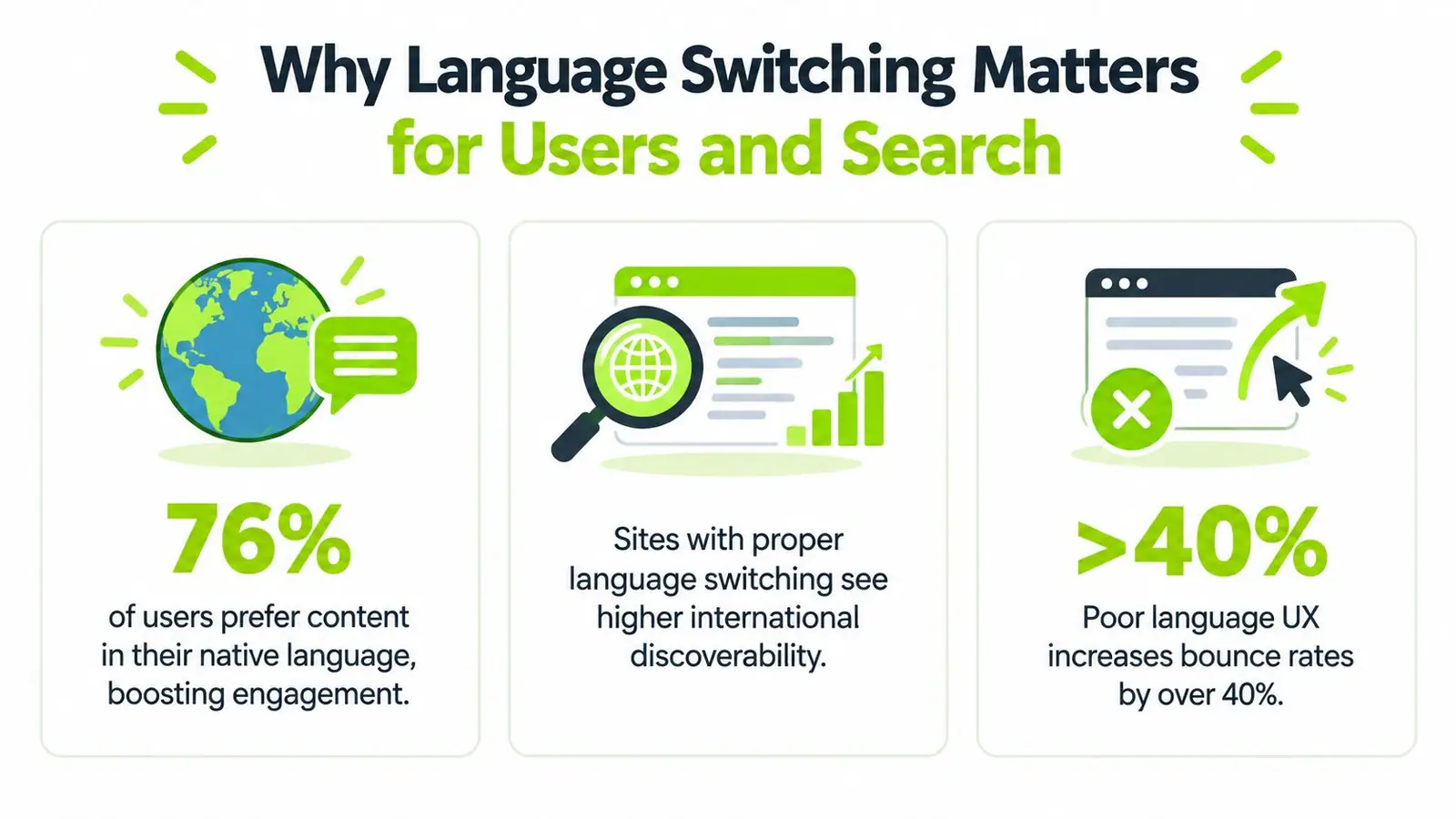
A common failure looks like this. A user lands on /pricing/, opens the language menu, chooses Spanish, and the site either reloads the same URL with client-side text swaps or sends them to /es/ with no trace of the pricing page. From the user's point of view, the site feels unreliable. From a search point of view, the signal is even worse because there may be no distinct, indexable Spanish pricing URL at all.
That's why language switching can't live only in the frontend. It has to be part of site architecture.
Wider web usage makes this more important than many teams assume. English is used on 49.5% of websites whose content language is known, while Spanish is around 6.0%, and several other major languages sit between roughly 3% and 6% according to W3Techs content language data. The same source also shows a shift over time, with English falling from 55.6% of websites in 2021 to 49.5% on 18 September 2026, while Spanish rose from 4.7% to 6.0% in that span. Most sites still haven't fully adapted. Independent research summarized in that same source estimates that roughly 75% of websites are monolingual, which is exactly why a clean multilingual setup still creates real differentiation.
The switcher is navigation, not decoration
Once you look at it this way, the language switcher stops being a small UI component. It becomes a navigation control that changes users onto a different URL intended for a different audience.
That idea got a formal standard in December 2011, when Google announced support for rel="alternate" hreflang annotations for translated or region-specific versions of the same page in its announcement on multilingual markup. Google later clarified that these annotations create clusters of equivalent pages for users around the world. That was the turning point. Multilingual sites stopped being only a UX concern and became an indexing concern with an explicit implementation pattern.
Practical rule: If a language version matters to users, it needs a real URL that can be crawled, indexed, linked, and switched to directly.
What breaks when teams fake it
The most common broken patterns are easy to spot:
- Client-side text swaps only: The page appears translated, but search engines still see one URL.
- Homepage-only switching: Users lose the page they were on.
- Country flags as the only labels: Flags represent countries, not languages, so they create ambiguity fast.
- Inconsistent signals: The switcher points one place, internal links point another, and metadata says something else.
If you fix only the visible toggle, the setup still breaks. If you fix only the metadata, users still get lost. Both layers have to agree.
Choosing the Right URL Structure for Multilingual Sites
Before you build a switcher or touch hreflang, choose the URL pattern. This decision affects content deployment, analytics, internal linking, and how easy the setup is to maintain six months from now.
Subdirectories are the default winner because they're easier to manage inside one main site structure. A URL like /de/pricing/ is usually cleaner operationally than splitting languages across separate properties unless there's a strong business reason to do that.
The three main patterns
| URL Approach | Best For | SEO and Maintenance Trade-off |
|---|---|---|
Subdirectories such as /de/pricing/ | Most brands, SaaS sites, publishers, and marketing teams | Strong consolidation under one site, simpler governance, easier internal linking, but needs disciplined locale routing |
Subdomains such as de.example.com/pricing/ | Teams with separate stacks or regional ownership | More flexibility for infrastructure and ownership, but adds coordination overhead across properties |
ccTLDs such as example.de/pricing/ | Businesses with country-specific legal, brand, or operational needs | Strong market separation, but highest maintenance burden and more fragmented management |
Why subdirectories usually win
When teams ask me what to use, I usually push them toward subdirectories unless their operating model clearly says otherwise. They keep locale versions close together, make templates easier to reuse, and simplify equivalent-page mapping.
They also make switcher behavior more obvious. If the user is on /pricing/, the German target is usually /de/pricing/. That predictability matters when engineering, content, and SEO teams need one shared rule instead of exceptions scattered through code.
A second advantage is governance. One CMS, one design system, one navigation logic, one analytics setup. You still have multilingual complexity, but you aren't multiplying it across separate properties.
Subdirectories are boring in a good way. They reduce the number of moving parts, which is exactly what you want in multilingual architecture.
When subdomains or ccTLDs make sense
Subdomains can work when different teams own different locales, or when the stack already runs that way. I've seen them fit well in organizations where regional teams ship independently and don't want central release coupling.
ccTLDs are a bigger commitment. They make sense when the business is country-led, not just language-led. Legal requirements, separate product catalogs, or distinct brand positioning can justify that split. If those conditions aren't present, they often create more maintenance than value.
One rule matters more than the format
Whatever structure you pick, stick to one locale mapping system and document it clearly. Don't mix /de/ for one section, de.example.com for another, and query parameters somewhere else because one plugin happened to support them.
Also keep URLs readable. Locale paths already add structure, so long slugs become harder to scan and maintain. This is one reason I prefer reviewing multilingual architecture alongside broader URL hygiene, including practical considerations around URL length and maintainability.
A multilingual site can survive an imperfect structure. It won't survive an inconsistent one.
Implementing Hreflang and Language Metadata Correctly
Once each language has its own URL, search engines still need help understanding which pages belong together. That's the job of hreflang and page-level language metadata.
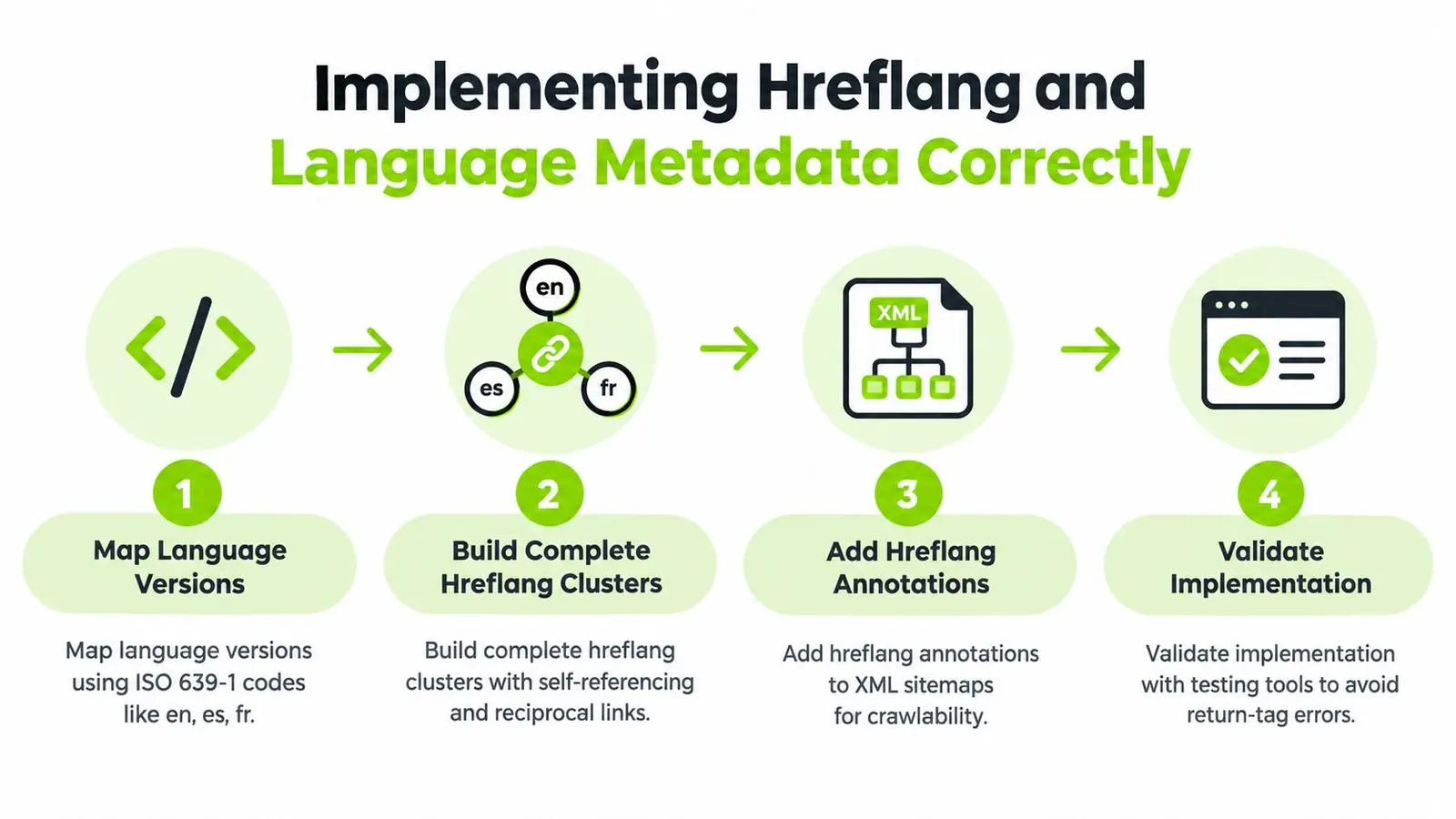
Google's guidance on localized versions of pages is the core reference here. Use ISO 639-1 language codes, and add an ISO 3166-1 Alpha 2 region code when you need regional targeting such as en-US or en-GB. The important part isn't memorizing the standard. It's making sure every page points to all of its alternates consistently.
What a valid cluster looks like
If you have these pages:
/pricing//de/pricing//fr/pricing/
each version should declare the others as equivalents, and each page should reference itself too. That self-reference matters because it completes the cluster cleanly.
A simplified HTML pattern looks like this:
<link rel="alternate" hreflang="en" href="https://example.com/pricing/" />
<link rel="alternate" hreflang="de" href="https://example.com/de/pricing/" />
<link rel="alternate" hreflang="fr" href="https://example.com/fr/pricing/" />
<link rel="alternate" hreflang="x-default" href="https://example.com/language-selector/" />
You can also implement hreflang through XML sitemaps. That's often easier at scale because teams can generate and audit the relationships centrally rather than relying on template logic alone.
Don't forget lang on the page
Hreflang is for alternate-page relationships. The HTML lang attribute is different. It tells browsers, assistive technologies, and parsers what language the visible page content is written in.
If the page is German, the page should say so:
<html lang="de">
If the content is English for the United States, a common pattern is:
<html lang="en-US">
The key is alignment. If the visible content is in German but the lang attribute says English, you've created confusion for both accessibility and machine interpretation.
Where teams usually get this wrong
Most hreflang failures aren't exotic. They come from ordinary implementation drift.
- Switcher and hreflang mismatch: The menu links to one URL, but hreflang references another.
- Missing reciprocal references: One locale points to the others, but they don't point back.
- No self-reference: The cluster is incomplete.
- In-place language changes: JavaScript swaps text without changing URL, leaving no alternate page to cluster.
- Wrong code usage: Teams use custom locale strings that don't match standard language-region conventions.
If your language switcher changes the experience but not the URL, you haven't built multilingual search architecture. You've built a frontend illusion.
Use x-default deliberately
Google's later guidance on using x-default for unmatched users is useful when a user doesn't clearly fit a targeted locale. The x-default page is often a language selector, a neutral global page, or a market chooser.
That gives you a clean fallback instead of forcing every unmatched user into one arbitrary locale. It also keeps your alternate-page intent explicit.
Metadata needs locale ownership too
A translated body copy with untranslated titles, descriptions, and alt text is a common half-finished state. It creates inconsistency in search results and weakens user trust before they even click.
That broader layer of page signals is where a solid understanding of metadata in SEO helps. The rule is simple: every locale should own its own search-facing metadata, not inherit English by default unless that content is intentionally untranslated.
Designing a Language Switcher Users Actually Find and Trust
The visible switcher is where multilingual strategy becomes real for users. If they can't find it, don't understand it, or lose their place when they use it, the architecture underneath won't save the experience.
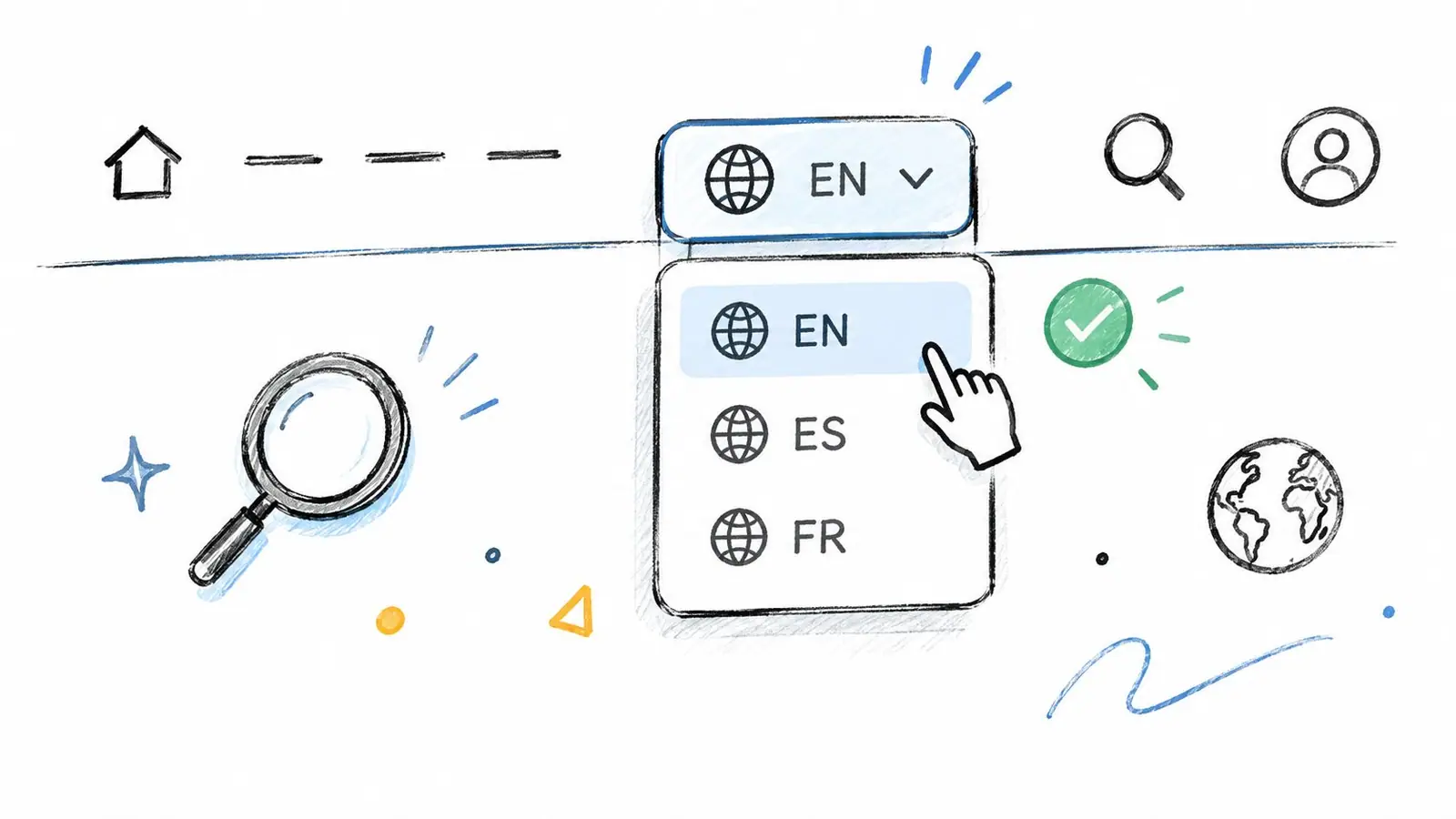
Google's guidance favors alternate URLs rather than changing language in place, and UX guidance consistently points to a switcher that's easy to spot in the header or footer, labels languages in their native form, and clearly indicates the current selection. That's the baseline.
Put it where people expect it
A switcher buried in a settings drawer might satisfy a design comp, but it often fails real users. Header placement works well because it's immediately visible. Footer placement can work too, especially on content-heavy sites, but it shouldn't be the only path if language is central to the audience.
Also make the control explicit. “Language” is clearer than a globe icon with no text. Visual shortcuts are fine, but clarity wins.
Label languages in their own language
Use labels like English, Deutsch, Français, Español. Don't rely on flags alone. A flag can imply geography, politics, or a market boundary that doesn't match the user's intent.
The current locale should also be obvious. If the control is a list of links, mark the active one with aria-current or render it as non-interactive text so keyboard and screen-reader users don't get ambiguous state.
Preserve the current path
This is the behavior users notice first. If someone is on /pricing/, switching languages should attempt the equivalent localized page. It should not throw them onto the locale homepage unless there is no equivalent page available.
That same principle shows up in other navigation patterns too. Users trust site architecture when navigation preserves context, which is one reason clean locale switching pairs well with strong structural cues like breadcrumb navigation patterns.
Here's a sensible routing model:
- Equivalent exists: Send the user to
/de/pricing/. - Equivalent missing: Tell the user the page isn't available in that language, then offer a clear fallback.
- Manual choice made: Respect it on later visits.
Field note: The fastest way to make a multilingual site feel broken is to send every switch action to the homepage.
Persist the choice without fighting the user
If a visitor chooses a language manually, store that preference in a cookie or localStorage. That prevents repeat friction on return visits. But don't use that preference to trap them against explicit navigation choices.
If they open a direct link to another locale, let the URL win. Manual URL intent is stronger than an old preference value.
After the basic UX pattern, a short walkthrough helps teams see what good behavior looks like in practice:
What not to automate
Auto-detection has limits. Browser language, IP-based assumptions, and saved preferences can all help with defaults, but they shouldn't override a user's explicit selection.
That's the trust issue at the heart of switcher design. Helpful defaults are good. Silent redirection after a manual choice usually isn't.
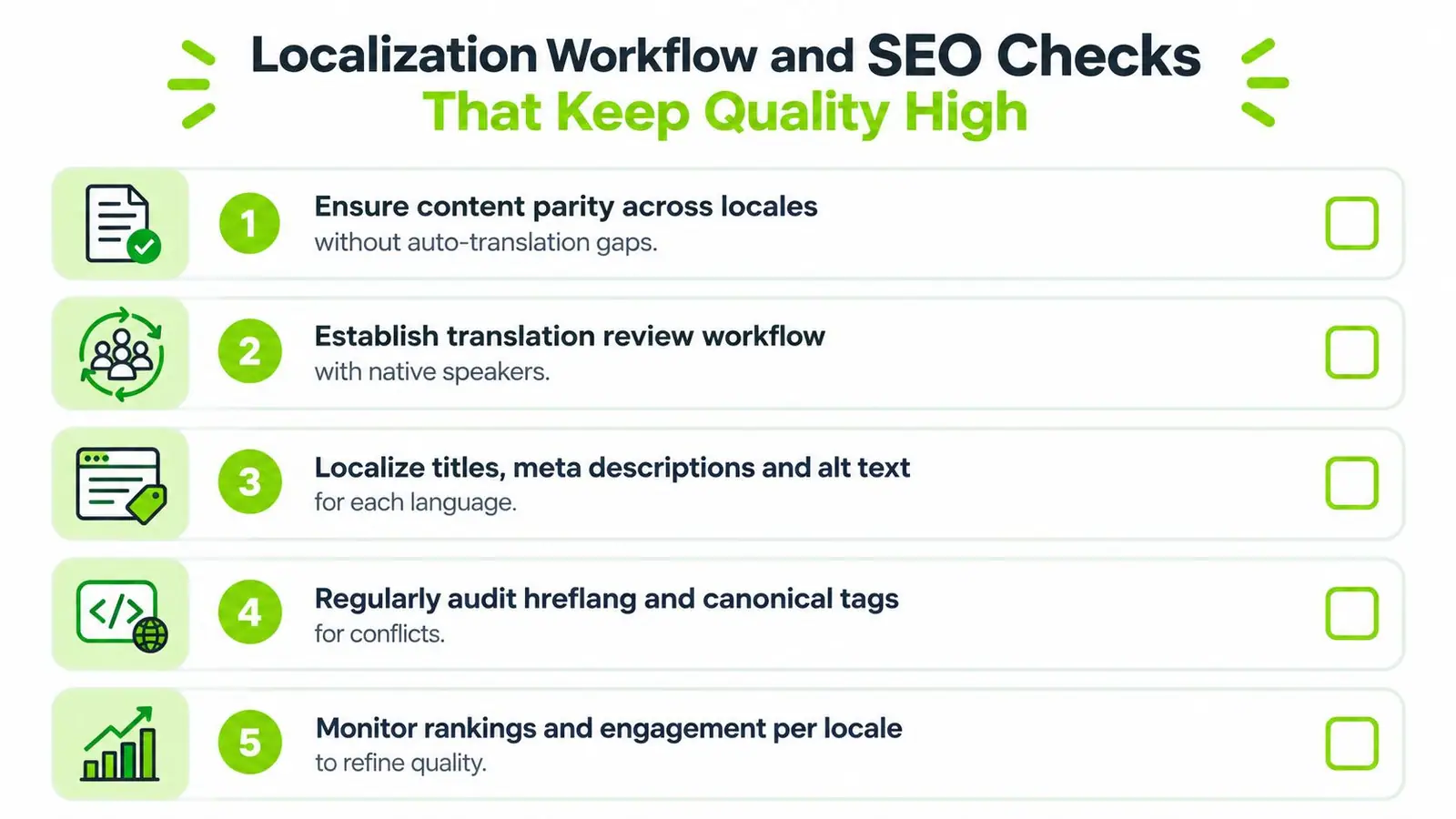
Localization Workflow and SEO Checks That Keep Quality High
Shipping the first set of translated URLs is only the start. Multilingual sites usually break later, during routine content updates, partial launches, and last-minute publishing decisions.
The operational question isn't just how to change the language on a website once. It's how to keep every locale version coherent as the site grows.
Handle content parity honestly
One of the biggest gaps in multilingual implementations appears when a user tries to switch to a language version that doesn't exist yet. Guidance from the U.S. Web Design System language selection pattern is useful here: show all language options, and don't create the false impression that the entire destination language is unavailable just because one page hasn't been translated.
That means your switcher logic needs fallback behavior, not just links.
A practical pattern looks like this:
- Try to route to the exact equivalent page.
- If it doesn't exist, tell the user plainly that this page isn't available in the selected language.
- Offer a sensible fallback such as the locale homepage or nearest relevant section.
- Keep all language options visible so users can still move around the broader site.
Build a repeatable QA pass
A multilingual release checklist should include both content and technical checks. If either side skips review, small issues spread fast across the site.
- Page mapping review: Confirm each page points to the correct locale equivalent, not just a top-level locale hub.
- Metadata review: Check localized titles, descriptions, headings, and alt text for the target language.
- Language attribute review: Make sure the page-level
langmatches the visible content. - Cluster validation: Confirm hreflang references are complete, reciprocal, and aligned with real URLs.
- Fallback review: Test missing-page scenarios directly, not just happy-path switching.
Assign ownership before scale creates chaos
Most multilingual quality issues are ownership issues. Engineering owns routing. SEO owns indexability and metadata rules. Content or localization teams own translation quality. Product or design owns the switcher experience.
If nobody owns the handoff points, pages go live in one locale but not another, hreflang clusters reference pages that haven't shipped, and the switcher exposes options that route badly. Larger organizations benefit from treating multilingual content as an operational system, similar to broader multi-site management workflows.
A multilingual site fails quietly at first. One missing translation, one wrong route, one stale hreflang entry. Then the pattern repeats across templates.
Keep audits tied to real publishing behavior
The teams that maintain multilingual quality well usually do one thing consistently: they test locale behavior at the page level, not only at the homepage or template level.
Open a product page, a blog post, a pricing page, a support article, and a landing page. Switch each one across locales. Check whether the URL changes as expected, whether the destination really exists, and whether the page metadata matches the chosen language. That's where production errors usually surface.
Putting Your Multilingual Setup Into Action
The cleanest multilingual setups usually follow a plain sequence. First, define one URL structure and stick to it. Then map every important page to a real locale-specific equivalent. After that, connect those URLs with hreflang and make sure the visible switcher uses the exact same destinations.
If you're fixing an existing site, start with the pages that matter most commercially. Pricing, product, service, lead-generation, and core support content usually expose language problems faster than the rest of the site. A broken switcher on those pages damages trust immediately.
A practical launch checklist looks like this:
- Choose one URL system: Keep locale patterns consistent across the whole site.
- Map equivalent pages: Don't leave the switcher guessing where localized versions live.
- Implement alternate relationships: Build complete hreflang clusters and verify they match live URLs.
- Set page language correctly: Keep the HTML
langaligned with visible content. - Design the switcher around context: Preserve the current path whenever the equivalent page exists.
- Plan missing-translation behavior: Show the language option anyway, explain the gap, and offer a fallback.
- Respect explicit user intent: Save manual language choices, but let direct locale URLs override old preferences.
- QA by template and by page: Test real journeys, not only ideal cases.
The core idea is simple. Language switching is not a cosmetic dropdown. It's a site architecture decision that affects routing, search visibility, accessibility, and user trust at the same time.
If you remember one thing, make it this: don't change language in place without a real URL strategy behind it. That shortcut creates most of the problems teams spend months cleaning up later.
Surnex helps teams monitor the search signals that multilingual sites often lose track of, including visibility, technical SEO patterns, and content gaps across evolving search experiences. If you're managing international content at scale and want a clearer view of what's surfacing where, visit Surnex.