A common SEO problem looks like this. The site is polished, the copy is solid, the design is clean, and the business owner still says, “Why are we not showing up?”
Usually, the page itself is not the whole issue. Search engines and AI systems need help understanding what the page is, why it matters, and when they should show it. That help often comes from metadata.
If you are learning what is metadata in seo, think of it as the label on the outside of the package. The product is your page. Metadata tells search engines, social platforms, and AI systems what is inside before they decide how to present it.
Your Website Is Invisible Without This Key Ingredient
A contractor launches a new site on Monday. By Friday, the team has polished service pages, clear calls to action, and a working contact form. A month later, the owner searches for those services and still cannot find the site anywhere meaningful in Google.
That gap usually comes from an information problem, not a design problem. Search engines and AI systems cannot rely on page visuals alone. They read the signals in your HTML to decide what the page is about, which version is the main one, whether it should appear in search, and how it may be summarized across search results, AI answers, and previews.
That hidden layer is metadata.
A webpage works like a book in a crowded store. The page copy is the story. Metadata supplies the title on the spine, the summary on the back, the category on the shelf, and the note that marks the official edition. If those labels are weak or missing, a useful page can still end up shelved in the wrong place, or skipped entirely.
This matters beyond traditional blue links. Social platforms use metadata to build previews. AI systems use it as one of the inputs that helps them classify, summarize, and cite pages. If you have seen a vague AI answer or a broken preview card, you have seen a metadata problem in action. For a practical example outside standard web pages, TimeSkip’s piece on Hidden Power of Metadata shows the same principle at work on video content.
What metadata means in plain English
In SEO, metadata usually refers to HTML elements that describe the page for machines before a person even lands on it.
Common examples include:
- Title tags that state the page's main topic
- Meta descriptions that summarize the page
- Canonical tags that identify the preferred URL
- Robots tags that guide crawler behavior
Visitors usually do not read these elements on the page itself. Search engines, social networks, and AI tools do.
Why businesses should care
Metadata shapes whether your page is understood correctly, shown to the right searcher, and presented in a way that earns attention. Consequently, metadata is a business issue, not just a developer detail.
It also plays a larger role now than it did a few years ago. Google still uses metadata to interpret and display pages in classic search results. New AI-driven discovery systems also need clean signals to decide which pages to pull from, how to frame them, and whether your brand appears trustworthy enough to mention. If your team is tracking how your site shows up in those newer experiences, this guide to AI search visibility and brand discoverability is a useful next reference.
A page can be well written and still underperform if its metadata leaves search engines and AI systems guessing.
Why Metadata Is Your Digital Handshake
A customer searches for a service you offer. Your page appears on the results page beside three competitors. At that moment, the searcher has not read your copy, seen your design, or learned your brand story. They only see the signals wrapped around the page first.
That is why metadata works like a digital handshake. It introduces your page before the visit begins, and it does that for two very different audiences at the same time. Searchers use those signals to decide whether your result looks relevant. Search engines and AI systems use them to decide what the page is about, which version should be indexed, and whether your content is clear enough to surface or cite.
The handshake with people
For a human searcher, metadata often appears as the headline and short summary in the search result. That snippet shapes the first impression.
A good title answers the immediate question fast. Is this page about what I need right now?
A good description adds context. It can signal price range, service area, problem solved, or next step. Google may rewrite that description, but writing it still matters because you are giving the engine a clear starting point. Strong inputs usually lead to stronger search snippets, and stronger snippets can bring in better clicks.
Newer AI experiences raise the stakes. In Google’s AI Overviews and other LLM-based discovery tools, pages that are easy to interpret are easier to summarize accurately. If your metadata is vague, your brand can be framed loosely, or skipped in favor of a page with clearer signals.
The handshake with machines
Machines do not browse with intuition. They assemble meaning from clues.
Metadata gives those clues directly. A title tag states the page topic. A canonical tag points to the preferred URL. A robots tag tells crawlers whether they can index the page. Other metadata helps systems connect the page to entities, categories, and formats.
That matters for rankings, but it also matters for visibility beyond the standard blue link. AI systems often need to compress, compare, and cite information quickly. Clear metadata lowers the chance that your page gets misunderstood, merged with the wrong URL, or left out because the system cannot tell what role the page plays.
If you manage a growing site, this is one reason regular checks matter. A page can have strong content and still lose visibility because the metadata sends mixed signals. A technical site audit for metadata and crawl issues helps catch those problems before they spread across hundreds of URLs.
Why this affects traffic and rankings
Metadata influences performance through several channels at once.
- Topical clarity: Clear titles help search engines match the page to the right searches.
- Click quality: Better snippets attract searchers who want what the page offers.
- Index control: Canonical and robots directives help consolidate authority and avoid waste.
- AI retrieval: Well-labeled pages are easier for AI systems to summarize, attribute, and recommend.
Here is the practical view:
| Audience | What metadata does |
|---|---|
| Searchers | Helps them judge relevance before the click |
| Search engines | Helps them interpret, index, and present the page correctly |
| AI systems | Helps them summarize the page and connect it to known topics and entities |
The business angle
Metadata supports qualified visibility.
If the title is broad, you attract the wrong click. If the canonical points to the wrong URL, authority gets split. If the description is unclear, a high-intent buyer keeps scrolling. If AI systems cannot confidently interpret your page, your brand has fewer chances to appear in answer-style results and recommendation flows.
Good metadata does not make weak content rank. It helps strong content get understood, displayed, and chosen.
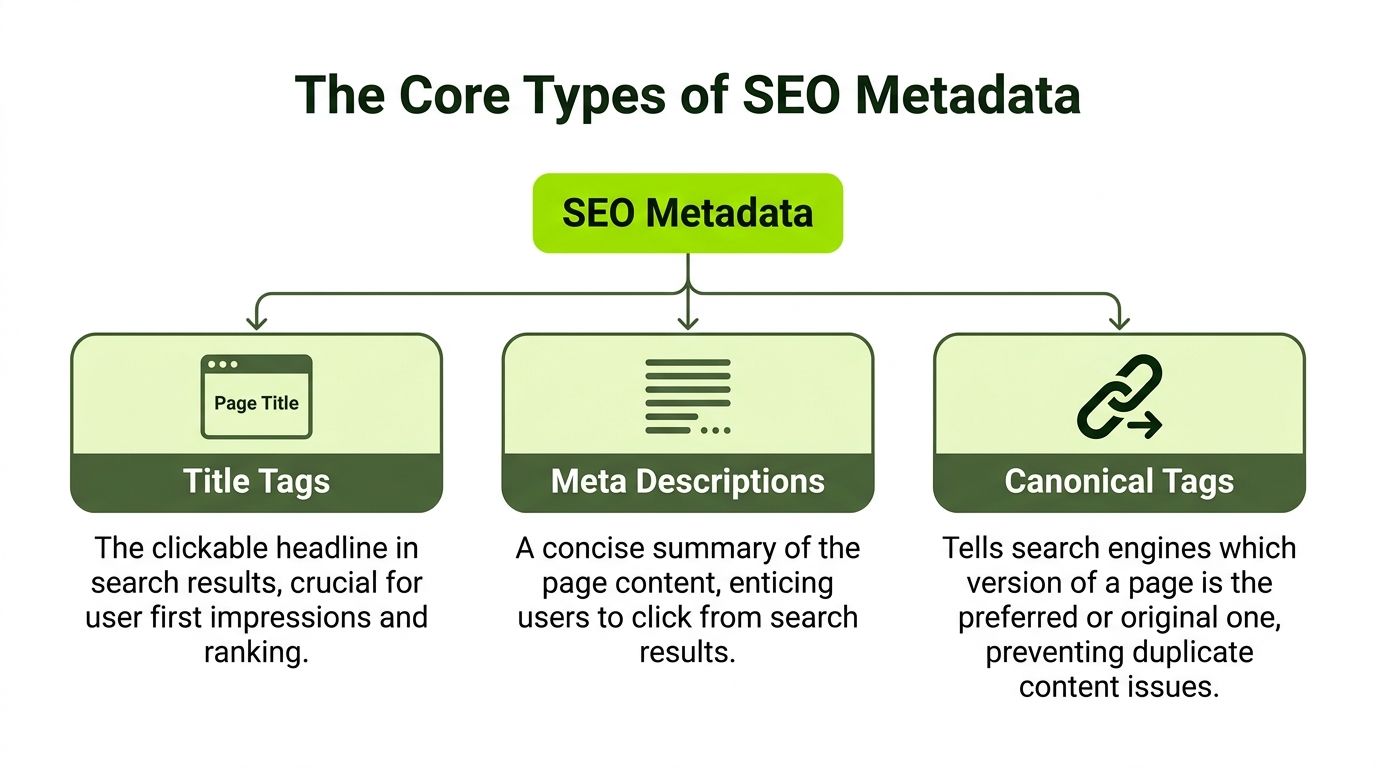
The Core Types of SEO Metadata Explained
Most SEO metadata work comes down to a small set of tags. Learn these well and you will understand most on-page technical SEO conversations.
Title tags
If someone on your team says, “Fix the metadata first,” they are almost always talking about title tags near the top of the list.
The title tag is the page title stored in HTML. It often appears as the clickable blue link in search results and in the browser tab. It is the strongest metadata element for topical clarity.
Example:
<title>Emergency Plumbing Services in Austin | Fast Same-Day Help</title>
Title tags remain a vital ranking signal. Google eventually neutralized meta keywords after abuse, which pushed the strategic focus toward titles and content. Best practice is to keep title tags around 60-70 characters to avoid truncation, according to Stacksteam.
What a good title tag does
A good title tag is not clever for its own sake. It is clear.
It should tell both users and search engines:
- what the page is about
- who it is for
- why it is different, if that matters
For example, compare these:
- Weak: Services
- Better: Managed IT Services for Law Firms in Chicago
- Better with intent: Managed IT Services for Law Firms in Chicago | 24/7 Support
Common title tag mistakes
- Duplication: Multiple pages using the same title
- Vagueness: Titles that hide the actual topic
- Stuffing: Repeating keywords unnaturally
- Brand-first formatting on every page: Useful for homepages, less useful when it pushes the primary topic back
A quick site crawl can reveal duplicate or missing titles fast. If you need a workflow for that, this site audit resource is practical: https://surnex.io/seo-suite/site-audit
Here is a helpful walkthrough before you edit at scale:
Meta descriptions
A meta description is a short summary stored in HTML. It usually appears under the title in search results.
Example:
<meta
  name="description"
  content="Need emergency plumbing in Austin? Get fast same-day repairs for leaks, drains, water heaters, and more. Call now for local help."
/>
Meta descriptions do not work like title tags. Their main job is to improve the snippet and earn the click.
Think of them as your short pitch. The user is deciding whether your page seems relevant, trustworthy, and worth opening.
What makes a useful description
A useful description usually includes:
- The topic: What the page covers
- The intent match: Why this result fits the search
- A reason to act: A subtle call to action or benefit
Good descriptions align with the actual page. If the description promises pricing, the page should show pricing. If it promises a guide, the page should educate.
Where people get confused
A missing meta description does not stop a page from ranking. Search engines can generate their own snippet from the body content.
But that means you lose control over the message. Sometimes the generated snippet is fine. Sometimes it highlights a random sentence that does not sell the page well.
Canonical tags
Canonical tags solve one of the most common technical SEO problems. Duplicate or near-duplicate URLs.
A canonical tells search engines which URL is the preferred version when multiple versions exist.
Example:
<link rel="canonical" href="https://www.example.com/blue-running-shoes" />
This matters on ecommerce sites, filtered category pages, tracking-parameter URLs, and any setup where the same content can appear in more than one place.
A plain-English analogy
Think of canonical tags like naming the official file in a folder full of copies.
You might have:
/product/product?utm_source=email/product?color=blue/Product
Humans see roughly the same item. Search engines may see separate URLs. The canonical says, “This is the main one. Credit this one.”
Without a proper canonical strategy, ranking signals can split across duplicates.
Robots meta tags
Robots tags tell crawlers how to treat a page.
Example:
<meta name="robots" content="index, follow" />
Or:
<meta name="robots" content="noindex, nofollow" />
The most common values are easy to understand:
- index: The page can appear in search
- noindex: Do not include this page in search results
- follow: Crawlers can follow links on the page
- nofollow: Do not follow links on the page
When robots tags are useful
They help with pages that should exist for users but not for search. Examples include internal search pages, thank-you pages, staging remnants that accidentally went live, or thin utility pages with no standalone search value.
Where teams make mistakes
The classic mistake is adding noindex to an important page by accident, then forgetting about it after a redesign or migration.
Another is using robots tags when the core issue is duplication, which is often better handled with canonicals.
If a page should rank, check the robots tag early. One line of code can shut the page out of search.
Advanced Metadata for Modern Search Visibility
Basic metadata gets the page into the conversation. Advanced metadata helps it stand out.
Modern SEO separates from simple page optimization here. Search is no longer just a list of blue links, and discovery no longer happens only inside Google’s standard results. Rich snippets, AI summaries, social previews, and entity-based retrieval all depend on more structured signals.
Schema markup
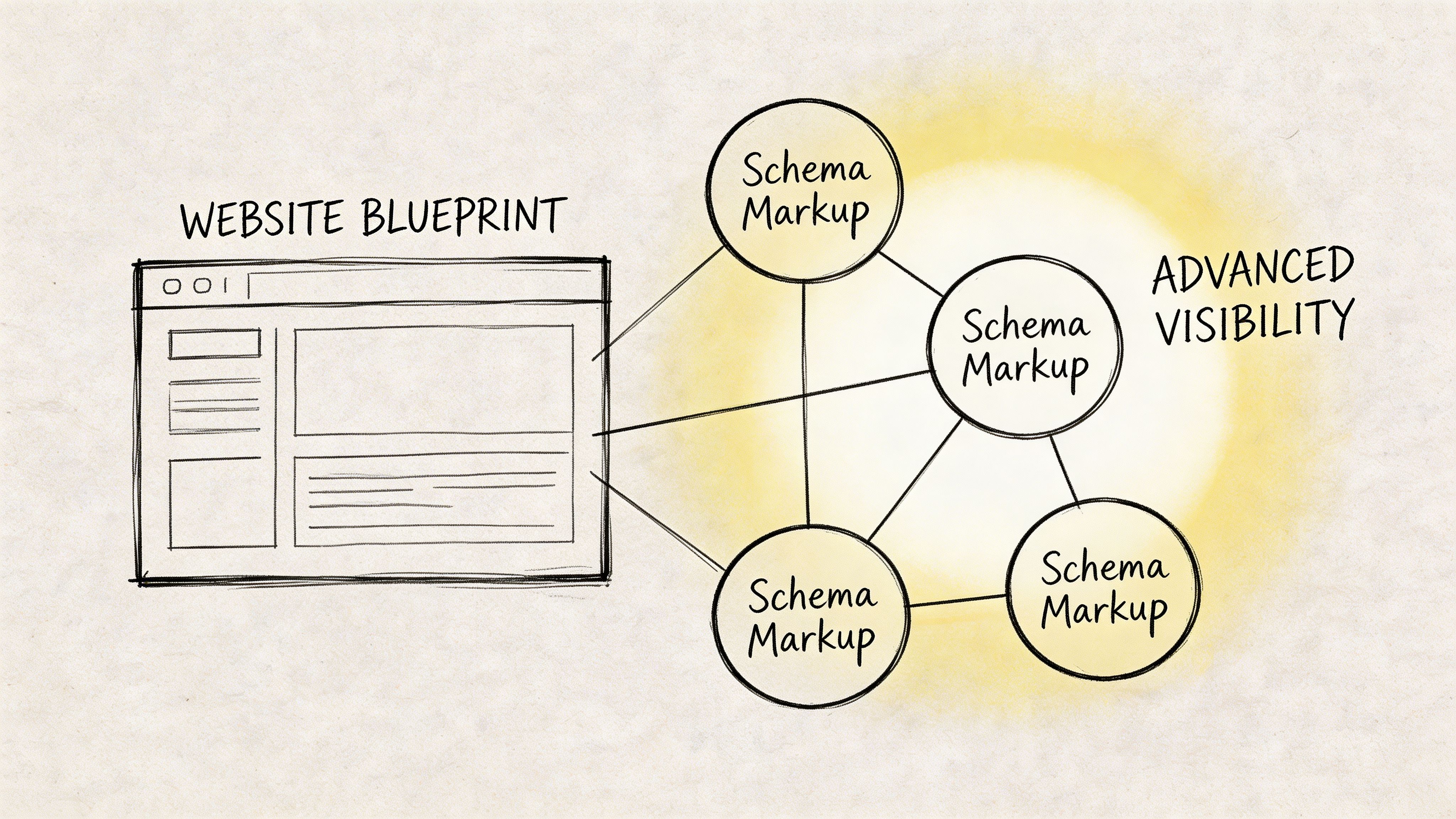
Schema markup is structured metadata, usually added as JSON-LD, that helps machines understand exactly what something is.
A page can say “Apple” in plain text. Schema can help clarify whether that means a brand, a product, a recipe ingredient, or a local business name. That precision matters for both search engines and AI systems.
Simple example:
<script type="application/ld+json">
  {
    "@context": "https://schema.org",
    "@type": "LocalBusiness",
    "name": "Northside Dental",
    "url": "https://www.example.com",
    "telephone": "+1-555-0100"
  }
</script>
Why schema matters in search results
Structured metadata via schema.org can increase click-through rates on rich results by 20-35% and boost AI Overview citations by 25-40%, according to Nightwatch.
That is the clearest bridge between traditional SEO and AI search. Schema helps machines disambiguate meaning. When machines are more confident about what your page represents, they are more likely to present it clearly.
Common schema types businesses use
- Organization: Helps reinforce brand identity
- LocalBusiness: Useful for local entities
- Product: Supports ecommerce visibility
- FAQ: Helps clarify repeated buyer questions
- Review: Supports eligible review display where appropriate
- Article: Helps identify editorial content
A good rule for beginners is simple. Do not add schema because it sounds advanced. Add the schema that matches what the page is.
Open Graph and social metadata
Open Graph tags are not usually discussed in beginner SEO guides, but they matter for distribution.
These tags control how a page appears when someone shares it on platforms that read social metadata. They set the title, description, image, and page type for previews.
Example:
<meta property="og:title" content="Emergency Plumbing Services in Austin" />
<meta
  property="og:description"
  content="Fast same-day help for leaks, drains, and water heaters."
/>
<meta property="og:image" content="https://www.example.com/images/plumbing-team" />
If you have ever shared a link and seen the wrong image, a broken title, or no preview at all, missing or weak Open Graph tags were likely involved.
Why this affects business outcomes
Good social metadata improves how your content travels. That matters when sales teams, PR teams, partners, and customers share your pages.
Good structured metadata improves how your content is interpreted. That matters when search engines generate enhanced results or AI systems summarize your brand.
Here is the practical difference:
| Metadata type | Main outcome |
|---|---|
| Schema markup | Better machine understanding and richer search presentation |
| Open Graph tags | Better control of social link previews |
| Core meta tags | Clearer search snippets and indexing signals |
A practical priority order
If you are deciding what to implement first:
- Fix core tags first. Titles, descriptions, canonicals, and robots tags come before everything else.
- Add schema to high-value pages. Product, service, local, and article pages are strong candidates.
- Set Open Graph tags sitewide. This is easy to overlook and simple to standardize.
- Validate before rollout. Broken structured data helps no one.
Advanced metadata is not decoration. It is how you make your pages easier to classify, easier to trust, and easier to surface in modern search experiences.
How to Implement and Audit Your Metadata
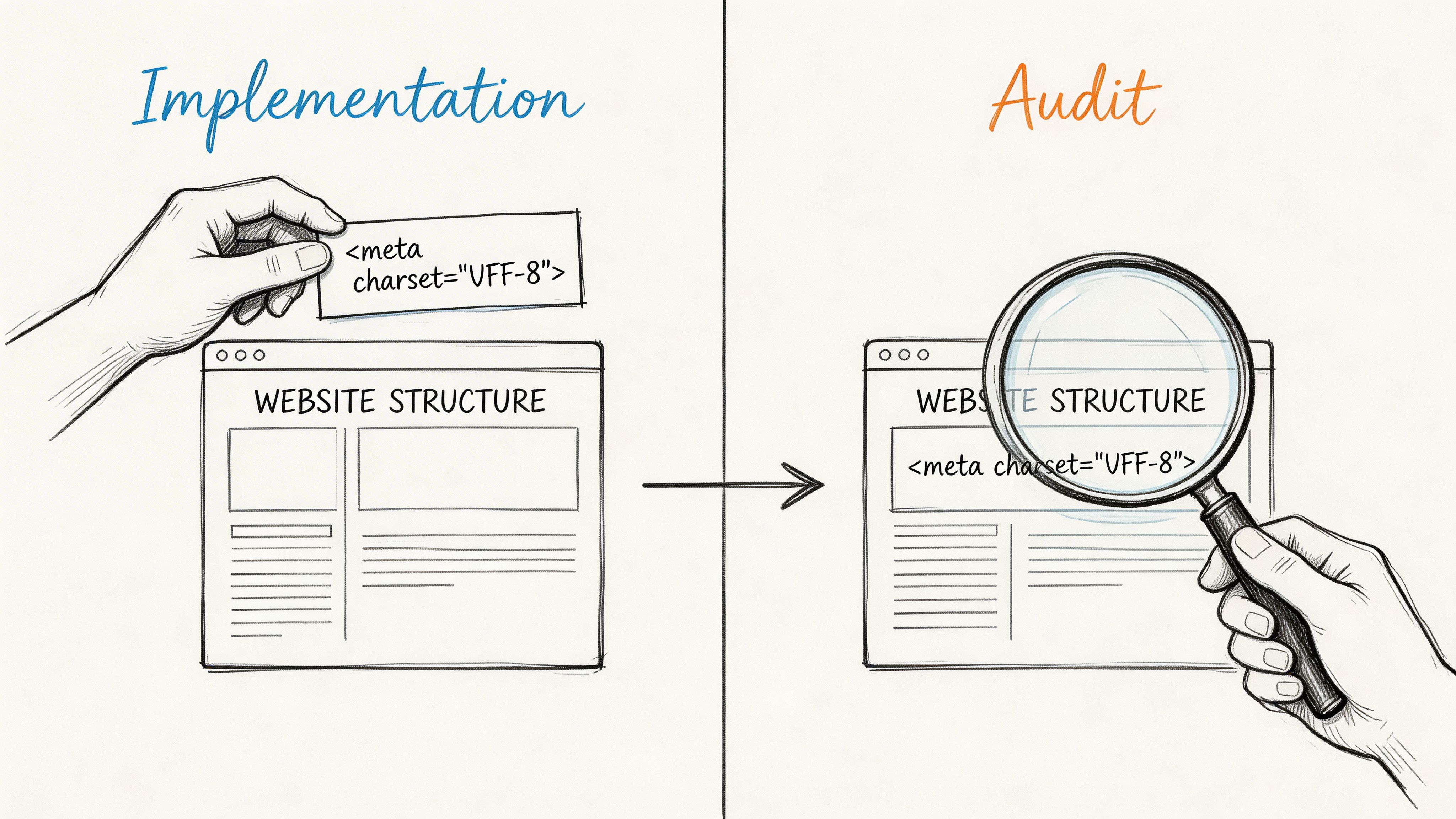
Metadata work is part writing task, part technical task, and part QA process. You add it, then you verify that the site is using it correctly.
Many teams do the first half and skip the second. That is how duplicate titles, missing canonicals, and accidental noindex tags stay live for months.
Where to add metadata
If you manage raw HTML, most metadata lives in the <head> of the page.
Example:
<head>
  <title>Managed IT Services for Law Firms in Chicago</title>
  <meta
    name="description"
    content="Reliable IT support for Chicago law firms, including help desk, cybersecurity, and compliance support."
  />
  <link rel="canonical" href="https://www.example.com/managed-it-law-firms-chicago" />
  <meta name="robots" content="index, follow" />
</head>
If you use a CMS, the workflow changes:
- WordPress: Plugins such as Yoast SEO or Rank Math provide fields for titles and descriptions.
- Shopify: Most themes and SEO apps let you edit page metadata in the admin.
- Custom CMS: Developers may need to expose metadata fields in templates or page models.
The key point is consistency. Every indexable page should have a unique, intentional title. Important pages should also have custom descriptions.
What to audit first
Start with pages that matter most. Homepages, service pages, category pages, product pages, and top blog posts.
Then look for these issues:
- Missing title tags: Search engines have to guess
- Duplicate title tags: Different pages compete with the same label
- Missing meta descriptions: Less control over snippets
- Wrong canonical tags: Authority gets split or misassigned
- Accidental noindex tags: Important pages disappear from search
- Template mistakes: One bad setting can affect hundreds of pages
A press release is a good example of where metadata often gets ignored. If your team publishes them, this guide on how to optimize a press release for SEO is a useful reference because it ties search presentation back to content distribution.
Why canonical checks matter
Canonical tags are essential for duplicate content control. On sites with multiple protocol or hostname versions, proper canonicals can improve Google Search Console data accuracy by 20-50% by consolidating signals to a master URL, according to TotalSurf.
That matters because reporting gets messy when the same page is effectively split across versions. Rankings can get messy too.
A simple audit routine
You do not need a giant enterprise process to start. Use a repeatable checklist.
-
Crawl the site Use Screaming Frog or a similar crawler to export titles, descriptions, canonicals, and indexability.
-
Review Google Search Console Look for indexing issues, excluded pages, and URL patterns that behave oddly.
-
Spot template-level problems If many pages share the same problem, the issue is probably in the CMS template or theme.
-
Prioritize by business value Fix revenue-driving pages before low-traffic archive pages.
-
Recheck after deployment Never assume the CMS rendered your intended tags correctly.
If you need a more structured technical workflow, this resource is relevant: https://surnex.io/workflows/technical-site-audit
What good implementation looks like
Good metadata operations are boring in the best way. The site has unique titles, descriptions written for real searchers, canonicals that point to the right version, and robots directives used deliberately.
No drama. No guesswork. Just clean signals.
The Future of Metadata in an AI-First World
The old view of metadata was narrow. It was treated as a small SEO checklist item. Write the title. Add a description. Move on.
That view no longer holds up.
AI-driven search experiences are changing how people discover brands. Users now ask full questions, compare options, and expect synthesized answers. In those environments, systems are not relying only on the visible page copy. They are trying to understand the content structure, the entity behind it, and how confidently they can cite it.
Why core metadata still matters
Core tags still do important work. Titles clarify page focus. Canonicals help consolidate signals. Robots tags control access.
But in AI contexts, basic tags alone are less powerful than they used to be. Emerging AI SEO data shows that traditional meta tags are losing some efficacy in LLM environments, while structured metadata from schema.org can improve a brand’s visibility in AI search responses by 25-40%, according to Lightning Digital.
That does not mean traditional metadata is obsolete. It means the stack has grown.
What AI systems need from your site
AI systems need fewer vague hints and more explicit meaning.
They benefit from:
- Clear page labeling through strong titles
- Entity clarity through schema markup
- Consistent canonical signals so references point to the right URL
- Clean indexing rules so key pages remain accessible
If your metadata is sloppy, AI systems may still scrape and summarize your page. They just may not do it accurately, consistently, or in a way that surfaces your brand.
The practical shift for SEO teams
The work now is not just “optimize the snippet.” It is “make the page understandable across search systems.”
That means metadata should be treated like infrastructure. Not decoration. Not an afterthought in the CMS. Infrastructure.
Teams trying to follow that shift should keep an eye on how AI search behavior evolves. This is a useful starting point for that: https://surnex.io/ai-search/ai-trends
The future of metadata is not about writing prettier tags. It is about making your content machine-readable enough to be retrieved, trusted, and cited.
Frequently Asked Questions About SEO Metadata
Are meta keywords still relevant for SEO
No. Meta keywords are not relevant in modern SEO.
They were used heavily in earlier search engines, but Google eventually neutralized their value after widespread keyword stuffing abuse, as mentioned earlier in the article. Adding them now does not help rankings, and they do not improve social previews either.
Is alt text for images considered metadata
Yes, in a practical sense, many teams treat alt text as metadata because it describes an image for systems that cannot interpret it visually the way people do.
It serves two jobs. First, it supports accessibility for screen readers. Second, it can help search engines understand the image context. Good alt text is descriptive and specific. It should explain the image naturally, not stuff keywords into it.
What happens if I do not provide a meta description
Search engines will usually generate a snippet from the page content.
That means your page can still appear in results, but you give up control over the message shown to searchers. Sometimes the generated text works well. Sometimes it pulls a sentence that is accurate but weak, confusing, or out of context. For important pages, writing your own description is usually the better move.
If your team needs one place to track both classic SEO signals and how your brand appears across AI search experiences, Surnex is built for that job. It helps agencies, in-house teams, and developers monitor visibility, find citation gaps, audit technical issues, and understand how search is changing without juggling separate platforms.