
Your team probably has this already: rank tracking in one dashboard, backlinks in another, technical issues in a crawler export, AI visibility notes in a spreadsheet, and client reporting held together by CSVs and a scheduled Slack reminder. It works until it doesn't.
The breaking point usually isn't data collection. It's coordination. Someone has to export, normalize field names, merge snapshots, remove duplicates, and explain why one system says a keyword moved while another says the page gained visibility in an AI answer. That's where a solid SEO tool API stops being a convenience and starts being infrastructure.
For developers and technical marketers, the important shift is this: SEO data is no longer just about blue-link rankings. Modern integrations need to handle traditional search metrics and newer AI visibility signals in the same pipeline, with one schema your apps, dashboards, and agents can use.
Why SEO Tool APIs Are Essential for Modern Teams
Manual workflows hide two costs. First, they waste operator time. Second, they force the team to make decisions on stale or mismatched data.
An agency feels this when account managers compile reports from separate exports every week. An in-house team feels it when the BI team asks for a stable feed of ranking and content signals, but SEO can only provide screenshots and spreadsheets. Neither problem is solved by another dashboard.
An SEO tool API gives you a repeatable interface for search data. Instead of asking humans to reassemble the same report every cycle, you let code fetch, validate, store, and transform the data on schedule. That's what makes SEO workflows scalable.
Where the API changes the operating model
With an API in the middle, teams can:
- Automate collection so rankings, backlink signals, audits, and AI visibility checks arrive on schedule
- Normalize outputs into one internal schema for dashboards, alerts, and downstream analysis
- Build custom workflows for client reporting, lead scoring, content planning, or product analytics
- Support agent-ready systems that need structured search data instead of human-readable exports
The core value isn't that an API returns JSON. It's that the same interface can feed a warehouse, a monitoring job, a lightweight internal app, and an AI assistant.
Teams usually don't outgrow SEO tools first. They outgrow disconnected workflows.
That's why the useful question isn't “Does this platform have an API?” It's “Can this API unify the search signals we act on?”
Core Concepts of SEO API Integration
If you've worked with SaaS APIs before, most concepts will look familiar. The SEO-specific part is understanding what kinds of search objects you're requesting and how often they change.
API, endpoint, request, and response
An API is the contract between your application and the SEO platform. It defines what data you can ask for and how the platform will return it.
An endpoint is a specific address for one type of data. In SEO, that might mean keyword research, backlink details, site audit findings, ranking history, or AI visibility. Think of endpoints as different counters in the same service desk. You don't ask the keyword endpoint for crawl errors.
A request is what your app sends. It usually includes:
- Authentication data such as an API key or token
- Parameters like keyword, domain, location, device, or date range
- Headers that tell the server what format you want back
A response is what the API returns, usually as JSON. JSON matters because it's easy to parse in Python, Node.js, BI tools, and event pipelines.
JSON in an SEO context
SEO payloads are often nested. You might request rankings and receive a response with a keyword object, then a list of SERP results, then nested fields for title, URL, position, and search features. The structure is straightforward once you stop treating it like a flat spreadsheet.
A practical rule: map JSON into your own internal model early. Don't let every downstream system depend on the provider's exact field names.
Authentication and rate limiting
Authentication proves who you are. Authorization determines what you're allowed to access. SEO APIs often combine both in a token-based workflow, but the distinction matters once multiple users, plans, and projects are involved.
Rate limiting is the provider's way of controlling how quickly you can make requests. In SEO, that matters because bulk jobs can spike fast. A script that loops through a large keyword set can overwhelm an API if you don't queue requests, cache stable data, and retry carefully.
Data freshness and query design
SEO data doesn't all move at the same speed. Rankings may change often. Referring domain data often behaves differently. Technical audit results depend on crawl timing. AI visibility can be especially context-sensitive because the source experience itself may vary by query intent and interface.
That means a good integration doesn't just “pull everything.” It separates:
- Fast-moving data for frequent polling
- Slow-moving data for scheduled refresh
- Expensive data that should be fetched only when needed
API Authentication and Authorization Patterns
The first implementation mistake many teams make is treating access as an afterthought. It isn't. Your authentication pattern affects security, maintainability, and whether the integration survives handoffs between engineering, SEO, and ops.
API keys versus OAuth
API keys are the usual starting point for an SEO tool API. They're simple. You generate a key in the vendor dashboard, send it in a header, and start making requests. For internal scripts, scheduled jobs, and server-to-server integrations, that's often enough.
OAuth 2.0 becomes useful when your application needs to act on behalf of individual users. If a multi-user app needs account-specific access without sharing one master credential, OAuth is the safer pattern. It adds complexity, but it gives you better user-level control and revocation.
Here's the practical comparison:
| Pattern | Best fit | Trade-off |
|---|---|---|
| API key | Internal jobs, prototypes, backend services | Easy to leak if stored badly |
| OAuth 2.0 | Multi-user products, delegated access | More moving parts and token lifecycle management |
What works in production
A few habits prevent most auth problems:
- Store secrets server-side. Don't embed live keys in frontend code.
- Use environment variables or a secrets manager instead of hardcoding credentials.
- Rotate credentials when staff changes or systems are deprecated.
- Scope access where possible so one leaked token doesn't expose every project.
- Log auth failures cleanly without printing secrets into logs.
If your integration can't survive a credential rotation without downtime, it isn't production-ready.
Authorization deserves separate thought. A system may authenticate successfully but still fail because the account doesn't have access to the requested project, region, or feature. Build for that case early. Treat permission errors differently from expired credentials or transient server failures.
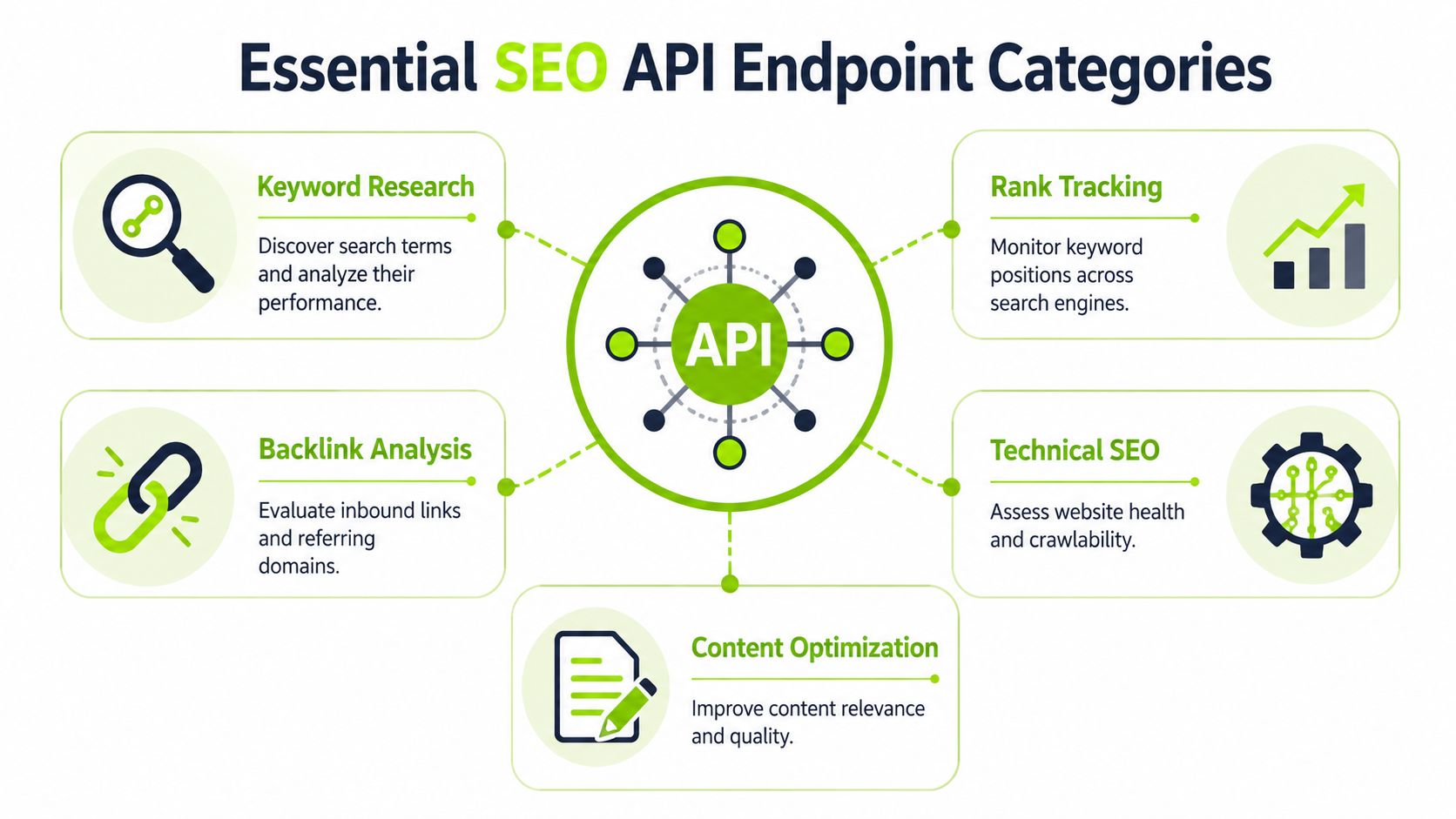
Essential SEO API Endpoint Categories
Modern APIs became useful for real SEO automation once providers exposed more than raw rankings. Ahrefs describes API-accessible workflows that include keyword volume, keyword difficulty, top 100 search results, referring domains, anchor text, estimated organic traffic, Traffic Value, and PageSpeed/Core Web Vitals data in one broader SEO data surface, which shows how the category expanded into backlink, traffic, and technical-performance streams as automation matured (Ahrefs on SEO APIs).
That broader shape matters because teams generally don't need one endpoint. They need a set of endpoint families that can answer different business questions.
Keyword research endpoints
These endpoints support discovery work. You use them to ask which terms matter, how competitive they look, and what search result patterns exist around a topic.
Typical use cases include:
- Building content briefs from query clusters
- Qualifying opportunities before writing or updating pages
- Grouping terms by intent for editorial planning
What works: use research endpoints upstream, before production content decisions. What doesn't: calling them after content is already written and expecting them to fix weak topic targeting.
Rank tracking endpoints
Rank tracking endpoints answer a narrower question: where does a domain or page appear for a given keyword in a given context?
That context matters. Device, region, search engine variation, and result type can all affect the result. If you're evaluating tooling for this layer, a keyword position checker API guide is useful because it frames ranking data as a structured integration problem instead of a dashboard feature.
Backlink and authority-related endpoints
These endpoints expose link graph information such as referring domains and anchor text. They're useful for:
- Competitor gap analysis
- Link monitoring
- Risk review during migrations or campaigns
- Explaining why one page may have more ranking support than another
Backlink data usually benefits from snapshot storage. You'll often want historical states, not just the latest response.
Technical and site health endpoints
Technical endpoints surface crawl or performance-oriented signals. These are often the bridge between SEO and engineering because they translate site quality into concrete issues, URLs, and patterns.
Common uses:
- Deployment QA after releases
- Issue monitoring for template regressions
- Prioritization by grouping problems by page type or business area
Content and SERP structure endpoints
Some APIs go beyond positions and expose page structure or comparisons with ranking competitors. That's useful when teams need to know what sort of content the SERP favors, not just who ranks.
If your team mixes access control and permissions in these integrations, it helps to understand authentication vs authorization before building project-level access rules.
Integrating AI Visibility and Generative Search Metrics
Traditional SEO data tells you where a page ranks. AI visibility data asks a different question: does your brand appear, get cited, or influence the answer inside AI-mediated discovery?
That's a separate measurement problem. A page can rank well and still be absent from AI-generated answers. The reverse can also happen. A brand may appear in an AI summary or conversational response even when the classic ranking report doesn't fully explain that exposure.
What AI visibility means in practice
For implementation purposes, AI visibility usually breaks into a few data types:
- Presence checks for whether the brand, page, or domain appears in an AI answer
- Citation tracking for whether a source is referenced or linked
- Comparative benchmarking across queries, topics, or competing brands
- Trend monitoring to detect when visibility changes over time
Unified APIs are key. If the AI layer lives in one system and the classic SEO layer lives somewhere else, your reporting logic becomes fragile. You end up writing joins based on query text, domain normalization, and custom entity matching.
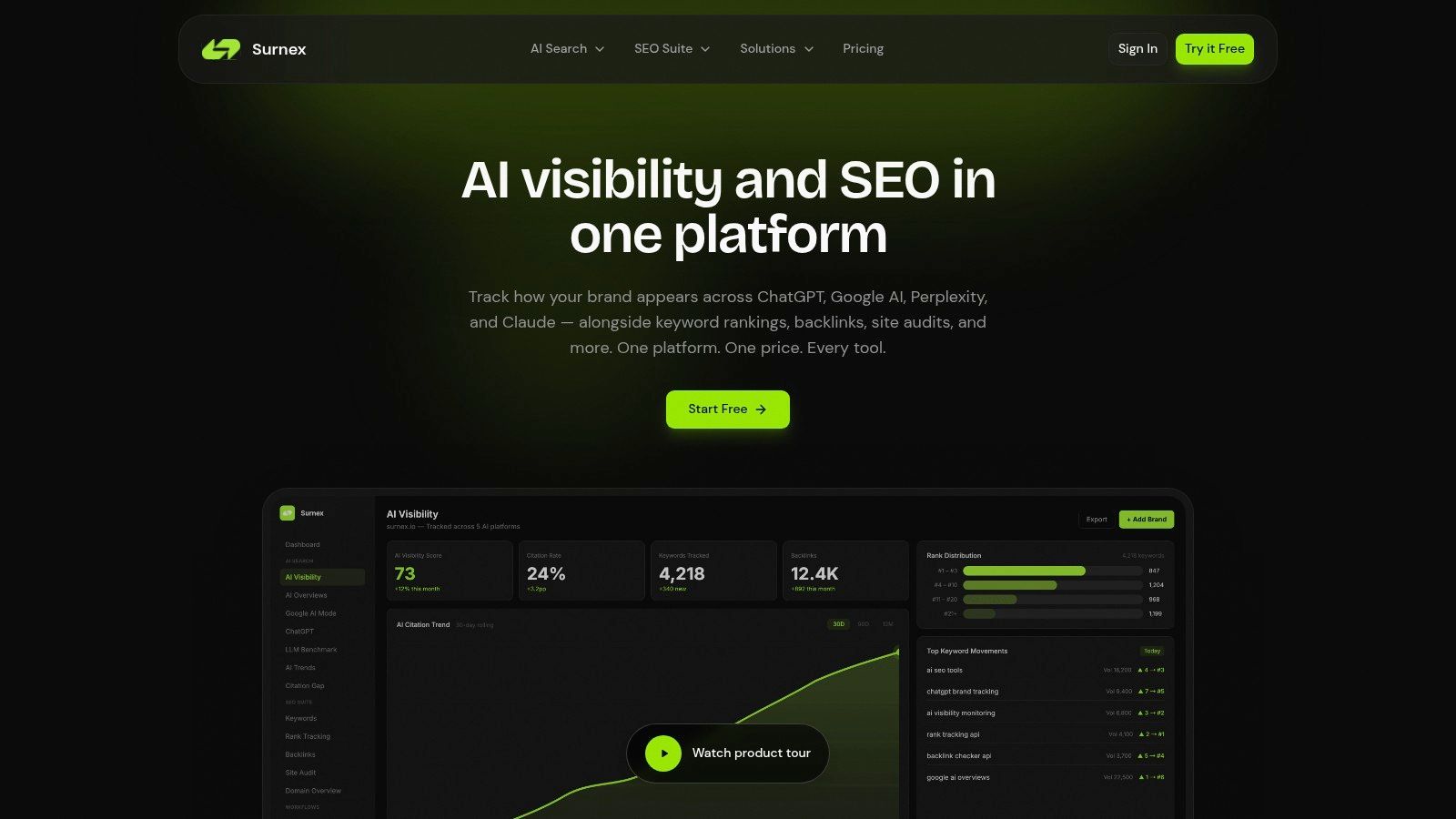
A cleaner design is to ingest both signal types through one agent-ready interface. One vendor that takes this unified approach is Surnex, which combines AI search visibility, citations, rankings, and core SEO performance in a single API and dashboard. That matters less for convenience than for schema design. One model means fewer translation layers.
Why legacy-only reporting now misses the story
A rank report alone can no longer explain all search exposure. For some queries, users encounter summaries, answer layers, or conversational discovery before they choose a blue link. If your stack can't observe that, your team is measuring only part of the surface area.
That changes how developers should model search entities:
- a query
- a search experience
- a brand or URL presence state
- a citation or mention relationship
Those objects aren't identical to keyword rankings. They overlap, but they aren't interchangeable.
If your schema treats AI visibility as a text note attached to rank data, you'll struggle to automate anything useful.
For teams building internal tools fast, full-stack AI coding assistance can help when you need to prototype these data models and UI states quickly.
A practical starting point for the strategy side is this article on using AI in SEO, especially if your team is still deciding how to separate experimentation from durable reporting.
Building Your First Integration in Python and Node.js
The easiest first integration is a read-only request against a ranking-style endpoint. Even if your eventual system handles backlinks, audits, and AI visibility, start with one call, one response shape, and one storage target.
Python example
import os
import requests

API_KEY = os.getenv("SEO_API_KEY")
BASE_URL = "https://api.example.com/v1/rankings"

params = {
    "keyword": "project management software",
    "domain": "example.com",
    "region": "us",
    "limit": 10
}

headers = {
    "Authorization": f"Bearer {API_KEY}",
    "Accept": "application/json"
}

response = requests.get(BASE_URL, headers=headers, params=params, timeout=30)
response.raise_for_status()

data = response.json()

for row in data.get("results", []):
    print({
        "keyword": data.get("keyword"),
        "position": row.get("position"),
        "url": row.get("url"),
        "title": row.get("title")
    })
This example does three useful things right. It loads the key from the environment, sets an explicit timeout, and assumes the useful rows are inside a nested results array.
Node.js example
const API_KEY = process.env.SEO_API_KEY;
const BASE_URL = "https://api.example.com/v1/rankings";

async function fetchRankings() {
  const params = new URLSearchParams({
    keyword: "project management software",
    domain: "example.com",
    region: "us",
    limit: "10",
  });

  const response = await fetch(`${BASE_URL}?${params.toString()}`, {
    method: "GET",
    headers: {
      Authorization: `Bearer ${API_KEY}`,
      Accept: "application/json",
    },
  });

  if (!response.ok) {
    throw new Error(`API request failed with status ${response.status}`);
  }

  const data = await response.json();

  for (const row of data.results || []) {
    console.log({
      keyword: data.keyword,
      position: row.position,
      url: row.url,
      title: row.title,
    });
  }
}

fetchRankings().catch(console.error);
What to do after the first successful call
Don't jump straight into a full app. Add one layer at a time:
- Persist the response in a database or object store
- Normalize field names into your internal schema
- Add retry logic only for transient failures
- Capture request metadata such as timestamp, project, and region
If you want to keep building in Python, this guide on Python for SEO workflows is a practical follow-up because it connects scripts like these to repeatable operational tasks.
Handling API Responses and Data Schemas
The fetch is the easy part. The harder part is deciding what shape your system should keep.
Most SEO APIs return nested JSON because the data is hierarchical. A keyword can have many ranking results. A domain can have many referring domains. An AI visibility query can produce multiple answer contexts, citations, or mention states.
A sample response shape
Here's a typical ranking-style payload:
{
  "keyword": "project management software",
  "region": "us",
  "results": [
    {
      "position": 1,
      "url": "https://example.com/project-management",
      "title": "Project Management Software"
    },
    {
      "position": 2,
      "url": "https://example.com/tools",
      "title": "Best Tools for Teams"
    }
  ],
  "meta": {
    "fetched_at": "2026-06-16T10:00:00Z"
  }
}
How to map it cleanly
A common pattern is to split one response into multiple tables or collections:
| Target model | Suggested fields |
|---|---|
| query_run | keyword, region, fetched_at, provider |
| ranking_result | query_run_id, position, url, title |
| raw_payload | query_run_id, full JSON blob |
That separation gives you two advantages. First, analysts can query normalized fields without reparsing JSON. Second, developers can still inspect the original payload when a provider changes shape.
Error handling that saves time later
Not every non-success response should trigger the same behavior.
- Authentication failures usually need operator action
- Permission failures often mean project or plan mismatch
- Rate-limit responses should trigger backoff and retry
- Validation errors usually mean your request parameters are wrong
- Server errors may justify retry with idempotent safeguards
Keep the raw error body. A generic “request failed” log line won't help when a provider changes a field requirement.
For dashboards, don't send raw provider payloads straight to the frontend. Parse once in the backend, validate the fields you trust, and expose a stable internal contract.
Advanced Automation with Webhooks
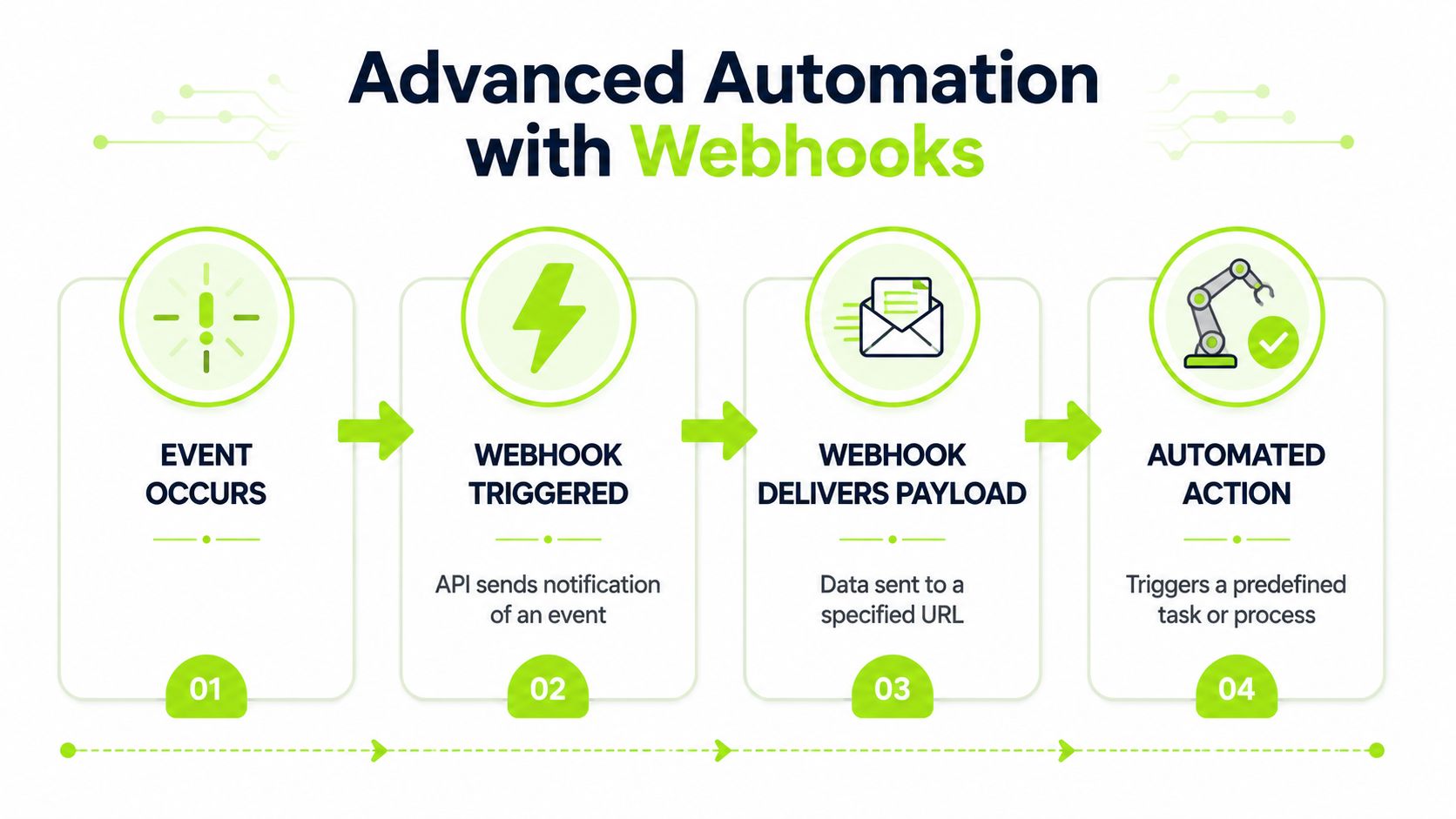
Polling is fine for many SEO jobs, but it's wasteful when you only care about completed events. That's where webhooks help. Instead of your app repeatedly asking “is it ready yet?”, the provider notifies your system when something happens.
Useful webhook patterns for SEO systems
A few patterns show up often:
- Audit completion triggers a parser that files technical issues into your tracker
- Rank report ready triggers a warehouse load and a client-facing dashboard refresh
- AI visibility change detected triggers an alert for the content or brand team
- Project event occurred triggers a downstream enrichment job
If you haven't implemented webhooks before, this explanation of webhooks for static site developers gives a clean mental model without overcomplicating the concept.
What breaks in real deployments
Webhook systems fail in predictable ways. The endpoint times out. The payload schema changes. The same event is delivered more than once. The receiving service is down when the provider sends the notification.
That's why your webhook handler should be small and defensive:
- Verify authenticity if the provider signs webhook requests
- Acknowledge quickly instead of doing heavy work inline
- Queue the job for processing in a worker
- Store event IDs so duplicate deliveries don't rerun everything
A reliable event-driven pattern
A good pattern looks like this:
| Stage | What your system should do |
|---|---|
| Receive | Validate signature, parse payload, return success fast |
| Queue | Push a lightweight task to a job system |
| Process | Enrich, normalize, and write data to storage |
| Notify | Update dashboard, send alert, or trigger another workflow |
The key is decoupling receipt from processing. If you do all the work inside the incoming request cycle, retries and duplicate events get messy fast.
Common Use Cases for Agencies and In-House Teams
The technical shape of the integration changes based on who owns the workflow.
Agency account management at scale
An agency account manager usually needs one thing above all else: consistent reporting across many clients without rebuilding the same dataset every cycle.
The usual progression looks like this:
- rankings and audit summaries are pulled into one reporting layer
- backlink and competitor snapshots are added for context
- AI visibility observations are attached so the client can see why search exposure changed even when rankings alone don't explain it
For larger reporting stacks, high-volume keyword ranking APIs matter because the data has to flow into internal systems, third-party dashboards, and BI software. Authoritas explicitly positions its Keyword Ranking API for those ingestion use cases, and its Page Structure Content API compares ranking pages against the top 10 competing organic URLs to show what content Google is favoring in the SERPs (Authoritas API overview).
That combination is useful for agencies because the account team usually needs both layers: what changed, and what kind of page profile is winning.
In-house BI and product alignment
The in-house SEO lead faces a different problem. Reporting is only part of the job. The more valuable integration often pushes SEO data into systems other teams already use.
Examples include:
- BI dashboards that combine search visibility with revenue or lead data
- Content operations tools that flag pages with declining visibility or weak topic coverage
- Product surfaces that need search and AI visibility signals for planning or experimentation
In-house teams benefit when SEO stops being a side dashboard and becomes another trusted data stream inside the company stack.
The best integrations don't make SEO more visible only to SEO teams. They make search data usable by finance, content, product, and leadership.
Two different success criteria
Agencies usually optimize for repeatability, client explanation, and account coverage. In-house teams usually optimize for integration depth, governance, and business context.
That's why the same API can support both, but the implementation shouldn't be identical. Agencies often need tenant-aware reporting structures. In-house teams often need warehouse-first design and stronger schema governance.
Performance Rate Limits and Migration Tips
Most integrations fail at scale for boring reasons. Too many requests. Too little caching. No abstraction layer. No clear plan for switching providers when pricing, coverage, or feature needs change.
SE Ranking is a useful example of how broad and operational this market has become. Its SEO API supports monitoring across 188+ regions and splits access into a Data API for keyword research, backlinks, domain metrics, SERP data, site audits, and AI visibility research, plus a Project API for automating rank tracking, keyword grouping, competitor monitoring, and AI visibility tracking. It also states that API access is included with plans starting at $129/month for Core and $279/month for Growth, with an add-on starting at $149/month and pay-as-you-go available with a $50 minimum deposit (SE Ranking API details).
A production checklist
- Cache stable queries so you don't refetch slow-moving data unnecessarily
- Batch where supported instead of looping one keyword at a time
- Use exponential backoff when rate limits or transient failures occur
- Track unit costs by endpoint family so finance surprises don't arrive later
- Store provider metadata with each record to simplify audits and migrations
- Abstract provider logic behind your own interface so app code doesn't depend on one vendor schema
How to migrate without pain
If you're moving from one provider to another, don't start by swapping SDK calls. Start by defining your own canonical objects such as keyword_snapshot, ranking_result, backlink_source, audit_issue, and ai_visibility_event.
Then map old fields and new fields into those internal objects. That gives you room to dual-run both systems for a period and compare outputs without rewriting every report.
For teams evaluating that transition, this comparison of the SE Ranking API and migration considerations is useful because it frames the move as a data-model problem, not just a feature checklist.
If you need one API that can support both classic SEO workflows and newer AI visibility tracking, Surnex is worth evaluating. It's built for agencies, in-house teams, and developers who want rankings, citations, audits, backlinks, and AI search visibility in one system, with an API that's easier to wire into dashboards, automations, and agent-driven tools.