
If you're evaluating the se ranking api, you're probably in one of two situations. Either your team has outgrown exports and manual reporting, or you're building a product that needs SEO data inside your own dashboards, workflows, or client tools.
That's where SE Ranking becomes interesting. It gives developers and SEO teams programmatic access to a broad set of traditional search data, and it fits especially well when you need to automate recurring work across many projects. The appeal is straightforward: fewer manual checks, more repeatable reporting, and cleaner integration into internal systems.
An Introduction to the SE Ranking API
The se ranking api is built for teams that want SEO data without living inside a vendor dashboard all day. Agencies use it to automate client reporting and project operations. In-house teams use it to pull ranking, traffic, and audit data into internal reporting. Developers use it when product features need search metrics behind the scenes.
One of its biggest strengths is geographic coverage. SE Ranking supports tracking across 188+ regions worldwide through its API, which makes it useful for brands and agencies handling local, national, and international campaigns at the same time, according to SE Ranking's API overview.
That matters in practice because SEO automation usually breaks down at scale in familiar ways:
- Reporting gets fragmented when rankings sit in one tool, backlinks in another, and Search Console metrics somewhere else.
- Client management gets repetitive when teams manually create projects, run audits, and pull exports.
- Product teams hit limits when they need machine-readable SEO data for apps, BI tools, or internal dashboards.
SE Ranking addresses a lot of that well. It exposes rankings, traffic-related data, technical health issues, backlink reports, search volume, difficulty, CPC, seasonal trends, and project-level metrics through API access. For traditional SEO operations, that's enough to support a serious implementation.
There's also a practical reason to think about request design early. Even before writing your first integration, it helps to study how other APIs handle throughput, retries, and quota pressure. A good primer is SupportGPT's OpenAI API limit strategies, because the same engineering habits apply when you're building around any API with strict request controls.
The key question isn't whether SE Ranking has useful data. It does. The fundamental question is whether its API shape matches the workflow you're building today, especially if that workflow now includes AI-driven search visibility alongside classic SEO metrics.
Understanding API Fundamentals
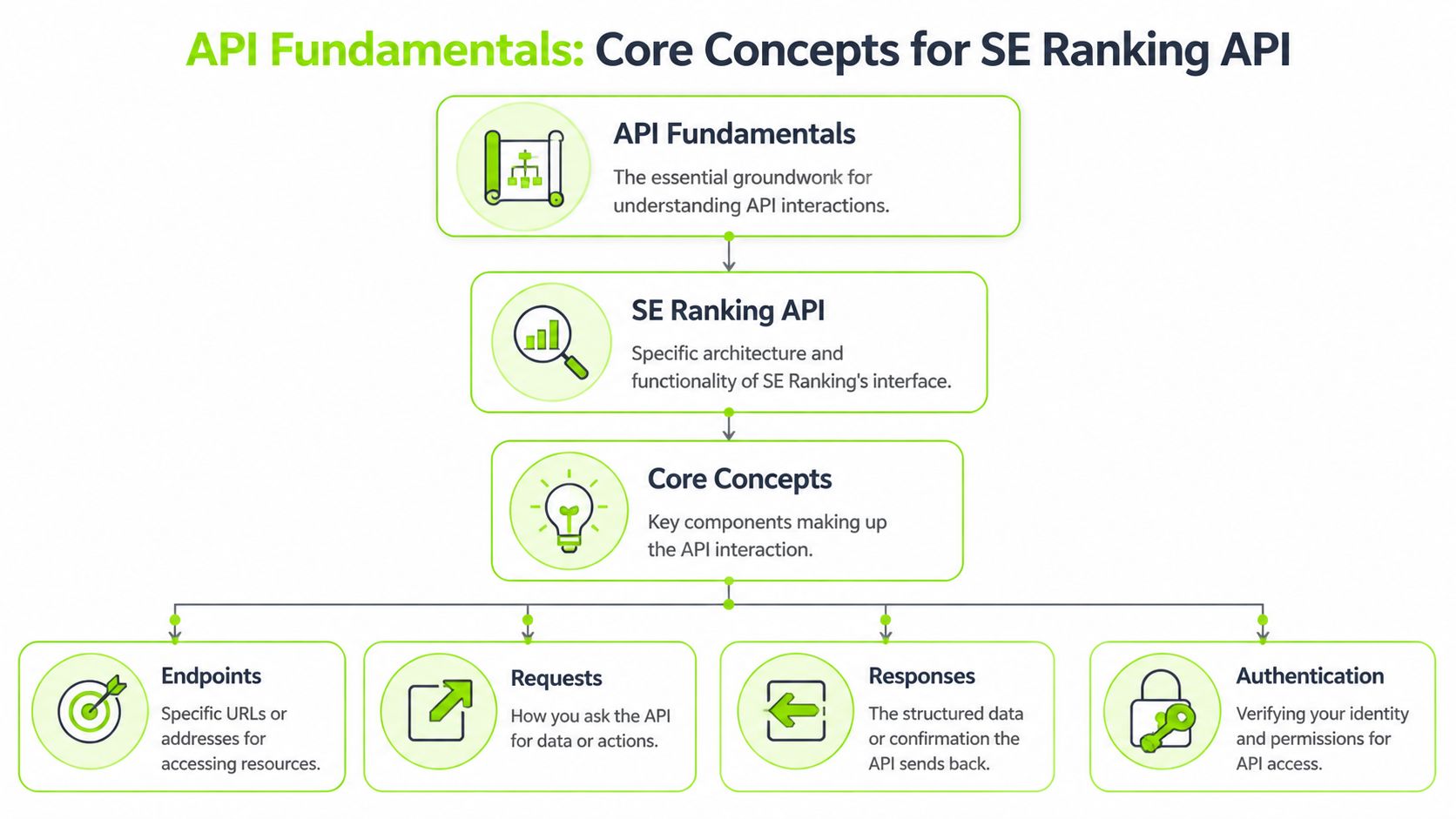
Teams usually hit problems with the se ranking api before they hit scale. The trouble starts earlier, during setup. SE Ranking splits access across two API models with different billing logic, different operational roles, and the same need for disciplined request handling. If you treat them as one pool of endpoints, your integration will get messy fast.
Authentication and token handling
Authentication is usually simple in a demo and easy to mishandle in production. Generate the token from the SE Ranking account area, keep it out of the codebase, and pass it in through environment variables or a secrets manager.
Poor token handling creates avoidable failures. A developer hardcodes a key for a quick test, that script gets reused in staging, and nobody notices until requests start failing or the wrong account gets billed. The fix is not complicated, but it does require process.
Use a short set of rules:
- Keep tokens out of source control by loading them from environment variables.
- Separate test and production usage so internal tools do not consume the wrong account resources.
- Log request metadata, not secrets so you can trace failures without exposing credentials.
Practical rule: If a developer can copy a token from a repository, the setup is not production-ready.
Project API and Data API
SE Ranking separates API access into two layers. The Project API supports actions tied to projects already living inside the platform. The Data API is built for pulling datasets into your own applications, reports, or pipelines.
That split affects architecture decisions immediately.
Use the Project API for operational tasks such as creating websites, managing keyword sets, starting audits, or maintaining project workflows inside SE Ranking. Use the Data API when your system needs to retrieve rank data, keyword research, backlink information, or other SEO data for external processing.
A simple planning table helps:
| API layer | Best fit |
|---|---|
| Project API | Workflow automation inside SE Ranking projects |
| Data API | Data extraction for internal tools, dashboards, and warehouses |
| Both together | Agency and SaaS setups that need platform actions plus external reporting |
This separation also exposes a limitation that matters more now than it did a year ago. SE Ranking’s API model is still centered on classic SEO entities such as projects, keywords, rankings, backlinks, and audits. If your roadmap includes AI Overviews, LLM citation monitoring, or unified visibility across search and answer engines, you will need another data source. Teams building those workflows usually pair traditional rank collection with a dedicated AI-aware rank tracking system rather than forcing SE Ranking to cover a category it does not expose well.
Credits and rate limits
The other setup issue is resource planning. The Project API follows a subscription model. The Data API uses credits, so request cost matters just as much as request success.
That gives you two constraints to manage:
- Consumption cost, driven by credit usage on data pulls.
- Request throughput, controlled by API rate limits.
Ignoring either one leads to bad behavior in production. A script can be technically correct and still be too expensive to run often. It can also be affordable and still fail under concurrency if too many jobs fire at once.
The safer pattern is boring and effective. Cache data that does not change often. Batch retrieval jobs where the endpoint allows it. Put a queue between user actions and API requests. Add retries with backoff, but cap them so a temporary failure does not turn into a credit drain.
SE Ranking works well for traditional SEO automation if you design around those limits early. It is less convincing if the job now includes modern AI search monitoring, because the API constraints are manageable, but the data model still stops short of what many teams need.
Exploring Core API Endpoints
Once the fundamentals are clear, the next question is simple. What can you pull from the se ranking api, and which API layer should you use for each job?
The cleanest way to think about the collection of endpoints is by SEO function, not by documentation menu. That makes implementation planning much easier, especially when you're mapping endpoints to internal services, warehouse tables, or dashboard widgets.
Rankings and visibility data
The ranking side often serves as an initial focus. It provides access to keyword positions, movement, visibility-related summaries, ranking history, and related domain performance signals.
For agencies, these endpoints support client scorecards, rank change reports, and competitor overlap monitoring. For product teams, they support widgets that answer the basic question clients always ask first: where do we rank now, and how has that changed?
If your main workflow centers on monitoring positions over time, it's worth comparing your own implementation logic with a dedicated rank tracking workflow so your internal model doesn't get tangled between daily snapshots and reporting views.
Research and backlink data
The next major group covers keyword research and backlink intelligence. This includes search volume, CPC, difficulty, related terms, backlink reports, and domain-level quality signals such as Domain Trust.
This category is usually where custom tooling becomes valuable. Teams often join these datasets with internal CRM data, content inventories, or lead qualification models. That's especially useful for agencies that want prospecting and reporting to come from the same data pipeline.
Projects, audits, and connected performance data
The project-oriented side is more operational. It's less about freeform analysis and more about controlling recurring SEO workflows inside an existing account structure.
That includes actions and metrics tied to:
- Project setup for managed websites and keywords
- Technical audits for issue discovery and website health checks
- Connected search performance data through Analytics Traffic and Search Console-related reporting
The Analytics Traffic layer is especially useful when you want query-level performance data in machine-readable form and don't want to build your own direct reporting glue from scratch.
SE Ranking API endpoint overview
| Endpoint Category | Primary Use Case | API Type |
|---|---|---|
| Rankings | Monitor keyword positions, movement, visibility, and competitor overlap | Data API / Project API |
| Keyword research | Pull search volume, difficulty, CPC, and related terms | Data API |
| Backlinks | Analyze backlink profiles, link reports, and domain-level trust signals | Data API |
| Projects | Create and manage websites, keywords, and recurring project operations | Project API |
| Audits | Launch technical checks and retrieve issue data for websites | Project API |
| Analytics traffic | Retrieve structured search performance metrics tied to connected data sources | Project API |
A useful implementation pattern is to treat ranking and research endpoints as warehouse inputs, while project and audit endpoints behave more like workflow triggers.
What works well here is breadth. You can cover most standard SEO use cases without stitching together a pile of separate vendors.
What doesn't work as well is assuming breadth equals completeness. The traditional SEO surface is solid. The modern AI search surface is not. That gap becomes much more obvious once you start designing for AI Overviews, LLM discovery, and brand citation monitoring.
Making Your First API Call with Code Examples
The easiest way to get comfortable with the se ranking api is to make a single request and inspect the response shape before building any abstraction layer. Don't start with a full integration. Start with one call, one environment variable, and one parser.
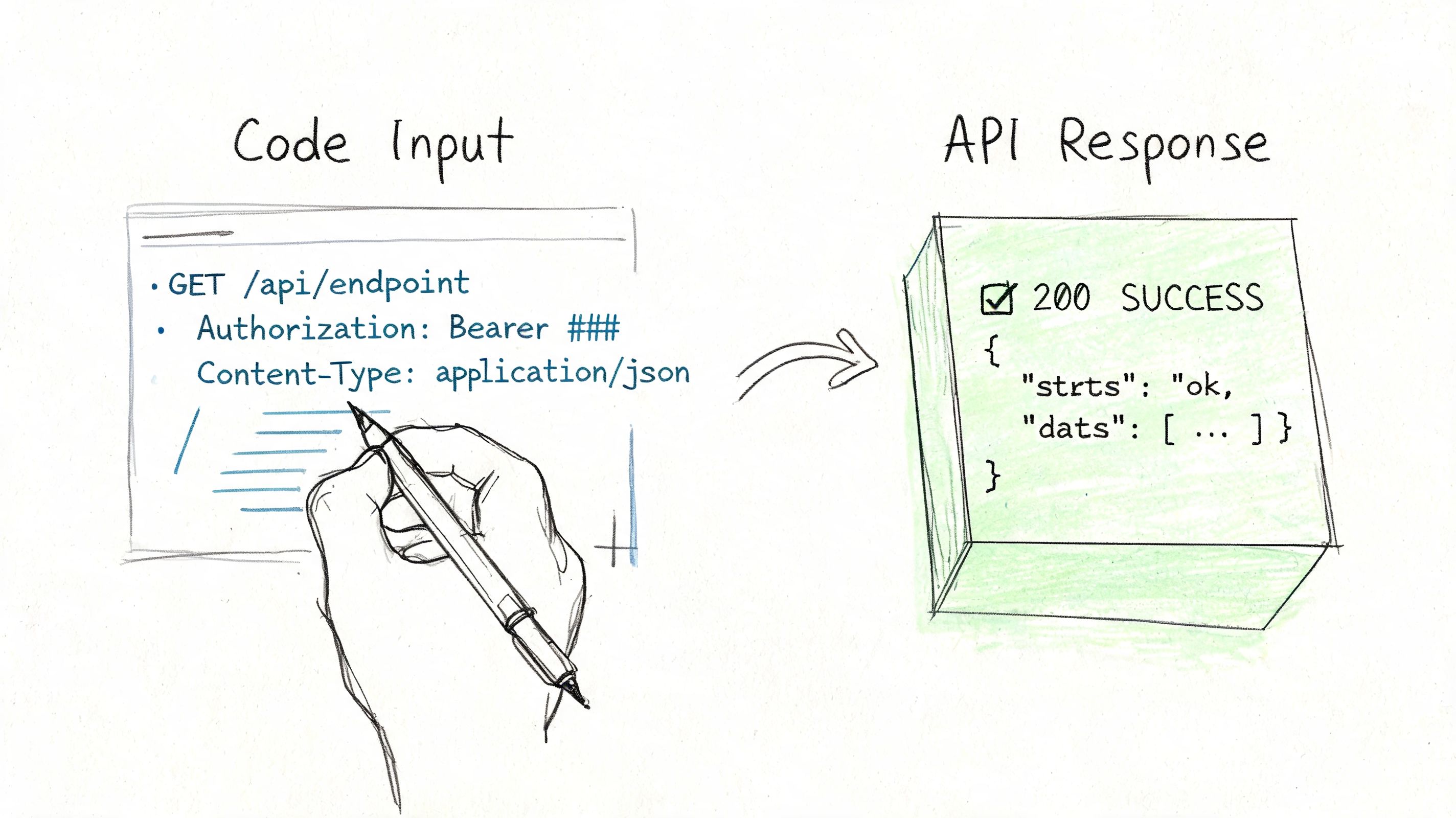
A practical first task is retrieving ranking data for a tracked keyword or project context. The exact endpoint path and parameters can vary by API route, so the safest approach is to confirm the route in your account documentation and then build a minimal test around it.
Start with cURL
Use cURL first because it strips away framework noise.
curl -X GET "https://api.seranking.com/your-endpoint" \
  -H "Authorization: Token YOUR_API_TOKEN" \
  -H "Content-Type: application/json"
What this does:
- Sends a GET request to an API endpoint
- Passes your token in the request header
- Requests a JSON response format
Replace YOUR_API_TOKEN with an environment-injected value in real usage. Replace your-endpoint with the route you want to test from your SE Ranking documentation.
Python example
Python is a strong fit for reporting pipelines, ETL jobs, and quick SEO scripts.
import os
import requests

API_TOKEN = os.getenv("SE_RANKING_API_TOKEN")
url = "https://api.seranking.com/your-endpoint"

headers = {
    "Authorization": f"Token {API_TOKEN}",
    "Content-Type": "application/json"
}

response = requests.get(url, headers=headers, timeout=30)

print("Status:", response.status_code)
print(response.json())
This pattern is enough for a smoke test. Once it works, add retries, structured logging, and response validation.
For teams building a broader internal stack, it helps to think about where this call lives. If the API is feeding reporting, alerting, or AI-assisted analysis inside your product, the architecture patterns in a modern SEO and AI tech stack are usually more important than the request itself.
Node.js example
Node works well when the request happens inside web apps, backend services, or serverless functions.
const apiToken = process.env.SE_RANKING_API_TOKEN;

async function fetchSERankingData() {
  const response = await fetch("https://api.seranking.com/your-endpoint", {
    method: "GET",
    headers: {
      Authorization: `Token ${apiToken}`,
      "Content-Type": "application/json",
    },
  });

  const data = await response.json();
  console.log(response.status, data);
}

fetchSERankingData().catch(console.error);
The next step is to look at a real walkthrough before expanding into production logic.
What to inspect in the response
Don't stop at 200 OK. Check these immediately:
- Top-level keys so you understand the response envelope
- Array shapes for records like keywords, URLs, or queries
- Null handling because SEO data is rarely complete across every field
- Identifiers you can use for joins in your own database
Build your parser against edge cases early. Empty arrays and missing fields are normal API behavior, not exceptions.
Handling Pagination and Parsing Responses
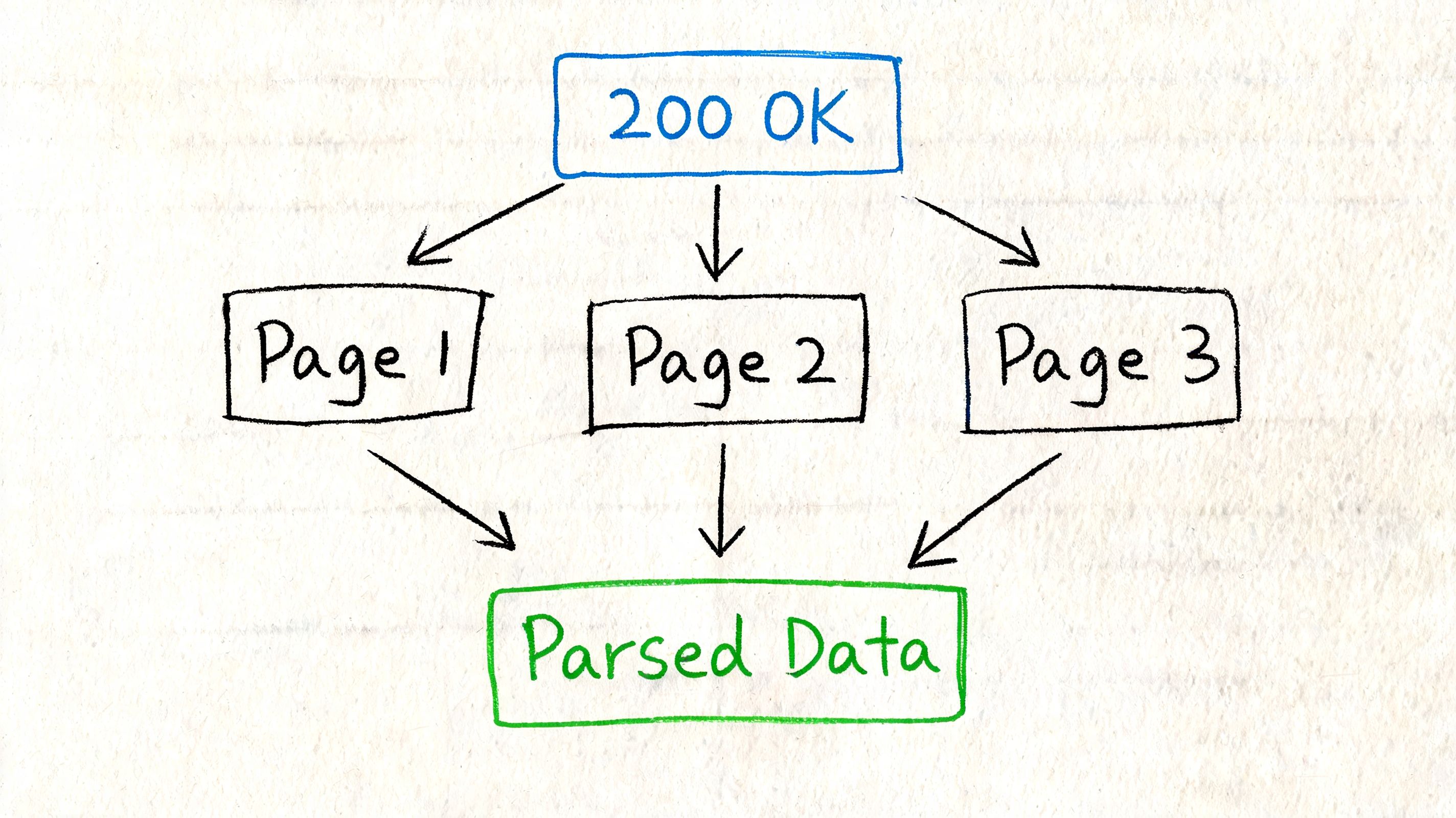
A single successful request is the easy part. A critical failure point is quieter. You ingest page one, ship the data into a dashboard, and a week later realize half the rows never made it into your warehouse because pagination stopped early or the parser assumed every object had the same shape.
With the se ranking api, that risk shows up fast on larger exports and project-level datasets. The API can return usable JSON for rankings, traffic, and related records, but you still need to control page boundaries, validate array sizes, and normalize nested fields before the output is safe for reporting or automation.
A safe pagination pattern
Use explicit pagination values and stop conditions you can explain in a log file later. If an endpoint supports limit and offset, keep the loop boring and deterministic.
- Request a fixed page size
- Append returned rows to a collector
- Increase the offset by the same page size
- Stop on an empty result set or a short page
all_rows = []
limit = 100
offset = 0

while True:
    response = fetch(limit=limit, offset=offset)
    rows = response.get("data", [])

    if not rows:
        break

    all_rows.extend(rows)

    if len(rows) < limit:
        break

    offset += limit
That pattern is easy to test and easy to replay.
It also avoids a common operational mistake. Some teams keep requesting pages until they hit an HTTP error. That works until retries hide the bug and your reporting job continues to over-request the same range for days.
If you're building a scheduled pipeline, persist the last successful cursor or offset with the job metadata. That makes reruns safer and cuts duplicate inserts. In recurring rank monitoring workflows for search changes and alerts, this small decision matters more than the request code itself because reporting errors usually come from state handling, not authentication.
Parsing JSON into useful records
Raw responses are rarely in a warehouse-ready shape. A parser should flatten only what the downstream system uses, then preserve enough context to trace the row back to the original response.
A practical transformation layer usually does three jobs:
- Extracts fields you will query later, such as keyword, URL, clicks, impressions, position, or timestamp
- Renames keys to match your internal schema
- Adds metadata such as project ID, market, device type, source endpoint, and fetch time
For example, a parsed record might look like this:
| query | clicks | impressions | project_id | date |
|---|---|---|---|---|
| branded term | value from response | value from response | internal project key | collection date |
Flat records are easier to join, alert on, and backfill.
Store the raw payload too. This is not optional if multiple teams depend on the same ingestion job. Product requests change, analysts ask for fields you ignored, and endpoint responses can shift enough to break a brittle parser. Keeping the original JSON gives you a clean recovery path.
What usually breaks in production
Parsing bugs usually come from assumptions, not syntax.
- Missing keys break naive dictionary access
- Mixed types create bad joins or failed inserts
- Inconsistent nesting across endpoints forces endpoint-specific parsers
- Duplicate rows appear when retries rerun the same page without idempotent writes
Defensive parsing helps, but it doesn't solve the broader limitation. SE Ranking gives you conventional SEO and search performance data. It does not give strong visibility into newer AI search surfaces such as AI Overviews, LLM citation patterns, or cross-engine answer visibility. If your reporting layer needs to explain why impressions dropped while brand mentions in AI-generated answers increased, your parser cannot fill that product gap.
That is the point where teams start stitching together extra tools, often after reviewing sources like Flaex.ai's AI SEO picks. In practice, the cleaner option is to use a platform built for both classic SEO data and modern AI search monitoring. Surnex is stronger on that front because it unifies rank tracking, change detection, and AI search visibility in one system instead of forcing you to bolt AI-era reporting onto an API that was not designed for it.
Common Use Cases and Automation Workflows
The se ranking api becomes useful when it stops being a set of endpoints and starts acting like infrastructure. The teams that get the most value from it usually aren't making isolated calls. They're chaining ranking, backlink, audit, and traffic data into repeatable workflows.
Multi-client agency dashboard
A common agency setup starts with a central dashboard that pulls client rankings, backlink data, and project health into one place. Instead of logging into separate interfaces for each account, the agency runs scheduled jobs that collect the data and push summaries into an internal reporting layer.
This works well when account managers need one consistent client view. It also reduces the usual spreadsheet drift that happens when each strategist exports data differently.
A similar operating model shows up in dedicated rank monitoring and change workflows, where the value comes less from the raw metric and more from how consistently teams detect movement and communicate it.
Automated reporting for recurring deliverables
The next useful workflow is report generation. Teams pull rankings, search performance, backlink changes, and audit findings on a schedule, then transform those outputs into PDFs, slide summaries, or dashboard snapshots.
The API can save a lot of repetitive manual work, but only if your reporting layer is opinionated. If you dump every field into a report, clients get noise instead of insight.
The better model is selective:
- Use rankings for movement and visibility patterns
- Use backlinks for authority and off-page context
- Use audits for technical actions
- Use traffic metrics to connect SEO work to search demand and page performance
Keyword research pipelines
For content and growth teams, the API is useful as an enrichment layer. A script can take a seed keyword set, request related metrics, and then route those terms into content planning, scoring, or clustering systems.
This is especially handy when research needs to feed another tool instead of ending in a spreadsheet. Teams building AI-assisted content systems often work this way now. If you're comparing that broader tooling market, Flaex.ai's AI SEO picks is a useful market overview because it highlights how different teams mix automation, content systems, and SEO data providers.
Technical SEO into internal ops
One of the more practical implementations is connecting audit output to internal ticketing or QA processes. The workflow is simple in concept. Run audits, retrieve issue sets, classify them by severity or ownership, and push them into the team's task system.
That turns technical SEO from a periodic report into an operational process. Developers get actionable items. SEO teams get traceability. Managers get a clearer view of whether fixes are moving through the queue.
The best automations don't just pull data. They assign responsibility.
SE Ranking fits nicely. It can serve as the data engine behind standard SEO workflows. The catch is that these workflows are still centered on conventional search signals. If your reporting or monitoring now needs to explain AI Overviews, LLM citations, or brand visibility in AI-driven discovery, the workflow design gets much harder.
The AI Search Gap and Modern API Alternatives
A lot of teams assume the se ranking api covers modern search because it already covers so much traditional SEO territory. That's the wrong assumption.
For rankings, backlinks, audits, and connected performance data, the platform is strong. But modern search isn't only ten blue links, keyword positions, and backlink profiles anymore. Teams now need to understand how brands appear inside AI-generated answers, AI Overviews, and LLM discovery flows that don't map cleanly to legacy rank tracking.
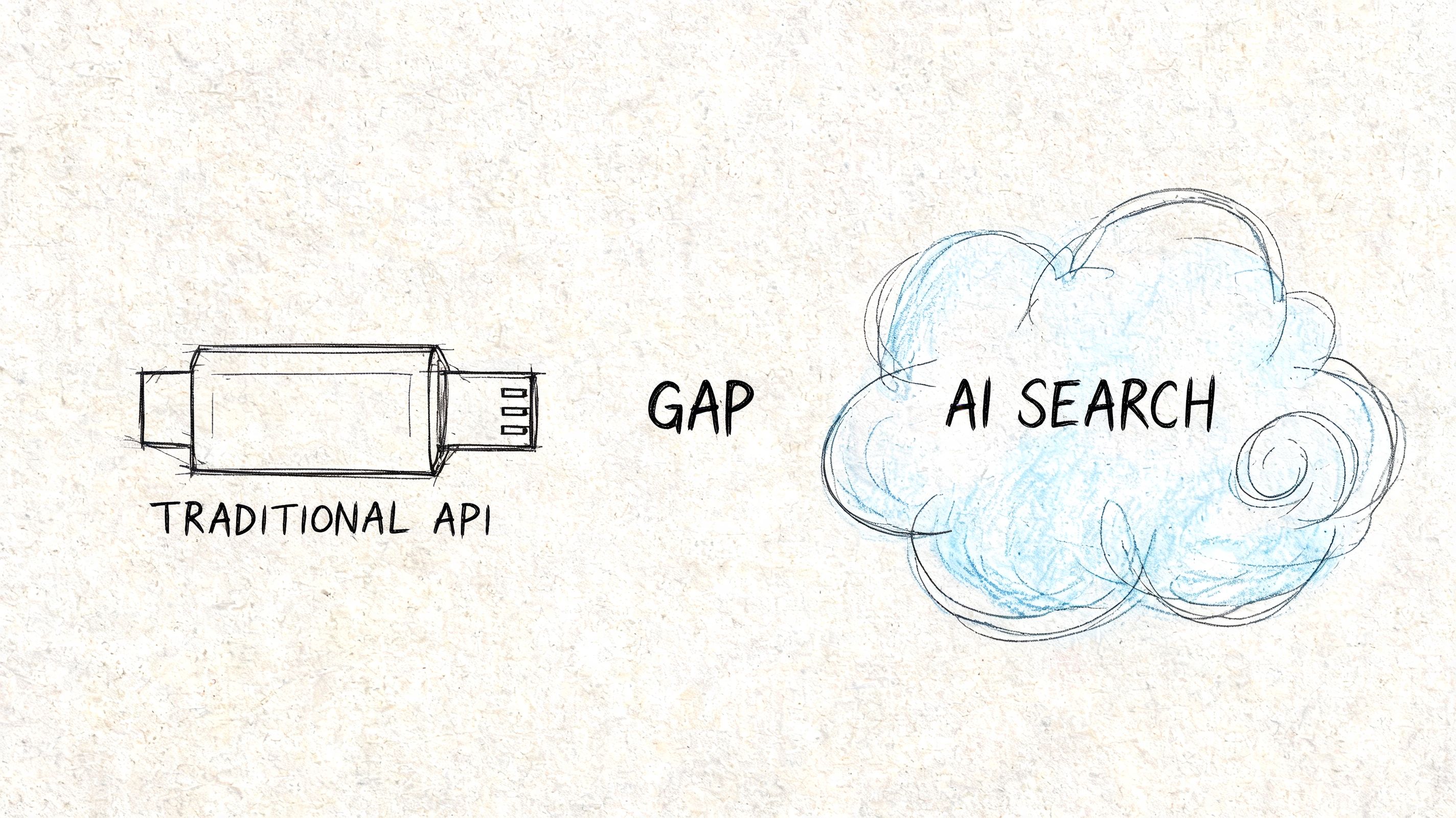
SE Ranking's API documentation does list sge in some results, but it lacks dedicated endpoints or parameters for automated, multi-LLM visibility tracking. That creates a real blind spot for developers trying to monitor brand presence in AI-driven discovery channels, based on SE Ranking's API reference.
Why this gap matters
If you're building internal dashboards in a classic SEO environment, this limitation may not block you immediately. You can still track rankings, audits, backlinks, and query-level search metrics.
But if stakeholders are asking questions like these, the gap becomes obvious fast:
- Where does our brand appear in AI Overviews?
- Which pages are being cited by AI systems?
- Are competitors showing up in AI-generated answers more often than we are?
- How does traditional ranking movement compare with AI search presence?
Those aren't edge-case questions anymore. They're operational questions for agencies, product teams, and in-house search leads trying to explain what changed in search behavior.
What works and what doesn't
What still works with SE Ranking:
- traditional keyword tracking
- technical SEO monitoring
- backlink and domain-level analysis
- project-based workflow automation
- machine-readable traffic reporting tied to connected search data
What doesn't work cleanly:
- unified AI visibility tracking
- multi-LLM citation monitoring
- clear API structures for AI discovery reporting
- a practical way to combine classic SEO signals and AI search appearance in one implementation model
That's the difference between a capable SEO API and a modern search intelligence API.
The cost of patchwork
When a platform doesn't fully support AI-driven discovery tracking, teams usually patch the gap with extra tools, custom scraping, manual QA, and ad hoc reporting logic. That leads to the same problems agencies have been trying to escape for years:
| Problem | Result |
|---|---|
| Separate tools for SEO and AI visibility | Reporting gets fragmented |
| Custom glue code for unsupported data | Maintenance gets messy |
| Manual checks for AI answers | Monitoring becomes inconsistent |
| No unified model | Clients and stakeholders get unclear explanations |
One of the clearest ways to think about this issue is through the broader AI citation gap in modern search reporting. The core problem isn't that traditional SEO data stopped mattering. It didn't. The problem is that traditional SEO data no longer tells the whole story.
Legacy SEO APIs are good at measuring where pages rank. They're much weaker at measuring where brands are surfaced, summarized, or cited by AI systems.
That's the practical dividing line in modern tool selection. If your project only needs conventional SEO automation, SE Ranking can be a good fit. If your project needs one system for rankings, backlinks, audits, AI Overviews, and LLM citation visibility, you'll hit the edge of what this API currently exposes.
Troubleshooting Common Errors and Best Practices
Most se ranking api issues fall into a small set of predictable categories. The fix usually isn't complicated. The hard part is identifying whether the failure came from authentication, permissions, request design, or rate pressure.
Common errors in plain language
Use this as a quick-reference guide when requests start failing.
| Error code | Plain meaning | Likely fix |
|---|---|---|
| 401 | The API doesn't accept your credentials | Check token format, token storage, and whether the correct environment variable is loaded |
| 403 | You're authenticated, but the request isn't allowed | Verify account access, endpoint permissions, and whether you're using the right API type |
| 404 | The route or resource isn't found | Recheck endpoint path, identifiers, and whether the object exists in the target account |
| 429 | You've sent too many requests too quickly | Add queuing, backoff, and request throttling |
| 5xx | The service failed on the provider side | Retry with delay, log the response, and avoid immediate rapid-fire repeats |
Best practices that save time
A stable integration usually comes down to a handful of habits.
- Throttle by design. Don't wait for rate-limit errors to tell you your app is too aggressive. Add a request queue from the start.
- Cache repeat reads. Ranking history, reference lists, and stable project metadata don't need constant refetching.
- Store raw responses. When parsers fail later, raw payloads make debugging much easier.
- Separate fetch from transform. One service should collect API data. Another should normalize and enrich it.
- Log context. Capture endpoint, account, project ID, and timing data with each failed request.
Rate limit handling
The most common production mistake is tying API requests directly to user actions without buffering. A dashboard with several widgets can trigger a burst of requests the moment someone loads a page.
A better pattern is:
- collect data on a schedule
- store it in your own database
- serve users from your database
- refresh the cache asynchronously
That approach improves reliability and reduces unnecessary API pressure.
Don't build your product so every page view becomes an API event.
Code organization that ages well
Keep your client library boring. That's a compliment.
Use one module for authentication and request handling. Use separate modules for rankings, backlinks, audits, and traffic-related fetchers. Validate responses before they hit business logic. And keep your endpoint wrappers thin enough that changes in provider docs don't force a rewrite across your app.
If the integration is important to your reporting or client deliverables, treat it like infrastructure, not a side script.
If your team needs more than traditional SEO metrics, Surnex is built for the gap this article highlighted. It gives agencies, in-house teams, and developers one platform for classic SEO data plus modern AI search visibility, including AI Overviews, LLM presence, citation gaps, and agent-ready workflows without the tool sprawl that older APIs leave behind.