When someone says they want to check domain trust, are they asking whether a website deserves rankings and referrals, or whether two Windows domains can authenticate across a trust boundary?
Most pages treat those as the same topic. They aren't. One is a marketing and security-reputation question. The other is an Active Directory architecture and defense question. That mismatch is why the search results often feel oddly split between SEO tools, PowerShell commands, and security writeups.
For agencies and in-house teams, that ambiguity matters. A client kickoff might use “domain trust” to mean “Is this site clean, credible, and worth investing in?” An IT lead hearing the same phrase might mean “Is the trust between these domains healthy, and is anyone enumerating it?” Both are valid. They just require different workflows.
What Do You Mean by Domain Trust
People searching for check domain trust often mean two different things. They either want to verify an Active Directory trust relationship, or they want to judge whether a website domain is trustworthy for reputation, security, and search performance. Microsoft's documentation around Test-ComputerSecureChannel sits in the middle of that confusion because many results lean toward AD administration, while security teams also have to distinguish normal trust checks from attacker reconnaissance (Microsoft documentation).
For SEO work, “domain trust” is shorthand. It usually means a mix of signals: backlink quality, domain history, topical consistency, technical hygiene, and whether the site looks like a real business rather than a recycled asset. Search engines don't hand you a single trust score, so teams end up using proxy metrics and judgment.
For IT and security, the phrase is literal. It refers to the relationship that allows authentication across domains or forests. That's an infrastructure decision with direct security implications, not just a label in a dashboard.
Practical rule: If the question includes backlinks, traffic quality, authority metrics, spam, or acquisitions, treat it as an SEO audit. If it includes
netdom,nltest, secure channels, trusts, forests, or domain controllers, treat it as an AD task.
A lot of SEO confusion starts with old mental models of authority. If you need a refresher on how link-based authority thinking evolved, this explanation of what PageRank is is a useful baseline before you audit “trust” in modern terms.
Decoding SEO Domain Trust Signals
A good website trust audit doesn't begin with a score. It begins with a question: would you feel comfortable attaching a brand, budget, or migration to this domain? If the answer depends entirely on one third-party metric, the audit is too shallow.
Backlinks that make sense
The strongest trust signal is usually the backlink profile, but not in the simplistic “more links is better” way. The core question is whether the links look earned, relevant, and durable.
A healthy profile tends to have variety. Links come from industry publications, partners, resource pages, local citations where appropriate, and pages that make contextual sense. Anchor text looks mixed because real people don't all link the same way.
A weak profile often leaves footprints:
- Over-optimized anchors that repeat commercial terms too neatly
- Source irrelevance where unrelated sites link with no editorial reason
- Patterned placement such as sitewide widgets, spun guest posts, or obvious networks
- Shallow referring pages that exist only to host outbound links
If you're tracing why a page ranks or why a domain looks risky, it helps to review how to find pages that link to a page so you can inspect the actual linking URLs, not just summary charts.
Authority metrics are proxies, not verdicts
Teams still use metrics like Domain Rating, Domain Authority, and similar scores because they're fast. That's fine as long as you treat them as a screening layer rather than truth.
A high score can sit on top of a manipulative link profile. A lower score can belong to a specialized site with strong real-world credibility. The score helps prioritize where to look. It doesn't replace the look.
A trust metric is useful when it speeds up review. It's dangerous when it ends the review.
Domain history changes the interpretation
A domain can carry baggage. That baggage doesn't always show up in a single report.
If a client is buying an aged domain, rebranding an old property, or recovering a legacy site, check whether the domain used to host unrelated content, thin affiliate pages, foreign-language spam, or churn-and-burn landing pages. The question isn't only “what does the site look like now?” It's also “what expectations might search systems and users already associate with this domain?”
A clean current site on a messy historical domain deserves closer review than its visible metrics suggest.
Technical trust is basic, but still necessary
Technical trust signals aren't glamorous, but they help separate maintained sites from neglected ones. HTTPS is table stakes. So is a site that loads consistently, resolves cleanly, and doesn't trigger obvious browser trust concerns.
Technical quality doesn't create authority on its own. It does prevent unnecessary erosion of confidence. If the site looks unstable, insecure, or poorly maintained, every other positive signal has to work harder.
Content consistency matters more than polish
A trustworthy domain usually has coherent intent. The content serves a recognizable audience, covers a logical set of topics, and aligns with the business model.
That's why some “strong” domains fall apart under review. Their link profile may look decent, but the site itself is a patchwork of unrelated articles, expired pages, and monetized leftovers from previous operators. Search trust and human trust tend to drift together over time.
| Trust Signal | What It Measures | Primary Tools | Green Flag / Red Flag |
|---|---|---|---|
| Backlink relevance | Whether links come from sensible, related sources | Ahrefs, Semrush, Majestic, Google Search Console | Green: editorial links from relevant pages. Red: clusters from unrelated or low-value sites |
| Anchor text pattern | Whether linking language looks natural | Ahrefs, Semrush | Green: branded and mixed anchors. Red: repeated exact-match commercial anchors |
| Domain history | Prior use and topic continuity | Wayback Machine, WHOIS history tools | Green: stable theme over time. Red: abrupt topic changes or spam-era snapshots |
| Index and content quality | Whether the site looks like a real, maintained publication or business | Google search operators, Screaming Frog, manual review | Green: coherent pages with purpose. Red: thin, duplicate, or orphan-heavy content |
| Security and maintenance | Basic browser and site integrity signals | Browser inspection, SSL checkers, site crawlers | Green: HTTPS and stable rendering. Red: certificate issues, broken templates, warning-heavy pages |
| Reputation context | Whether users and platforms treat the site as legitimate | Brand search, abuse databases, manual SERP review | Green: consistent branded footprint. Red: complaints, warnings, obvious impersonation signals |
A Practical Toolkit for Auditing Website Trust
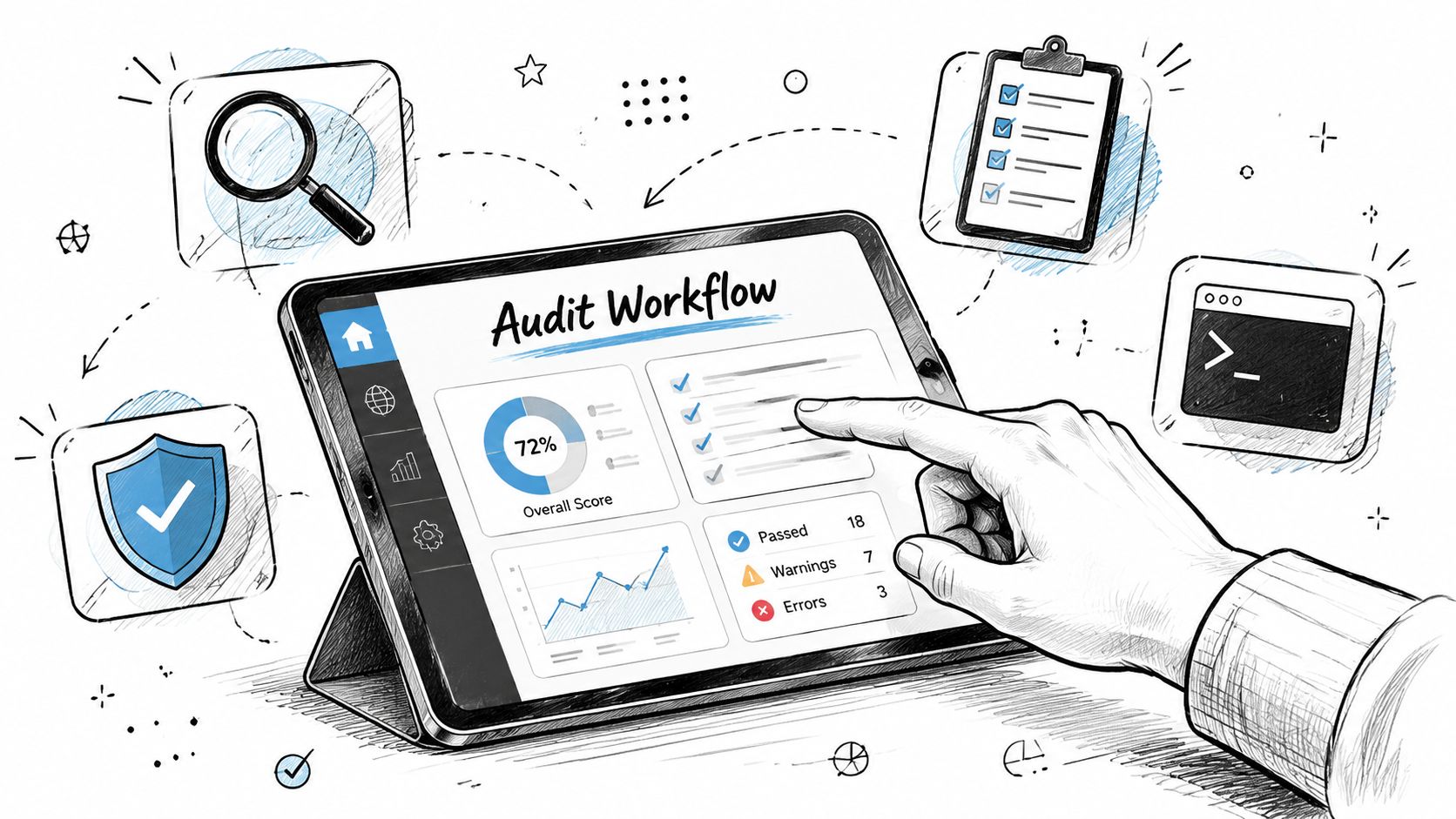
A website trust audit works best when you treat it like due diligence, not like score collection. Start broad, narrow quickly, and document anything that changes the risk level of the domain.
Start with the domain's past life
The fastest way to misjudge a domain is to look only at its current homepage. Open the Wayback Machine, review indexed remnants, and compare historical themes against the current business.
Look for discontinuity. A local service brand that used to be a casino microsite, coupon hub, or synthetic blog farm deserves caution. A domain that stayed in one category for years usually needs less forensic work.
WHOIS history tools add context when ownership patterns changed repeatedly. You don't need to turn this into a legal investigation. You just need enough evidence to decide whether the domain has been stable or opportunistic.
Pull the backlink profile and inspect patterns
Export referring domains, top linked pages, and anchor text. Then review manually. The first pass should answer three questions:
- Are the links topically aligned
- Do the anchors look natural
- Are the strongest links pointing to useful pages or manufactured assets
If a client inherited a domain, don't stop at summary metrics. Open the linking pages. Check language, page purpose, and outbound link behavior. The riskiest patterns become obvious only when you inspect the sources directly.
For teams that want to automate large-scale collection of publicly visible page data before the manual review, Scrapfly's API for developers can help structure repeatable retrieval workflows across many URLs.
Check the technical layer without overcomplicating it
You don't need an enterprise security program to do a practical trust check on a website. A focused technical pass is enough:
- Verify HTTPS health: Confirm the certificate is valid and the site resolves consistently.
- Crawl key templates: Use Screaming Frog or a comparable crawler to surface broken pages, redirect loops, and indexation oddities.
- Review browser presentation: Open the site in a clean browser session and look for warnings, mixed experiences, or obvious trust friction.
- Check template consistency: Spammy rebuilds often leave mismatched page layouts, placeholder sections, or fragmented navigation.
A full process often sits inside a broader website review. If you need a reusable checklist for client work, this guide on how to do an SEO audit is a good operational companion.
After your first pass, a short walkthrough like this can help junior team members understand how to validate the findings in a more visual way.
Use a simple audit sequence
Different teams overbuild this step. They create complex scoring models before they've even looked at the site. A leaner workflow is usually better:
- History first: If history is bad, interpret all later signals more cautiously.
- Links second: If links are manipulated, authority metrics lose value.
- Technical third: Fixable technical issues matter, but they rarely explain an untrustworthy domain by themselves.
- Reputation last: Search branded queries, public complaints, and obvious abuse references to confirm whether off-site perception matches the on-site story.
The right output isn't a score. It's a decision: low concern, medium concern, or high concern, with reasons attached.
How to Interpret Scores and Spot Red Flags
Interpreting trust signals is where most audits fail. Teams gather charts, export CSVs, and still miss the obvious question: does the evidence tell one consistent story or several conflicting ones?
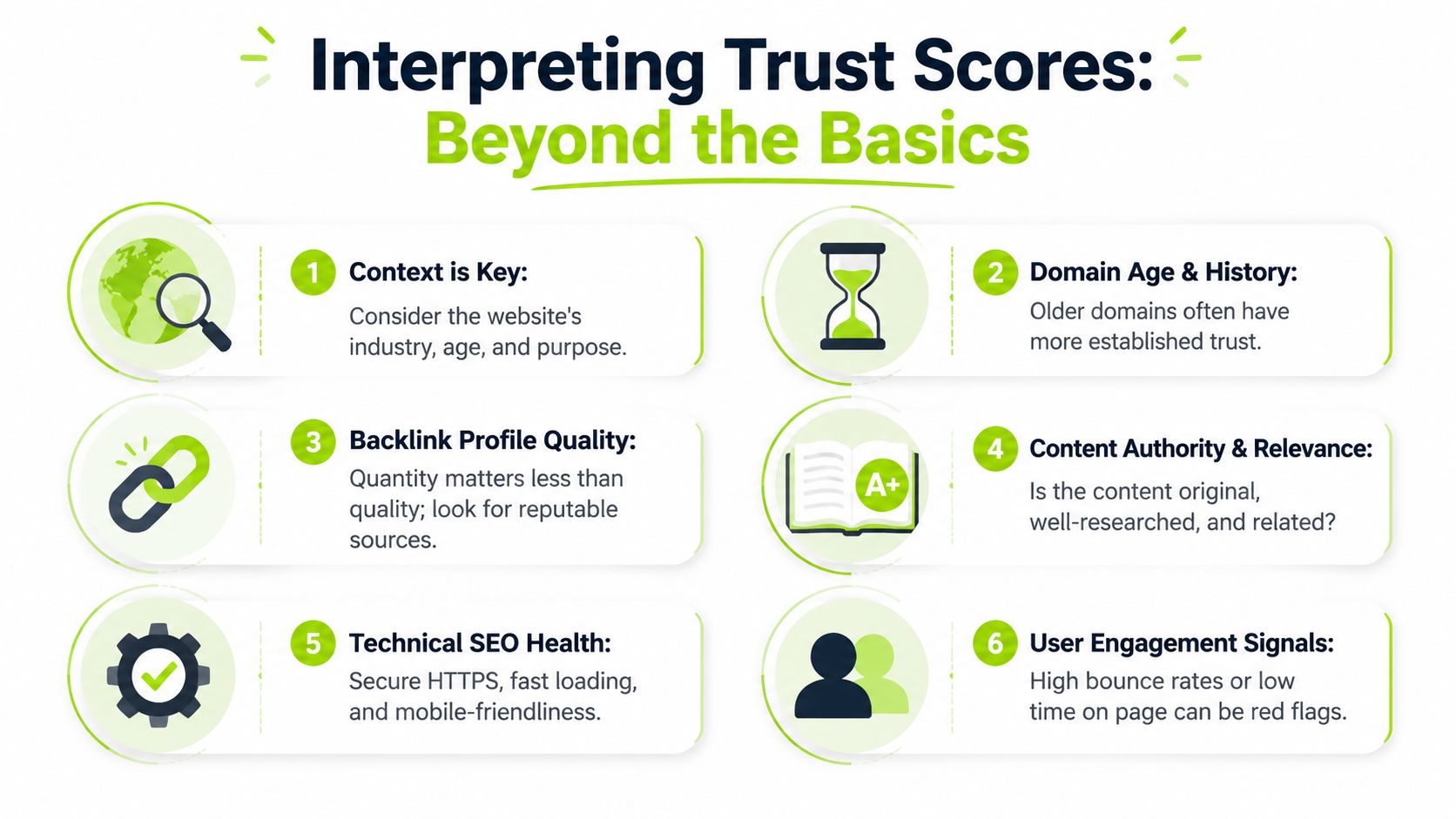
A trustworthy domain usually presents alignment. Its backlinks, content, history, and brand footprint support the same business identity. A risky domain usually looks stitched together from different eras, different owners, or different tactics.
Good signals versus suspicious signals
A strong domain doesn't need perfection. It needs coherence.
| Area | Healthier Pattern | Red Flag Pattern |
|---|---|---|
| Referring domains | Relevant publications, partners, associations, citations | Unrelated sites, thin blogs, directories with no editorial value |
| Anchor text | Mostly branded, URL, mixed descriptive language | Repeated money terms or identical anchor clusters |
| Content footprint | Consistent topics and audience | Sharp pivots between unrelated niches |
| Historical use | Stable purpose over time | Expired-domain reuse, spam snapshots, abrupt relaunches |
| Technical presentation | Secure, consistent, maintained templates | Browser warnings, broken layouts, suspicious redirects |
The score isn't wrong. It's incomplete
Third-party authority metrics can still be helpful. The mistake is reading them without context. A domain with a respectable score but obvious anchor abuse should be treated carefully. A modest score on a niche B2B site with real citations and clean history may be a better long-term asset.
Judgment matters more than dashboards. You're not trying to prove that a domain is “good” in the abstract. You're trying to decide whether you'd trust it with outreach, content investment, migration risk, or acquisition value.
If you want another practical lens on the reputation side, Domain Drake has a useful roundup of tools for domain reputation checks that can complement link and history review.
Red flags that deserve immediate follow-up
Some patterns should trigger a deeper review right away:
- Anchor concentration: A narrow set of commercial phrases appears too often.
- Topic discontinuity: Historic snapshots show unrelated business models.
- Thin supporting pages: Many links point to pages with little standalone value.
- Strange geographic patterns: Referring sites cluster in places that make no sense for the brand.
- Template churn: The site looks recently rebuilt on top of low-quality leftovers.
A useful way to summarize the audit is to compare trust findings against visibility. If a domain appears stronger on paper than it does in real search presence, or vice versa, reviewing a broader visibility score in SEO can help frame what the market is seeing.
Judgment check: When one signal looks excellent but three others look off, trust the conflict, not the outlier.
The Other Side Active Directory Trust for IT and Security
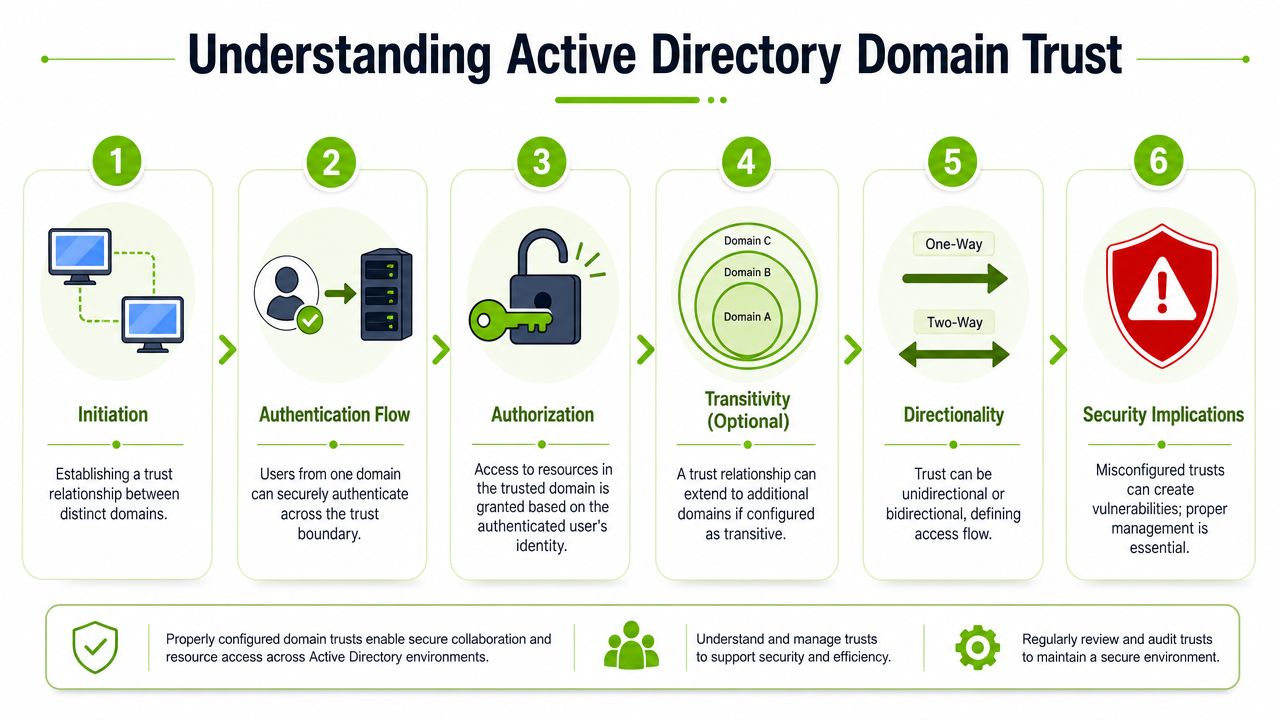
For IT teams, check domain trust means something much more specific. In Active Directory, a trust relationship is a defined security mechanism that Windows checks before authentication can occur across domains. Microsoft notes that Windows computes a trust path between the domain controller receiving the request and a domain controller in the user's domain, and trust passwords rotate automatically every 30 days (Microsoft Entra Domain Services trust concepts).
That has two immediate consequences. First, a trust isn't just administrative plumbing. It's part of the authentication decision itself. Second, “trusted” doesn't mean “authorized for everything.” The trust allows authentication routing. Permissions on the target resources still need separate review.
What administrators should verify
A practical admin workflow is straightforward. Validate that the trust path exists, confirm the relationship still works from both sides, and check whether trust settings changed in ways that affect access.
Common tools include:
Test-ComputerSecureChannel: Useful for testing and repairing the secure channel between a domain member and its domainnetdom trust /Verify: Useful when you want to verify the trust relationship explicitlynltest: Useful for trust validation and for seeing how systems expose trust information operationally
Microsoft's AD guidance also notes that each new domain in a forest automatically gets a two-way, transitive trust with its parent, and if trust-password replication doesn't reach both sides within 30 days, the relationship can break (Azure-operated Microsoft documentation on forest trust behavior).
What security teams should treat as recon
Many mixed-intent searches often go awry. The same broad phrase, “check domain trust,” can describe legitimate administration or adversary discovery.
MITRE ATT&CK identifies Domain Trust Discovery as Technique T1482 and notes that discovered trust information can support SID-history injection, pass-the-ticket, and Kerberoasting. MITRE also notes that enumeration can be performed with the Win32 API, .NET, LDAP, or tools such as nltest, and recommends mapping trusts and keeping them to a minimum because trust shape affects attack surface (MITRE ATT&CK T1482).
What to watch in telemetry
Detection gets better when teams correlate endpoint and directory signals instead of looking at only one log source.
Red Canary recommends monitoring command lines like nltest.exe /domain_trusts and /all_trusts, along with dsquery usage and LDAP filters such as (objectClass=trustedDomain), especially when they come from non-domain controllers. They also note that relying only on domain-controller logs is a common mistake because evidence may appear first in endpoint process telemetry rather than authentication logs (Red Canary on domain trust discovery detection).
If you can't answer whether a trust-enumeration test was detected, blocked, or at least visible in telemetry, you don't really know your exposure.
For teams reviewing broader directory hygiene, this overview of Active Directory misconfigurations from Vulnsy is a useful companion to trust-specific checks.
From Checking to Building A Proactive Trust Strategy
A one-time trust check is useful. A repeatable trust strategy is better.
For websites, the pattern is simple. Audit history before migration, review new backlinks regularly, investigate reputation issues early, and treat trust as something your content and link acquisition either strengthen or weaken over time. If you find toxic links, decide whether they reflect real risk or just noise before taking action. If you find valuable lost mentions or broken citations, reclaim them.
For Active Directory, reduce unnecessary trusts, verify the ones that remain, and make sure trust-related activity is visible in both endpoint and directory telemetry. Trusts should exist for a business reason, not because no one wants to touch old infrastructure.
The shared lesson is the same in both worlds. Trust isn't a score to admire. It's a condition to monitor, test, and protect.
If your team needs one place to track modern search visibility alongside core SEO workflows, Surnex gives agencies, in-house teams, and developers a practical way to monitor rankings, backlinks, audits, and AI search presence without juggling disconnected tools.