You’ve just opened a new client site, or a competitor’s domain, and you need the sitemap now. Not after a full crawl. Not after a dev handoff. Right now.
That’s a normal SEO workflow. Sitemaps are one of the first things worth checking because they tell you how a site wants search engines to discover its URLs. They also help you spot gaps fast. Missing sections, broken submissions, orphaned templates, bloated ecommerce archives, and indexing issues often show up here before you’ve finished your first audit pass.
The basic advice is familiar: try /sitemap.xml, check robots.txt, maybe open Search Console. That still works on a lot of sites. But it’s not enough if you work across multiple CMS platforms, inherited enterprise builds, or JavaScript-heavy front ends where the sitemap isn’t sitting in an obvious place.
Here’s the workflow I’d hand to a new technical SEO team member if I wanted them finding sitemaps quickly, consistently, and without wasting half an hour on every domain.
The Fastest Ways to Find a Website's Sitemap
Speed matters here. On a live audit, the goal is to confirm whether a usable sitemap exists, what format it uses, and whether it reflects the current site build before you spend time crawling the wrong URL set.
Check the default sitemap paths first
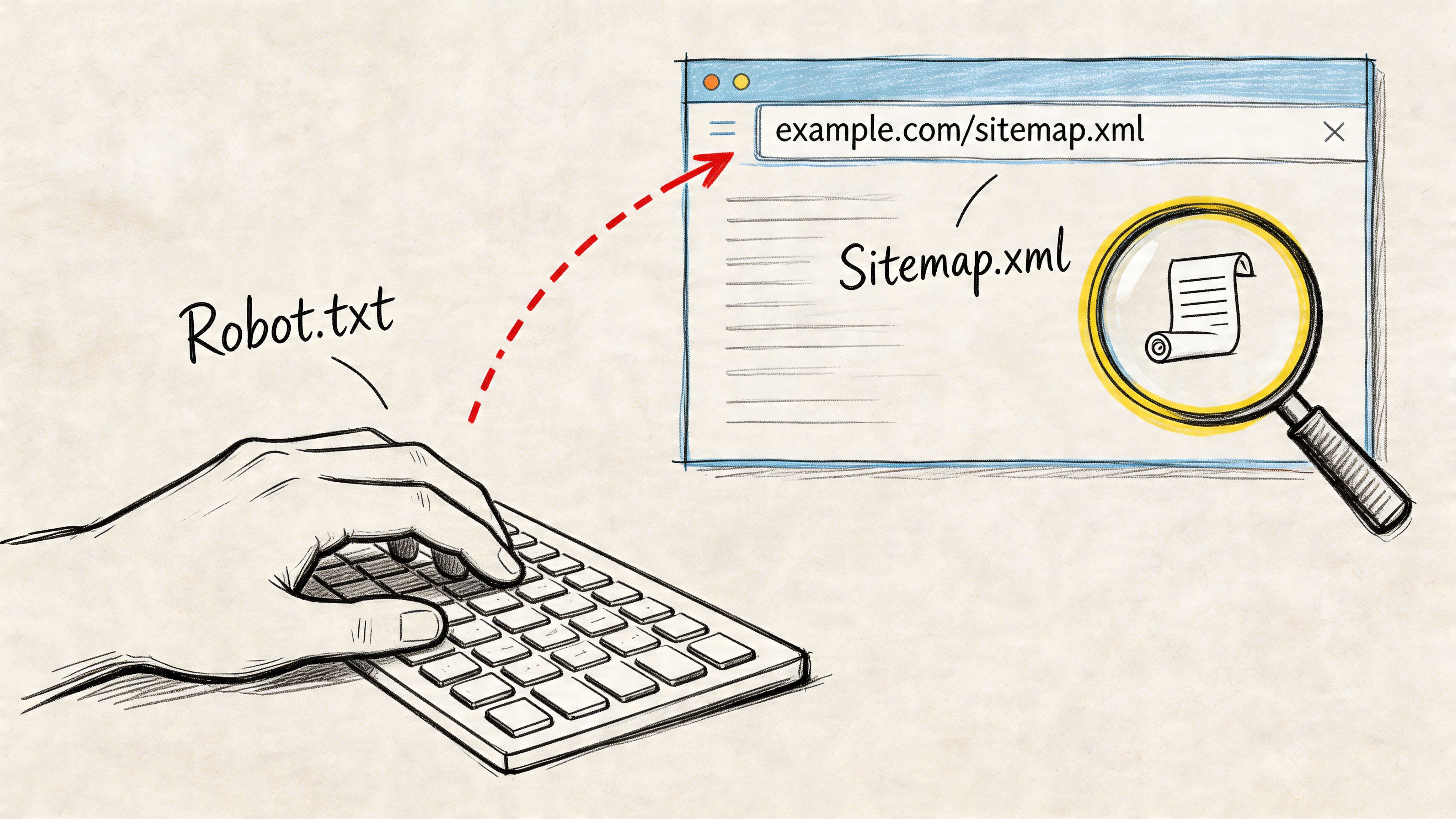
Start with the obvious paths because they still solve a large share of cases fast:
- Try
/sitemap.xml - Then test
/sitemap_index.xml - Then check a few common variants such as
/sitemap1.xml,/sitemaps/sitemap.xml, or/sitemap/sitemap.xml
This step is still the fastest win on WordPress, Shopify, many Magento builds, and plenty of older custom stacks. It also tells you something useful right away. A single sitemap often points to a smaller site or a simple setup. A sitemap index usually means segmented files by post type, product catalog, language, image set, or news content.
Do not stop at “the page loaded.” Confirm that it is a sitemap file. Valid XML sitemaps usually contain <urlset> or <sitemapindex>. If you get a styled HTML page, a soft 404, a redirect chain, or a security block, treat that as a failed check until you verify the response.
Practical rule: If the URL looks right but renders like a normal page, view source or inspect the response headers before logging it as found.
Use robots.txt to verify the published sitemap location
If the common paths fail, open /robots.txt next. In practice, this is the cleanest shortcut because it shows the sitemap location the site is explicitly publishing to crawlers. Google’s documentation on managing robots.txt and sitemap references confirms that sitemap URLs can be declared there.
You are looking for lines like:
- Single sitemap declaration
Sitemap: https://example.com/sitemap.xml - Multiple sitemap declarations Some sites publish separate files for pages, products, categories, images, or hreflang sets.
- Compressed references
.xml.gzfiles are normal and worth opening.
Trust robots.txt over guesswork. If it points to a sitemap index, use that as the source of truth for the first pass. If it points to an outdated file, that is already an audit finding.
Check the response, not just the filename
This is the step newer SEOs skip. Modern sites can return a convincing URL with the wrong content type, a blocked XML file, or a framework-generated route that looks valid but is useless for crawling.
Check three things:
- Status code: 200 is clean. 3xx, 4xx, and 5xx need a closer look.
- Content type: XML, text/xml, or application/xml is usually fine.
- File structure: a sitemap index should list child sitemap files. A standard sitemap should list URLs.
On JavaScript-heavy and headless builds, this quick validation saves time. I have seen Next.js and React front ends expose a /sitemap.xml path that exists, but the file is stale, incomplete, or generated from an old deployment. That creates problems beyond classic SEO. If AI systems and search engines pull from weak sitemap coverage, discovery gets slower and important URLs are easier to miss.
A fast workflow for agency and in-house teams
For day-to-day checks, keep the sequence tight:
- First: test
/sitemap.xml - Second: test
/sitemap_index.xml - Third: inspect
/robots.txt - Fourth: confirm status code, content type, and XML structure
- Then: note whether you found a direct sitemap, a sitemap index, multiple segmented files, or nothing at all
That gives you enough to log cleanly inside a technical site audit workflow and decide whether the sitemap setup deserves a deeper review.
Random filename guessing usually wastes time. Once standard paths and robots.txt come up empty, switch to search-engine-side discovery, CMS-specific patterns, or JavaScript-aware checks.
Leveraging Search Engines and Webmaster Tools
Manual checks miss more than people expect, especially on large sites with old migrations, segmented sitemap files, or JavaScript frameworks that generate XML in odd places. When /sitemap.xml and robots.txt come up empty, I shift to systems that have already seen the domain.
Use Google search operators to surface indexed sitemap files
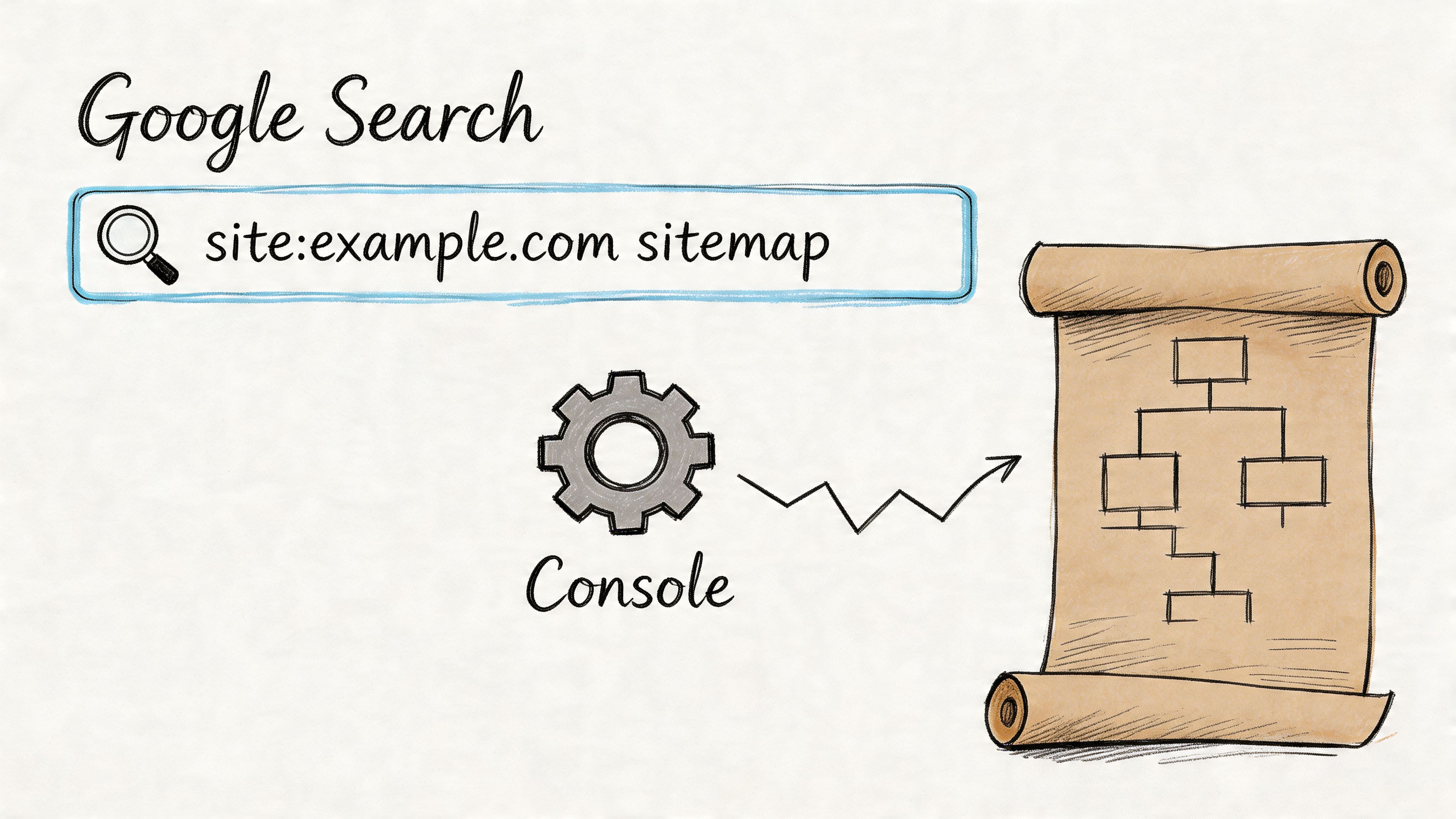
Google can expose sitemap files that are live, were indexed in the past, or sit outside the paths you checked manually. Start with:
site:example.com filetype:xml sitemap
Then test a few variants:
site:example.com inurl:sitemapsite:example.com "sitemap index"
This works well for image, video, news, and product sitemaps that never get linked clearly from the front end. It also helps on enterprise and ecommerce sites where multiple teams have submitted different files over time. If you work on retail accounts, this kind of cleanup ties directly into broader ecommerce SEO best practices, because weak sitemap coverage often means slow discovery for product and faceted URLs.
Treat search results as clues, not proof. Google may show an old sitemap URL that now redirects, returns a 404, or points to an outdated index. Open the file and verify it before logging it as the current source of truth.
Use the webmaster tools when you have access
For sites you manage, Google Search Console is usually the fastest answer. Open the Sitemaps report and check what has been submitted, whether Google can still fetch it, and whether the file aligns with the site’s current architecture.
| What to check | Why it matters |
|---|---|
| Submitted sitemap URL | Confirms the exact file or index in use |
| Last read status | Shows whether Google can still fetch it |
| Discovered URLs | Helps you compare sitemap coverage with the site’s real footprint |
| Errors | Flags broken submissions, fetch failures, and formatting issues |
I use this report to catch a common problem on headless and JavaScript-heavy builds. The live site may look fine, but Search Console still shows an old sitemap from a previous platform, staging path, or legacy subfolder. That affects classic indexing, and it can also weaken AI search visibility if discovery signals point at incomplete URL sets.
Bing Webmaster Tools deserves a quick check too. On some brands, Bing has a submitted sitemap that never made it into Google Search Console, or vice versa. That mismatch is useful audit evidence, especially during migrations.
Here’s a quick visual walkthrough if you want to see the interface flow before doing it on a live property.
Where crawlers fit
If you do not have Search Console access and Google queries are inconclusive, run a crawler. Screaming Frog is the practical option because it can pick up sitemap references from robots.txt, XML discovery, and crawl paths that are easy to miss in a browser session.
If I’m auditing a domain I don’t control, I use this order: search operators first, webmaster tools if I have access, then a crawler to confirm what is still live.
At this stage, it helps to compare what you found against a broader domain-level visibility review. If a site has strong indexation signals, active templates, and broad URL discovery but no valid sitemap trail, that gap usually points to a technical debt issue worth fixing.
Finding Sitemaps on Popular CMS and Ecommerce Platforms
Platform patterns cut discovery time fast. If I know the site runs on Shopify, Wix, or Squarespace, I check the default sitemap path first and then spend the saved time validating whether the output is useful for crawling, indexing, and AI retrieval.
Major hosted platforms usually expose a sitemap at /sitemap.xml. Large sites often split that into a sitemap index with child files because search engines cap a single sitemap at 50,000 URLs or 50MB uncompressed, per Google’s sitemap protocol guidance.
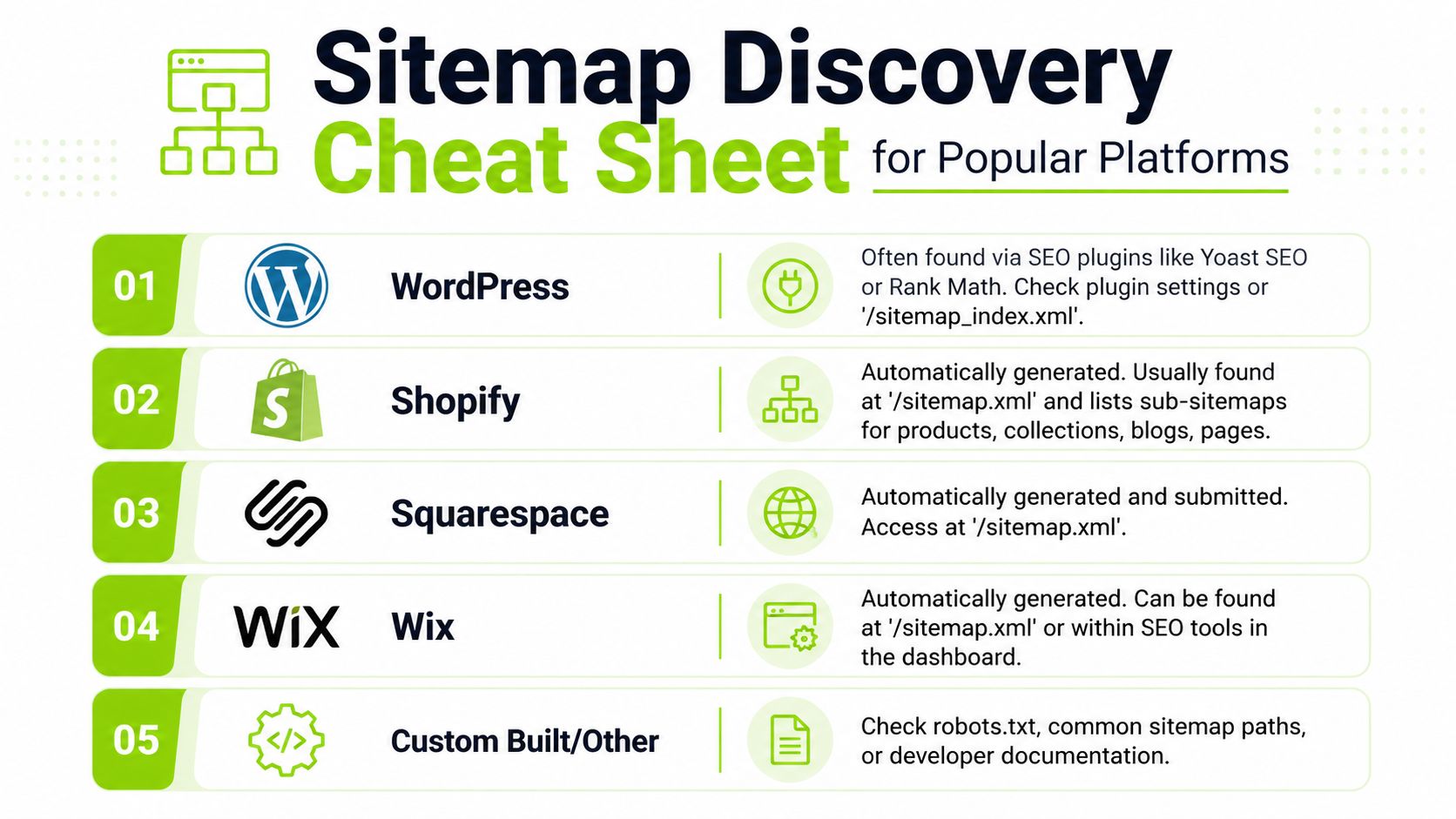
Quick platform cheat sheet
| Platform | Where to look | What usually happens |
|---|---|---|
| WordPress | /sitemap.xml or /sitemap_index.xml | Core or an SEO plugin usually controls the structure |
| Shopify | /sitemap.xml | Usually returns an index that links to product, collection, page, and blog sitemaps |
| Wix | /sitemap.xml | Auto-generated in the default location |
| Squarespace | /sitemap.xml | Auto-generated and usually easy to confirm |
| Custom CMS | robots.txt, then common root variations | File names and sitemap logic vary by implementation |
WordPress and plugin-driven setups
WordPress needs a closer look than people expect. Core WordPress can generate its own sitemap, but many production sites hand that job to Yoast, Rank Math, or another SEO plugin. That changes the URL pattern, the included post types, and sometimes the taxonomy coverage.
If you see /sitemap_index.xml, treat it as a plugin-managed setup until proven otherwise. If you have admin access, check which content types are enabled and whether noindex sections were excluded correctly. If you do not have access, the sitemap naming convention still gives you a strong clue about how the site is being managed.
Shopify, Wix, and Squarespace
These platforms are more predictable, but predictable does not mean correct.
- Shopify:
/sitemap.xmlis the normal entry point. It usually points to child sitemaps for products, collections, pages, and blog content. - Wix: the platform auto-generates the sitemap and keeps it at the root in most cases.
- Squarespace: the sitemap is also usually available at the default root path.
On ecommerce builds, Shopify is often the fastest win because the file structure is consistent. The actual check is whether the sitemap reflects the current catalog, not whether the root URL loads.
Why ecommerce teams should care
On a content site, a weak sitemap creates crawl inefficiency. On an ecommerce site, it can hide product lines, collections, seasonal pages, or filtered inventory that should be discoverable.
Sitemap discovery is part of solid ecommerce SEO best practices because it helps you verify whether the site is exposing the right product and collection inventory to crawlers, not just whether a file exists.
That also affects AI search visibility. Product and category URLs that never make it into sitemap files are less likely to build consistent discovery signals across search engines, shopping surfaces, and AI systems that depend on clean crawl paths and stable canonical sets.
If you inherit an unfamiliar build, run a quick tech stack check for the CMS, framework, and ecommerce platform. It usually explains whether you should expect a standard root sitemap, a plugin-managed index, or a custom implementation that needs deeper inspection.
Advanced Discovery for JavaScript Sites and Headless CMS
The usual advice breaks down here.
A growing share of sites use JavaScript frameworks and headless architectures that don’t expose everything through obvious root files. Existing guides often miss this problem, even though 68% of top 10,000 sites use JS frameworks and a 2025 Ahrefs study cited by SEOmator’s sitemap finder article says 22% of enterprise sites have "invisible" sitemaps that only show up through full-page rendering.
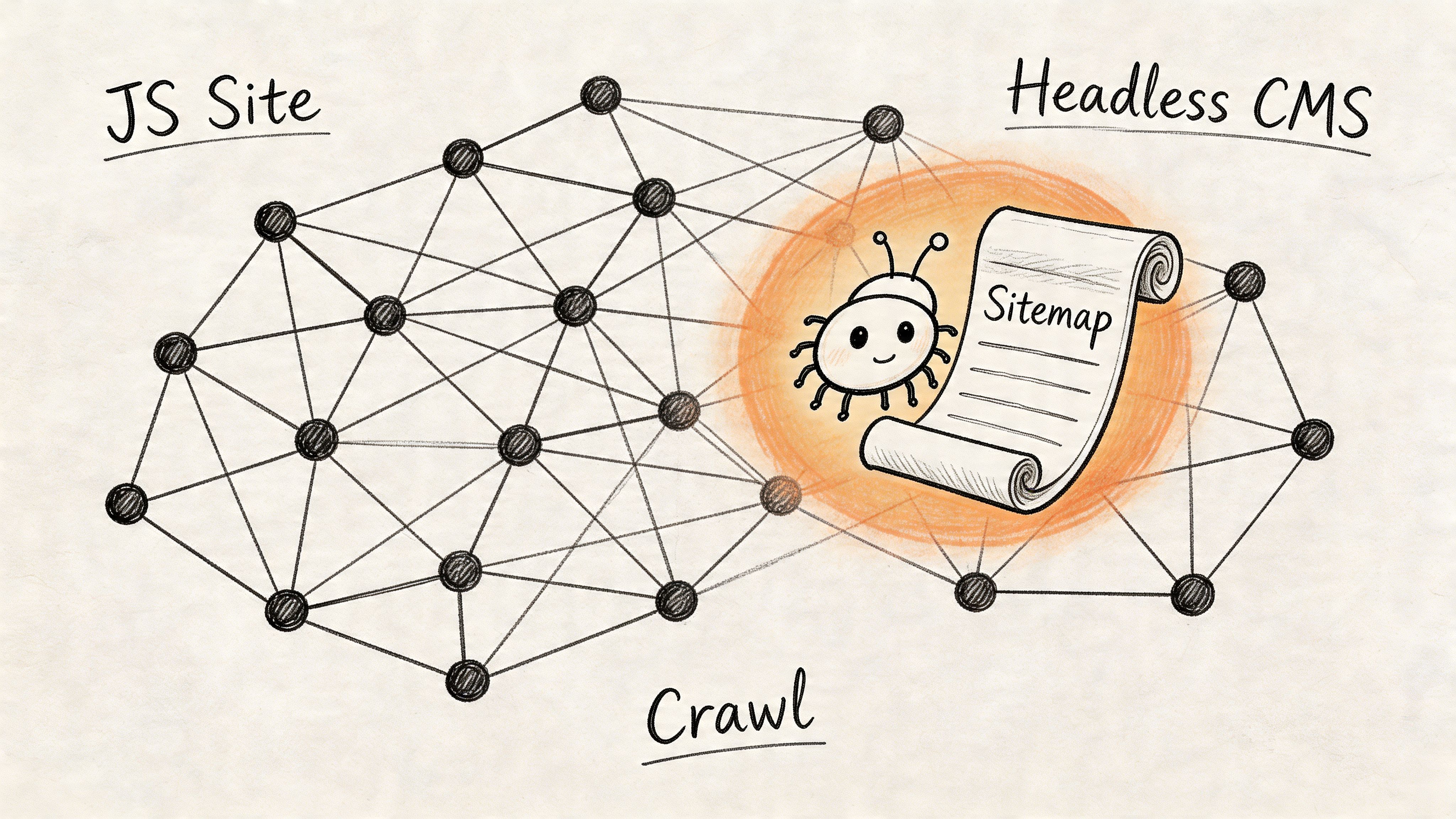
Why standard checks fail on modern builds
On a traditional CMS, the sitemap usually lives at a known URL and is exposed in robots.txt. On a JavaScript-heavy site, the file may be:
- generated dynamically
- referenced only after rendering
- exposed through a framework route
- linked from a client-side component
- produced by a headless CMS integration rather than the front-end app itself
That means /sitemap.xml can return nothing useful even when a sitemap exists somewhere in the stack.
A failed root-path check doesn’t prove the site has no sitemap. On modern builds, it often just proves the sitemap isn’t being exposed well.
Use browser inspection before crawling the whole site
Open the site in Chrome or another browser with developer tools. Then check:
- Network requests for anything containing
sitemap - Rendered source for XML references, feed references, or hidden footer links
- Client-side routes that may call an API endpoint or CMS-generated file
You’re not looking for a perfect engineering map. You’re looking for clues. A request to a generated XML file, a manifest endpoint, or a hidden sitemap link in the rendered DOM is often enough to confirm where to look next.
This matters for AI search visibility too. If a modern site hides its discovery files behind poor implementation, search engines and AI systems may get a weaker map of the site than the brand assumes.
Render with a crawler, not just an HTTP fetch
For tougher builds, use Screaming Frog or another crawler in JavaScript-rendering mode. That changes the job from “fetch a known XML path” to “render the page like a browser and inspect what appears after execution.”
Look for these signals during the crawl:
- Rendered links to XML or feed files
- Footer HTML sitemap links
- References in scripts or templates
- Subdomain-level sitemap files coming from a different application layer
Many audits recover the missing piece. A plain browser request can miss what a rendered crawl will catch.
A practical workflow for headless sites
Use this sequence when the domain feels app-like or heavily component-based:
| Step | What to do | What you learn |
|---|---|---|
| 1 | Test standard sitemap paths | Whether the build follows conventions |
| 2 | Inspect robots.txt | Whether the site publishes crawler instructions |
| 3 | Render key pages in browser dev tools | Whether sitemap references appear after load |
| 4 | Run a JS-enabled crawl | Whether hidden links or generated files surface |
| 5 | Check CMS or framework docs if accessible | Whether the sitemap is generated upstream |
If I’m documenting findings for a team, I’ll usually log not just the sitemap URL but the discovery method. That helps later when someone asks why Google can’t find sections consistently, or why an AI crawler appears to have thin citation coverage.
For repeatable investigations across complex builds, a structured technical site audit workflow helps keep this from turning into ad hoc detective work.
What to Do When No Sitemap Is Found
You finish the usual checks, test the common paths, review robots.txt, and still come up empty. At that point, stop treating it like a simple discovery problem. Treat it like a technical diagnosis.
Start by confirming whether the site has any crawlable URL inventory at all. An HTML sitemap in the footer, utility nav, or support area can help you map sections that matter, especially on large publishing sites and stores. It does not replace an XML sitemap for search engines, but it often reveals the content model the team intended to expose.
If no XML sitemap turns up, the failure usually falls into one of a few buckets:
- No sitemap exists
- A sitemap exists but is not declared anywhere obvious
- The file returns an error, times out, or is blocked
- The sitemap is valid XML but includes low-value, duplicate, or non-canonical URLs
- The file structure is wrong for the site size and update pattern
That last point gets missed a lot. A missing sitemap is a problem. A present but incorrect sitemap can be worse, because teams assume the job is already done.
For modern sites, I also check whether the sitemap process broke upstream. Headless builds, composable commerce stacks, and CMS-to-CDN pipelines often generate sitemaps in a different service than the pages themselves. If that job fails, the frontend can look healthy while search engines and AI crawlers lose a clean feed of canonical URLs. That gap shows up later as inconsistent indexing, weak citation coverage, or important pages surfacing late in AI search results.
What to recommend next
Keep the recommendation practical:
- Generate a valid XML sitemap
- Split it by content type or section if the site is large
- Declare the sitemap in
robots.txt - Submit it in Google Search Console and Bing Webmaster Tools
- Spot-check included URLs for status, canonicals, and indexability
If the team needs build-level instructions, this guide on how to create a website sitemap is a useful implementation reference.
For clients and stakeholders, the message is simple. Without a reliable sitemap, crawlers have to infer more from internal links and rendering. That usually slows discovery, makes QA harder, and creates avoidable blind spots on sites with frequent releases, faceted navigation, or JavaScript-heavy delivery.
Frequently Asked Questions About Sitemaps
What’s the difference between an XML sitemap and an HTML sitemap
An XML sitemap is built for search engines and other crawlers. It lists URLs in a machine-readable format.
An HTML sitemap is built for people. It’s usually just a navigational page that links to important sections. Helpful, yes. A substitute for XML, no.
Do small websites need a sitemap
A small site can still be crawled without one if internal linking is clean. But that doesn’t mean a sitemap is unnecessary.
For small sites, a sitemap is cheap insurance. It gives search engines a clear URL list, creates a verification point in Search Console, and makes audits faster later.
How can I quickly validate a sitemap I found
Use a simple checklist:
- Confirm the response works and doesn’t redirect oddly
- Check the format to see whether it’s a sitemap or sitemap index
- Spot-check URLs to make sure they’re live and canonical
- Review for obvious junk like search-result pages, parameters, or blocked sections
If the file exists but looks messy, don’t mark the task complete. Treat sitemap quality as part of technical QA.
What if I find multiple sitemaps
That’s normal on larger sites. A sitemap index can link to separate files for products, blog posts, categories, images, or news content.
What matters is whether the split is logical and whether the included URLs match the sections the site wants crawled and indexed.
Surnex helps agencies, in-house teams, and developers track how brands appear across traditional search and emerging AI discovery in one place. If you’re auditing technical visibility, monitoring AI Overviews, or building scalable search workflows, Surnex gives you a clearer view of what search engines and AI systems can find.