You set up Google Alerts to stay informed. A week later, your inbox is full of junk. Brand mentions turn out to be scraped directories, irrelevant forum threads, reposted press releases, and pages your team already knew about. The problem usually isn't the tool. It's the way the alerts were built and managed.
That matters more in an agency setting. One messy alert is annoying. Fifty messy alerts across multiple clients turns into wasted review time, missed real mentions, and a monitoring process nobody trusts. Teams stop checking alerts because the signal-to-noise ratio gets worse every week.
Google Alerts still earns a place in a professional workflow because it's simple, free, and flexible when you treat it like a system instead of a one-time setup. Google's own help documentation shows the core setup is still straightforward: enter a topic, choose delivery frequency, select source type, language, region, and result volume, then create the alert. It also supports ongoing edits, updates, deletion, and unsubscribing from alert emails, which is why the maintenance side matters as much as initial setup according to Google Alerts help. If you also monitor newer search surfaces, a tool like AI Overview tracking helps cover visibility that keyword alerts alone won't show.
Introduction From Information Overload to Actionable Insight
Monday morning, an account manager opens a shared alerts inbox and finds the same pattern agencies see all the time. Low-value mentions, syndicated reposts, thin directory pages, and one or two items that matter buried in the middle. By that point, the problem is no longer discovery. It is triage.
In a single-brand setup, messy alerts are a nuisance. In a multi-client workflow, they create review debt fast. Analysts stop trusting the feed, account teams miss legitimate coverage, and nobody wants to own cleanup because the setup was never standardized in the first place.
Google Alerts still has value for agencies because it is free, fast to deploy, and easy to hand off across a team. Its limits are real. Coverage is inconsistent, controls are basic, and broad queries decay over time. But those are manageable constraints if the account structure, naming, and review process are handled with the same discipline used for reporting or rank tracking. For newer search visibility surfaces that alerts will not catch well, pair it with AI Overview tracking for search visibility monitoring.
Why Google Alerts still deserves a place
The tool works best as a lightweight monitoring layer, not a full listening platform. Agencies can use it to catch fresh brand mentions, PR pickups, executive citations, competitor announcements, and early topic signals without adding software cost on day one.
The difference is operational.
A rushed setup usually sends every alert to one inbox with vague query names and no ownership. A managed setup assigns each alert to a clear purpose, routes it to the right destination, and reviews it on a schedule that matches the client's actual risk level. That is how a free tool stays useful long enough to justify itself.
What good management looks like
Across multiple client accounts, the standard is simple:
- Purpose before keywords: Build alerts around a job such as brand protection, link reclamation, PR monitoring, or competitor watch.
- Clear naming: Use a format the whole team can scan quickly, such as Client | Use Case | Market | Frequency.
- Planned routing: Send urgent alerts to a monitored inbox. Send research-style alerts to RSS or a lower-priority review folder.
- Regular cleanup: Retire stale campaigns, merge duplicate alerts, and tighten queries when noise starts creeping in.
Many basic guides offer an incomplete view. Alert quality is not set once at creation. It changes as client campaigns change, product names shift, and publishers start syndicating the same story across dozens of pages. Agencies that revisit alerts monthly usually get more signal from Google Alerts than teams that keep adding new queries and never prune the old ones.
Used that way, Google Alerts becomes a practical first layer in a broader monitoring stack instead of an inbox problem waiting to happen.
Creating Your First High-Signal Alert
A new client goes live, and the team wants alerts set up before the first press mention lands. The fast version is one broad query sent to a shared inbox. The useful version starts with a clear job, a naming pattern, and settings that match how the account will be reviewed.
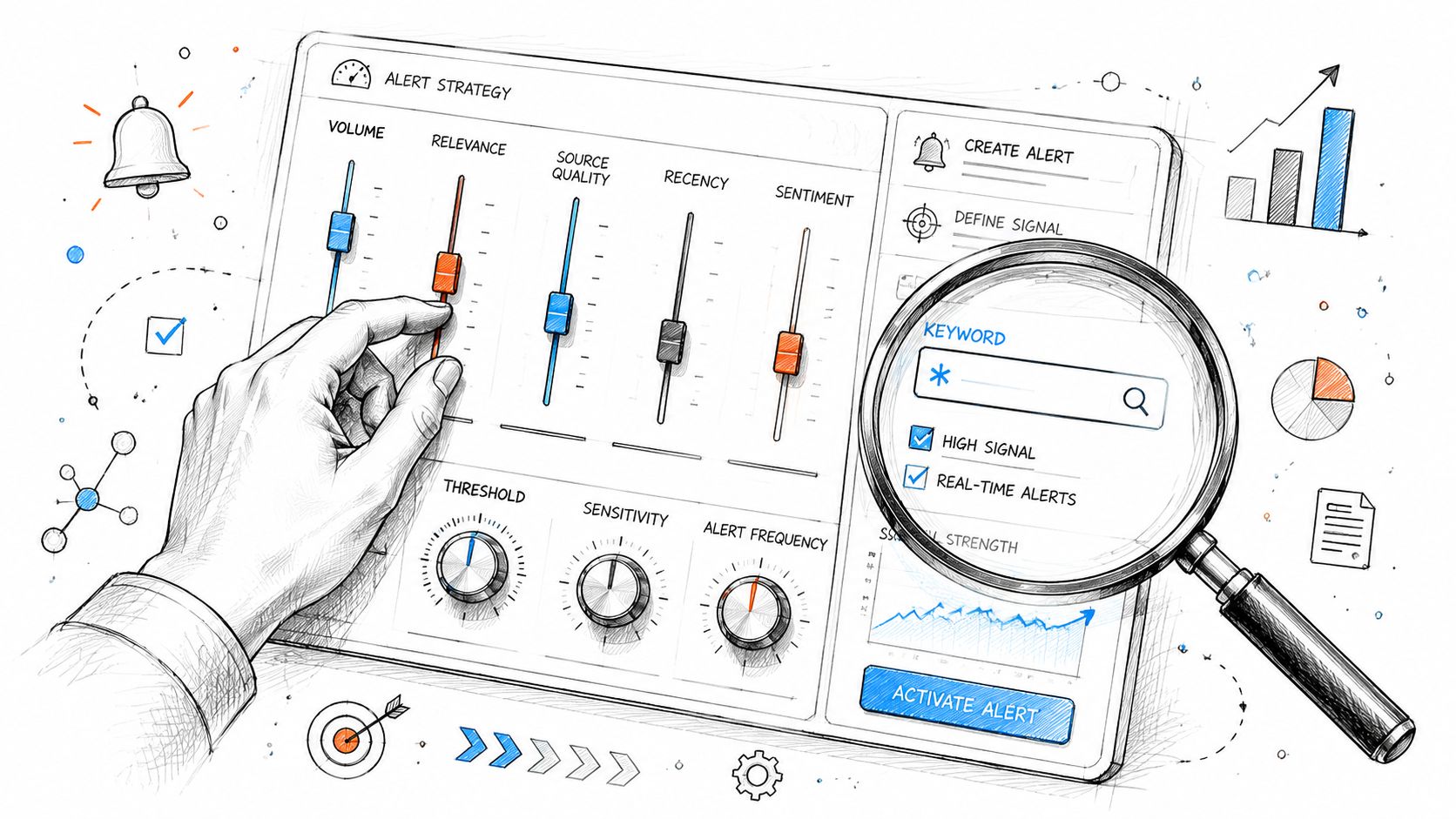
Start with the job the alert needs to do
Set up the first alert around one use case. That decision does more for quality than any setting inside Google Alerts.
For agency work, we usually start with one of four jobs:
- Brand protection: exact brand name, common misspellings, executive names, and high-risk product terms
- Link reclamation: brand or product mentions that may deserve outreach, often paired with a process for finding backlinks in Google Search
- PR monitoring: campaign names, spokesperson mentions, launch terms, and coverage tied to active media work
- Competitor watch: competitor names combined with business events the client cares about
That structure matters at scale. A broad topic alert might help a content strategist find ideas. The same alert is a poor fit for a client services lead who needs to catch brand mentions without sorting through unrelated chatter.
Name the alert so the team can manage it later
Google Alerts itself does not give you much account-level organization. The naming convention has to do that work.
Use a format your team can scan in seconds:
Client | Use Case | Query Focus | Market | Frequency
Examples:
- Acme | Brand Protection | Brand + CEO | US | Daily
- Acme | Link Reclamation | Product Mentions | UK | Daily
- Northstar | Competitor Watch | Rival A Funding | US | Weekly
This sounds minor until you manage alerts across ten or twenty client accounts. Clear names reduce duplicate builds, speed up audits, and make handoffs much easier when another strategist inherits the account.
Choose settings based on review behavior, not optimism
The default mistake is setting everything to immediate delivery. That only works if someone is monitoring and expected to act the same day.
Use a simple standard:
| Setting | Good default use | Trade-off |
|---|---|---|
| As-it-happens | Active PR issues, executive mentions, sensitive branded terms | Fast, but easy to ignore if volume rises |
| At most once a day | Most client brand monitoring, link reclamation, campaign tracking | Best balance of speed and review discipline |
| At most once a week | Trend watching, low-priority topics, broad research terms | Easier to manage, slower to surface opportunities |
Daily is the agency default for a reason. Teams review it.
Treat source, language, and region as quality filters
These settings decide how much cleanup you will need later. If the client only sells in one country, keep the alert aligned to that market. If the client operates in multiple regions, split alerts by market instead of forcing one alert to cover everything.
Source choice deserves the same discipline:
| Setting | Best use | Common failure |
|---|---|---|
| News | Media coverage, launches, formal press mentions | Missing smaller sites and commentary |
| Blogs | Opinions, reviews, niche discussion | Too slow for reputation-sensitive work |
| Web | Broad discovery and early-stage research | Too noisy for many branded queries |
| Video | YouTube and video-first mention tracking | Incomplete for wider web monitoring |
| Automatic | Short testing period when query behavior is still unknown | Left untouched long after patterns are obvious |
For multi-market accounts, separate alerts usually beat one complicated setup. A US daily media alert and a UK weekly discovery alert serve different teams, so they should be built differently.
Expect to edit the first version
The first alert is a working draft. After a few review cycles, tighten what is noisy, lower frequency if the team is skipping it, and remove overlaps when two alerts surface the same pages.
We standardize a short check after launch:
- Review the first results batch for relevance.
- Adjust settings if the volume is too high or too thin.
- Rename unclear alerts before more get added.
- Remove duplicates across the client's alert set.
- Assign an owner so someone is responsible for pruning and updates.
That maintenance habit is what keeps Google Alerts useful for free. Paid monitoring tools offer better coverage and workflow control, but many teams can get solid value from Google Alerts first if the setup is built for real client operations instead of one-off personal use.
Filter Out the Noise with Advanced Search Operators
Settings help. Operators do the heavy lifting.
If your alerts are noisy, the query usually isn't specific enough. The fastest way to manage google alerts more effectively is to rewrite broad searches into precise searches that reflect how people mention a brand, product, or topic.
Essential Google Alerts Search Operators
| Operator | Function | Example |
|---|---|---|
| " " | Finds an exact phrase | "Acme Software" |
| - | Excludes unwanted terms | "Acme Software" -jobs -careers |
| OR | Includes either term | "Acme Software" OR "Acme Cloud" |
| site: | Limits results to a domain or site type | site:reddit.com "Acme Software" |
| ( ) | Groups terms for cleaner logic | ("Acme Software" OR "Acme Cloud") review |
Before and after query examples
Here's where most alert setups fail.
A weak branded query:
- Acme
A stronger branded query:
- "Acme" -site:acme.com -jobs -careers
The first version can pull in unrelated uses of the word, your own pages, and recruiting noise. The second version is much closer to what a PR, SEO, or brand team wants to review.
A weak competitor query:
- Competitor Name
A stronger competitor query:
- "Competitor Name" (launch OR partnership OR acquisition) -jobs
That version doesn't make the tool perfect, but it gives the alert a clearer job. You're telling Google Alerts what sort of mention matters.
Practical operator patterns for agency work
Use exact phrases for brands that overlap with common words. If the client brand is short, generic, or used in other industries, quotation marks are not optional.
Use minus filters aggressively. They're the easiest way to remove recurring junk. Common exclusions include:
- Self-references:
-site:clientdomain.com - Hiring clutter:
-jobs -careers - Low-value pages: brand-specific exclusions for directories, coupon pages, or known scraper sites
Use site: when the monitoring target is narrow. That's useful for tracking mentions on industry forums, review sites, or competitor properties. If you're doing link reclamation research, this style of query pairs well with other manual methods for finding backlinks in Google Search.
The best alert queries read like instructions, not guesses.
Three copy-ready alert templates
| Use case | Query |
|---|---|
| Unlinked brand mentions | "Brand Name" -site:branddomain.com -jobs -careers |
| Competitor coverage | "Competitor Name" (launch OR partnership OR announcement) -jobs |
| Forum monitoring | site:reddit.com "Brand Name" OR "Product Name" |
The key trade-off is simple. Every operator you add usually improves relevance, but too much narrowing can hide useful edge cases. Start tighter for high-priority alerts. Stay broader for research alerts where discovery matters more than precision.
Choose the Right Delivery Channel Email vs RSS
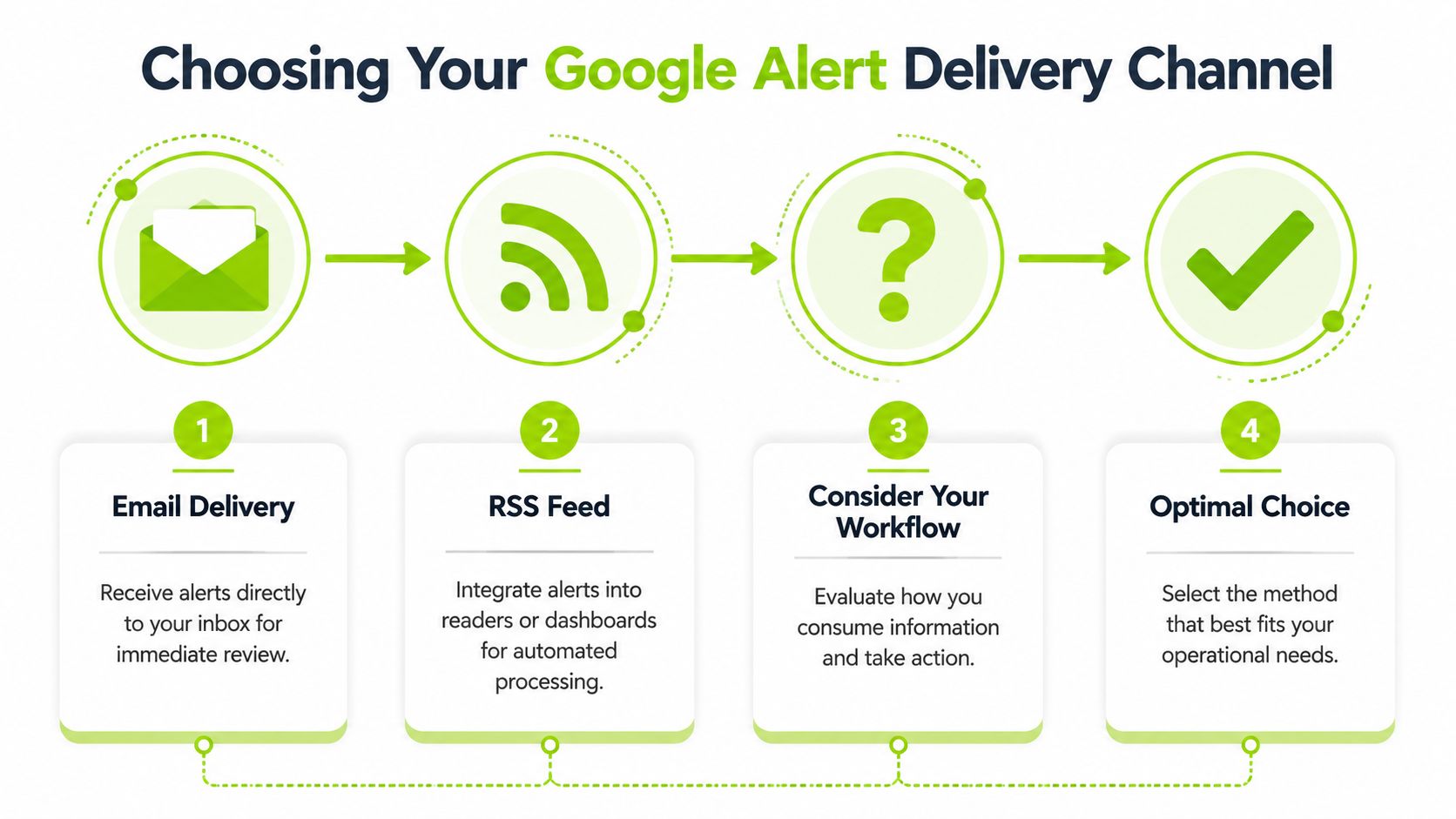
The delivery method decides whether alerts become action items or inbox wallpaper.
Teams often opt for email because it's familiar. That's fine for a small set of high-priority alerts. Once volume grows, RSS usually gives better control because it separates collection from review.
When email is the better choice
Email works best when the alert needs a person, not a dashboard.
That includes executive mentions, campaign-sensitive brand terms, legal or reputation concerns, and anything a client account lead should see without opening another tool. Email also makes forwarding and triage straightforward, especially when you already use mailbox rules.
A practical agency setup uses inbox rules to:
- Label by client: Route each client's alerts into its own folder or label.
- Auto-archive low-priority items: Keep the main inbox clean while preserving review access.
- Forward urgent terms: Send specific alerts to an account lead, PR contact, or Slack email bridge.
If alerts are sent by email but nobody sees them, check deliverability before blaming the alert setup. This guide on how to check if emails are going to spam is useful when your monitoring emails seem to disappear.
When RSS is the smarter operational choice
RSS is better when you manage volume across clients or categories.
Instead of mixing every alert into a mailbox, you can send them into a feed reader like Feedly or into internal dashboards where the team scans by client, topic, or urgency. That reduces inbox fatigue and makes batching easier.
Here's a simple decision view:
| Delivery method | Best for | Weakness |
|---|---|---|
| Immediate review, direct ownership, smaller alert sets | Gets noisy fast | |
| RSS | High-volume monitoring, batching, integrations | Requires a feed workflow |
| Mixed setup | Agencies with tiered alert priorities | Needs clear naming and governance |
A practical rule for agencies
Use email for alerts tied to fast human response. Use RSS for research, trend monitoring, and multi-client scanning. Use both when the same client has different alert priorities.
RSS usually wins once the team is managing alerts as a shared system instead of a personal notification stream.
Develop Agency-Level Workflows for Multiple Accounts
Google Alerts becomes hard to manage when every team member creates alerts in their own style. That's where multi-client monitoring breaks down. Different naming patterns, duplicate queries, scattered inboxes, and no ownership model. The fix is standardization.
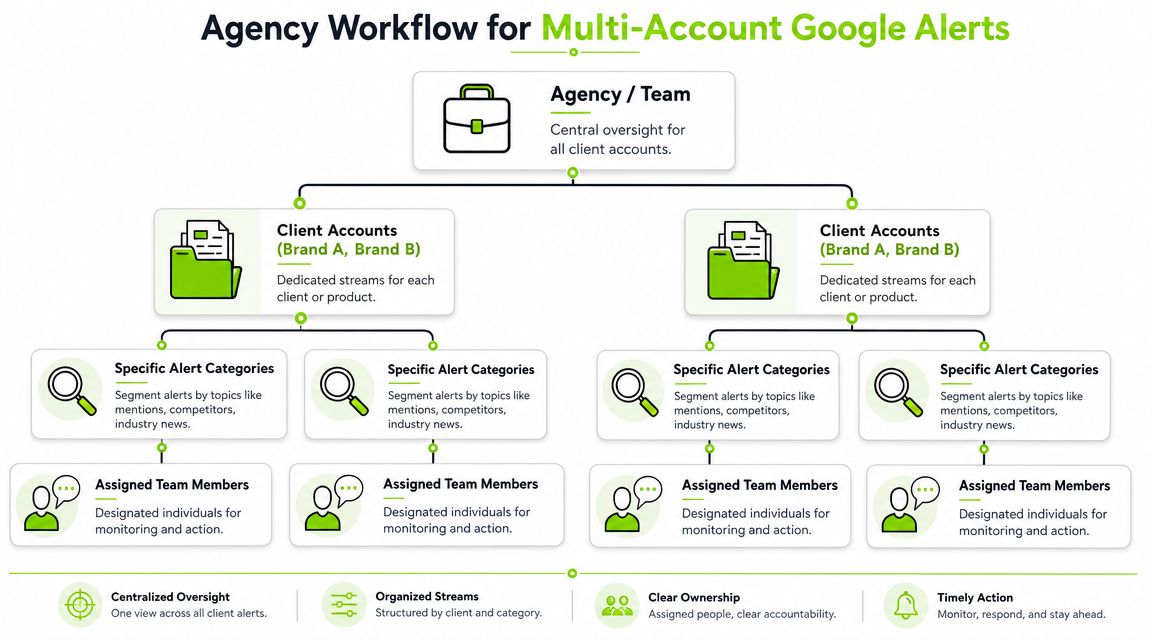
Use a naming convention that survives scale
An alert name should tell the team four things at a glance: client, intent, scope, and special filter.
This format works well:
[Client] - [Category] - [Scope] - [Modifier]
Examples:
- [Northpeak] - Brand Mention - Global - No Self Ref
- [Northpeak] - Competitor - News - Launch Terms
- [Aster] - Executive Mention - US - Daily Digest
- [Aster] - Topic Research - Blogs - Weekly
That may look rigid, but it prevents confusion when the alert list gets long. A team member should know what an alert does without opening it.
Batch by priority, not by client alone
Agencies often over-segment. They create too many tiny alert streams because it feels organized. In practice, that can make review harder.
A better model groups alerts into priority bands:
| Priority level | Typical examples | Delivery style |
|---|---|---|
| High | Brand issues, executive mentions, active campaign terms | |
| Medium | Competitor coverage, product mentions, key forums | Daily digest or RSS |
| Low | Broad industry topics, trend watching, content ideation | Weekly digest or RSS |
This structure helps the team review similar signals together. It also makes handoffs easier when account ownership changes.
Agencies don't struggle because Google Alerts is complex. They struggle because unmanaged naming and routing create invisible operational debt.
Assign clear ownership
Every alert category needs an owner. Not a department. A person.
Use role-based ownership like this:
- Account lead: Reviews client-sensitive mentions and escalations.
- SEO lead: Monitors link reclamation, competitor coverage, and search-relevant chatter.
- Content strategist: Reviews research and topic discovery alerts.
- PR or comms contact: Handles executive and reputation-related mentions.
If you already run repeatable client delivery, the same principles from project management for SEO apply here. Standard names, assigned owners, review cadences, and documented actions beat ad hoc monitoring every time.
Separate environments when needed
Some agencies keep all alerts in one Google account. Others separate by business unit, geography, or client sensitivity. Both can work.
The deciding factor is governance. If one account becomes too crowded to audit or too messy to transfer, split it. The purpose isn't technical purity. It's cleaner control over who creates, reviews, edits, and deletes alerts.
Automate and Integrate Your Alerts for Real-Time Action
An alert has no operational value until it lands where the team works and someone can act on it.
In agency environments, that usually means one thing. Stop treating Google Alerts as an inbox item and start treating it as an input. If a client mention sits in a shared mailbox for two days, the monitoring setup failed even if the alert fired on time.
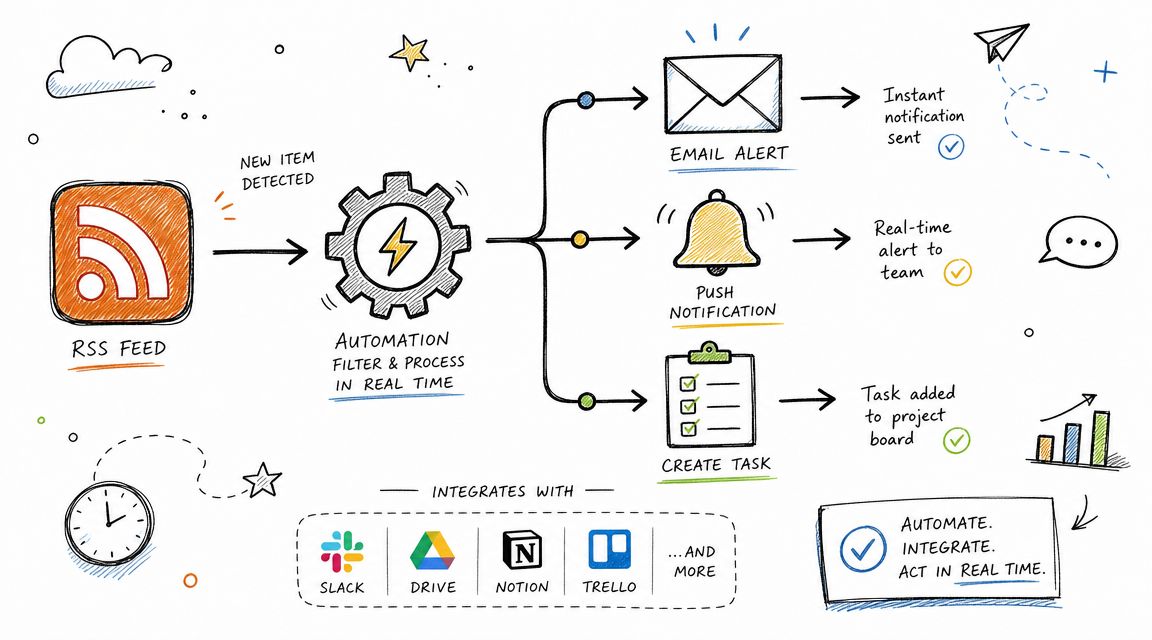
A simple automation pattern that scales
For most agency teams, the best starting setup is still the simplest one:
- Google Alert sends to RSS
- The RSS feed is monitored by Zapier or IFTTT
- Each new item posts to Slack, creates a task in Asana, or appends a row in Google Sheets
RSS is useful here because it gives you a clean handoff point. Email works for individual review. RSS works better when alerts need to enter a client workflow, shared channel, or reporting log.
A standard agency example is a branded mention alert that posts into a client-specific Slack channel. The message includes the headline, source, and URL. The account lead can triage it fast. Is it PR coverage, a link reclamation opportunity, or a support issue that needs a response? The answer happens in the workspace the team reads.
Use automation where the next action is obvious
The biggest mistake is automating low-intent alerts just because the trigger exists. High-signal alerts with a clear next step are the ones worth routing into other systems.
Useful setups include:
- Brand mention to Slack: Fast review by the account team
- Unlinked mention to task manager: Follow-up for link reclamation
- Executive or reputation mention to shared sheet: Lightweight logging for weekly review
- Topic or competitor alert to editorial board: Save ideas without cluttering inboxes
If you want a comparable workflow outside pure mention monitoring, this guide on how to automate traffic alerts follows the same principle. Route a signal into a channel where the right person can act on it quickly.
Keep the first version narrow
Start with one alert type, one feed, one destination, and one owner.
That constraint matters more than teams expect. Once you send multiple alert classes into the same Slack channel or board, triage slows down and people mute the channel. We usually standardize by client and intent first, then expand only after the initial route proves useful for a few review cycles.
For larger teams, the next layer is feed cleanup and enrichment. You might tag entries by client code, strip duplicate domains, or push selected mentions into a reporting sheet. Agencies with technical SEO support often build lightweight scripts for that kind of handling. If you plan to customize processing beyond no-code automations, Python for SEO workflows is a practical next step.
What should stay manual
Automation should move alerts into the right place. It should not make the final judgment.
Do not auto-create tasks for every mention. That fills boards with low-value items and trains the team to ignore them. Keep the decision points with a human reviewer. Someone still needs to decide whether the source matters, whether outreach is worth doing, and whether the client should hear about it the same day.
Google Alerts is limited, but it can still save time if you use it as a routing layer first and a decision system second.