You’re probably here because you need a backlink answer fast.
Maybe a client asked who’s linking to a competitor. Maybe you spotted a new page climbing in search and want a rough sense of its link profile before you open a full toolset. Or maybe you just want a quick way to check whether a brand mention exists somewhere in Google’s index.
There is a manual way to do this in Google Search. It’s old-school, still useful in a pinch, and worth knowing. But it’s also the kind of trick a seasoned SEO keeps in the back pocket, not the method they trust for reporting, audits, or client decisions.
That distinction matters. If you want to learn how to find backlinks in google search, start with the manual spot-check. Then move to tools built for actual backlink work, especially when accuracy and scale matter.
A Quick Trick for Finding Backlinks in Google
The quick trick is simple. Search for mentions of a domain on pages that are not that domain.
A basic version looks like this:
intext:"example.com" -site:example.com
This asks Google to find pages that contain the text example.com while excluding pages from example.com itself. If the domain appears in body copy, author bio, references, directory listings, or resource pages, you’ll often surface real linking pages or at least pages worth checking.
What this method is good for
Manual Google search works well when you need a fast read on the overall picture.
- Quick competitor checks if you want to see whether a site gets links from guest posts, directories, or niche blogs
- Brand mention hunting when you suspect people are citing your company without linking consistently
- Prospecting inspiration if you want examples of the kinds of pages that tend to mention sites in your market
Practical rule: Use Google Search when you need a few clues, not when you need the full picture.
What this method is not good for
It’s not reliable for counting backlinks. It’s not good for monitoring link loss. It won’t give you a clean backlink database you can sort, segment, or hand to a client with confidence.
Google Search results are messy by design. You’ll see mentions that aren’t links, old pages that no longer matter, and pages where the domain appears in plain text only. You’ll also miss plenty of real backlinks because Google Search was never meant to function as a professional backlink index.
That’s why the manual method is useful as a spot-check. It helps you sniff out patterns. It doesn’t replace real backlink analysis.
Mastering Google Search Operators for Link Discovery
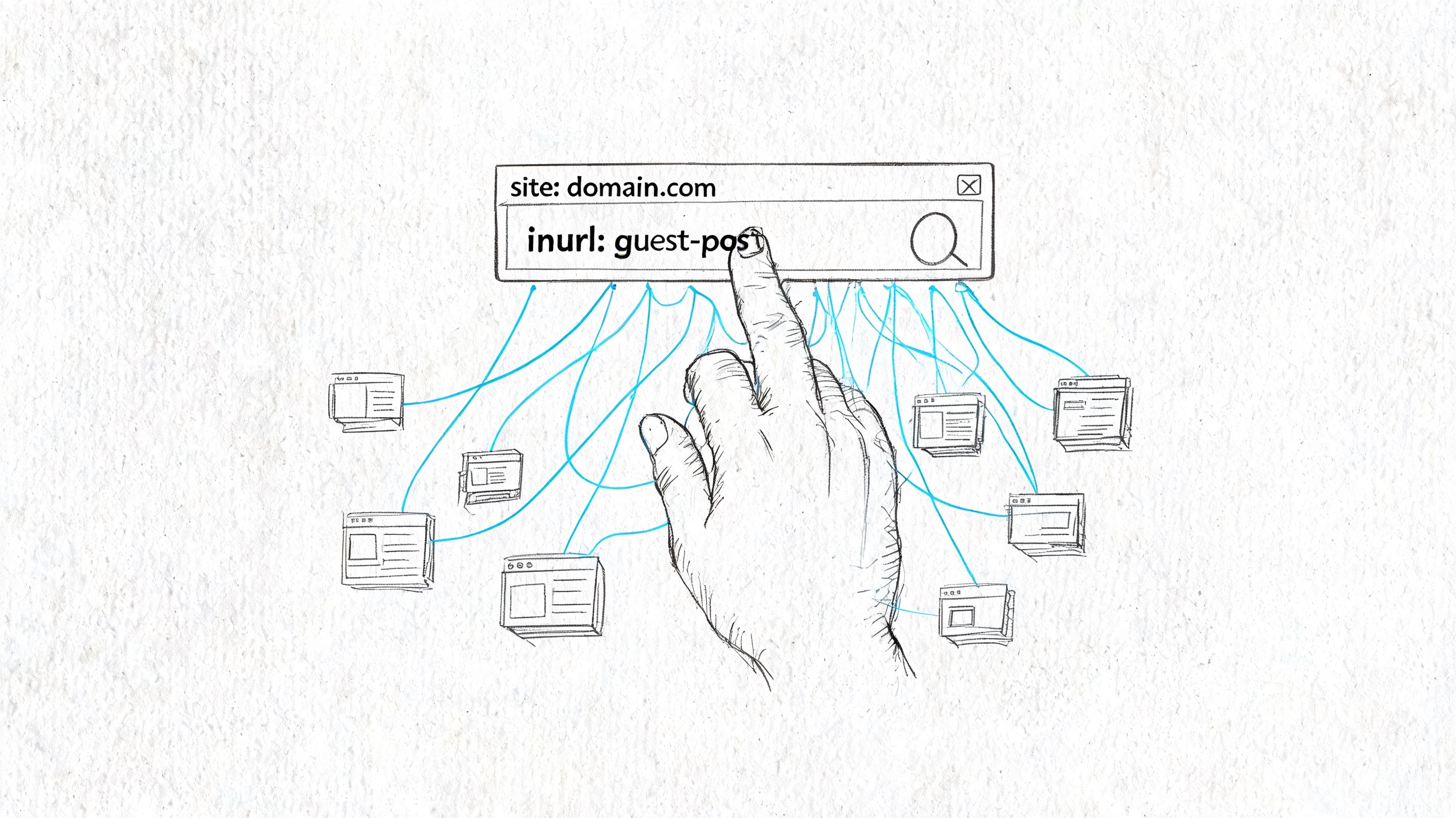
The value here comes from tightening your query. A common approach involves typing a brand or domain into Google and hoping for the best. That produces noise. Search operators turn that noise into something you can inspect.
The core query
Start with the most practical operator combo:
intext:"competitor.com" -site:competitor.com
This looks for pages that mention the domain in the page text but excludes the competitor’s own site. It’s the closest thing to a manual backlink discovery query that still works for everyday use.
If the domain is often written without www, search that version. If a brand name is more commonly cited than the root domain, test that too.
Better queries for specific link patterns
Different link types leave different footprints. That’s where operator layering helps.
-
Brand or domain mentions
intext:"brand name" -site:brand.comGood for finding citations, reviews, roundups, and reference pages.
-
Guest post footprints
"competitor.com" "author" -site:competitor.comUseful when the competitor earns links through contributed articles or bios.
-
Resource page mentions
inurl:resources "competitor.com"This often surfaces curated lists, tools pages, and educational link hubs.
-
Directory-style mentions
"competitor.com" "directory" -site:competitor.comCrude, but it can reveal association pages, listings, and niche catalogs.
-
Topic plus domain
"competitor.com" "keyword topic"Helpful when you’re trying to understand why that site gets cited on a specific subject.
A simple way to refine bad results
If your first search returns junk, fix one thing at a time.
| Problem | Query adjustment |
|---|---|
| Too many self-results | Add -site:domain.com |
| Too many irrelevant pages | Add a topic phrase in quotes |
| Too many homepage mentions | Search a specific URL instead of the root domain |
| Too many non-editorial pages | Add footprints like inurl:resources or "write for us" |
One useful habit is saving these searches in a doc or note system. Teams that do a lot of outreach usually end up with small libraries of niche-specific queries. The logic is similar to prospecting workflows used in lead research. If you want to see how far careful Google operators can go for contact and page discovery, this guide for LinkedIn contact extraction is a good parallel example.
A quick walkthrough helps if you want to see the query-building mindset in action.
What to check after you click a result
Don’t just collect URLs. Inspect the page.
- Is there an actual clickable link? Sometimes the domain is only mentioned in plain text.
- Where does the link point? Homepage links and deep links tell different stories.
- What surrounds the link? A citation inside useful editorial content matters more than a random list.
- What pattern do you see? If five results are “best tools” pages, that’s a clue about the competitor’s link acquisition style.
Manual Google queries are strongest when you use them to identify patterns, not totals.
Effective Queries to Uncover Competitor Strategies
When you use Google Search well, you’re not just looking for links. You’re looking for repeatable behavior.
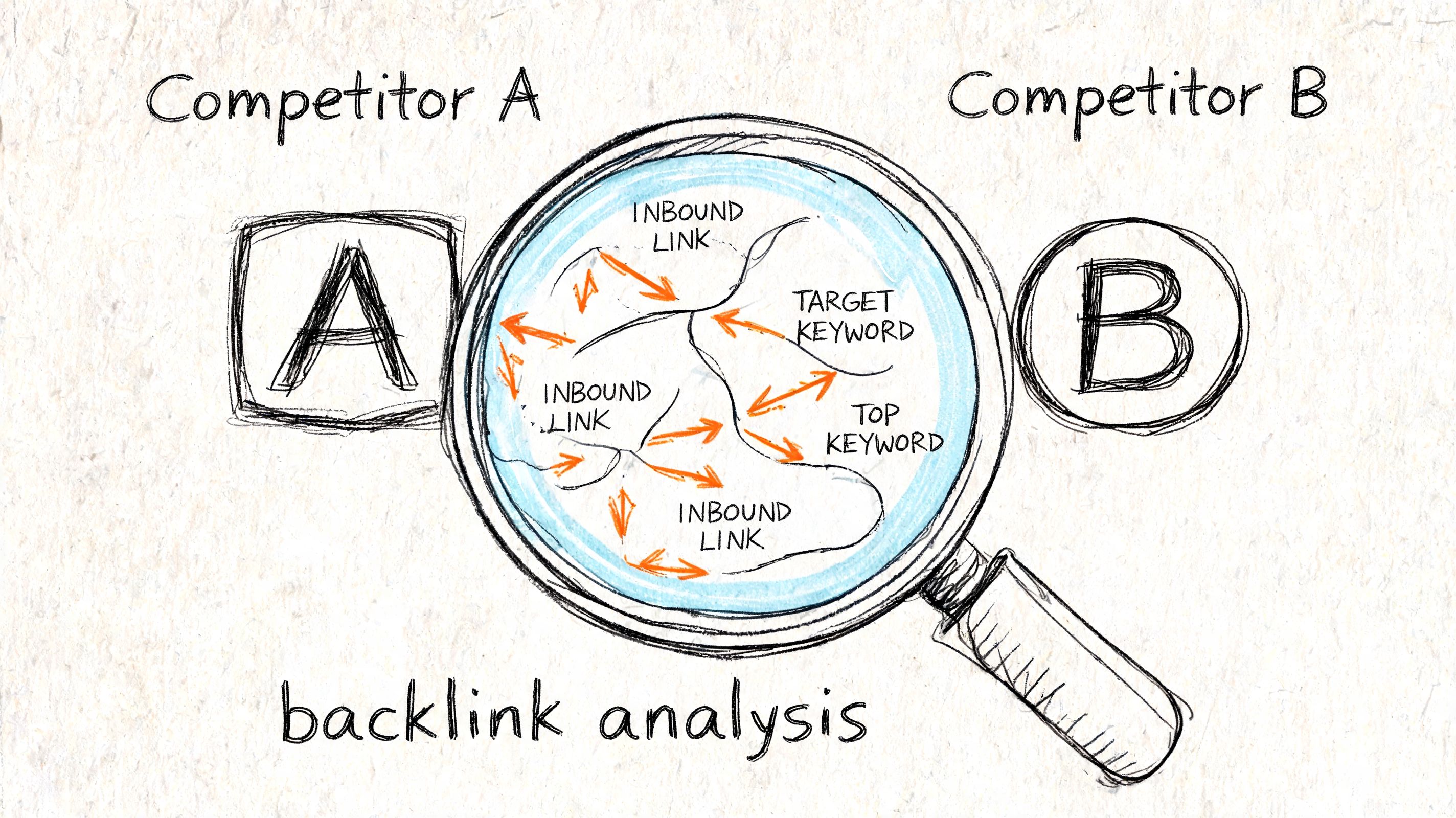
A competitor’s backlinks usually cluster around a few tactics. Guest contributions. Resource pages. Industry directories. Tool roundups. Interviews. Partnerships. Google search operators can help you spot those patterns quickly enough to decide where deeper analysis is worth your time.
When a competitor seems to win through guest content
Say a competitor keeps appearing in search for commercial terms and you suspect they publish contributed content widely.
Try queries like these:
intext:"competitor.com" "author" -site:competitor.com"competitor brand" "guest post""founder name" "competitor brand"
These won’t give you a full backlink export. They will, however, reveal whether the competitor shows up across blogs with author bios or repeated bylines. Once you find a few solid examples, you can map likely publication targets and editorial themes.
When a competitor earns links from curated pages
Some sites get cited because they create tools, glossaries, templates, or original reference content. Those often appear on resource pages.
Use tighter searches such as:
inurl:resources "competitor.com"intitle:resources "competitor.com""useful links" "competitor.com"
Those queries tend to surface pages where editors deliberately collect helpful links. That matters because it shows a different strategy than guest posting. It suggests the competitor has assets people want to cite.
If you want a broader snapshot of a site before drilling into pages like these, a domain overview workflow can help frame what you’re seeing in search results.
When a competitor gets links to one specific page
Sometimes the key opportunity isn’t at the domain level. It’s page-level.
Search for the exact URL in quotes:
"https://competitor.com/guide-name/"
Or search a partial slug plus topic phrase:
"guide-name" "competitor brand"
This often uncovers references to a specific guide, study, template, or landing page. If the same page keeps showing up across mentions, ask why. Is it unusually clear? Does it solve a narrow problem well? Is it easy for writers to cite?
The most useful manual backlink searches often start with a strong page, not a homepage.
Turning search results into an action list
Once you’ve found a few patterns, don’t overcomplicate the next step. Build a small action list with columns like these:
| What you found | What it suggests | What to do next |
|---|---|---|
| Guest post bios | Contributor strategy | Build a target list of similar sites |
| Resource pages | Linkable asset strategy | Create or improve a cite-worthy page |
| Directory mentions | Basic visibility coverage | Check whether your brand belongs there |
| Repeated links to one guide | Strong content asset | Study the format and update your equivalent |
This is where manual Google search earns its keep. It helps a junior SEO stop guessing and start seeing the shape of a competitor’s link strategy.
Why Google Search Is Not a Complete Backlink Tool
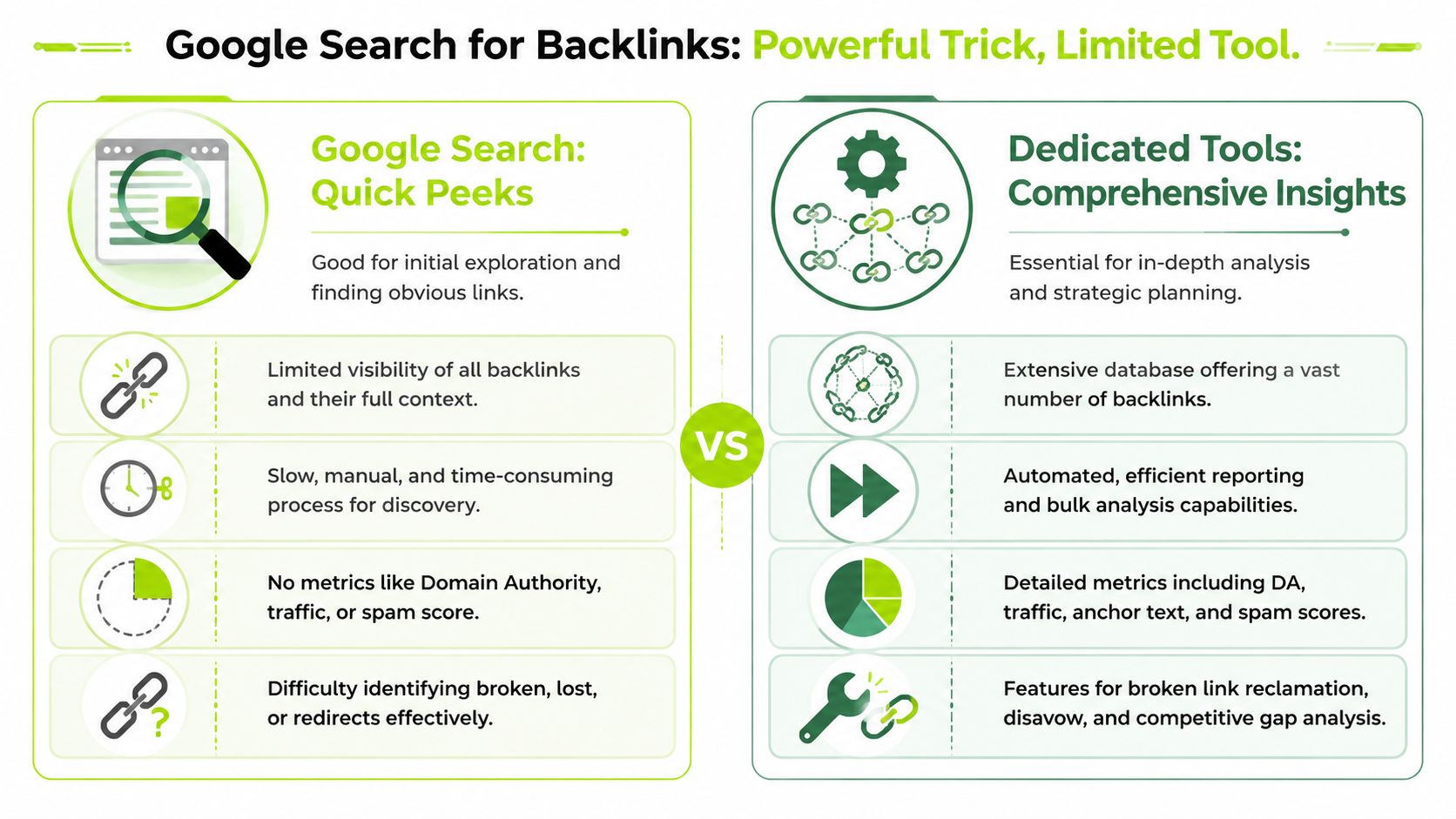
The manual method is useful. It’s also incomplete in ways that matter.
If you’re doing client work, internal reporting, or anything that needs defensible analysis, Google Search by itself isn’t enough. The problem isn’t just inconvenience. The problem is visibility. You’re working from fragments.
The first limitation is obvious
Search results don’t equal backlinks.
A page can mention a domain without linking to it. A page can also link in a way that’s hard to discover with simple text-based queries. And Google’s public search interface doesn’t give you a structured backlink report with source page, target page, anchor text, link status, and change history.
That makes manual Google search useful for discovery, but weak for analysis.
Even Google’s own reporting is incomplete
This is the part many beginner guides skip. Even Google Search Console does not provide a complete backlink list. Google states that exports include “up to 100,000 rows” and also says “there is no way to find a detailed list of pages that link back to your website” through Google alone, as documented in Google’s Search Console links report help page. The same documentation also highlights why teams often pair Google’s sample with broader indexes. One example noted in the verified data is that Semrush maintains more than 43 trillion backlinks and 390 million referring domains.
That matters because if Google’s own property-level reporting is sampled, then public Google Search is even less suited to extensive backlink work.
What agencies run into in practice
For small sites, a spot-check may feel adequate. For larger sites or competitive verticals, it breaks down fast.
- Incomplete reporting means stakeholders may assume you’re seeing the full picture when you aren’t
- No scalable workflow means every review turns into manual clicking and note-taking
- Weak competitive analysis means you can’t compare link profiles with the depth needed for strategy
If you want practical ideas for outreach and acquisition after that reality check, this roundup of backlink strategies for businesses like yours is a useful companion read.
A more durable approach is to combine first-party signals with broader analysis workflows, especially for gap work such as citation gap analysis.
A quick Google search can tell you that a pattern exists. It can’t tell you that you’ve found everything worth acting on.
Using Google Search Console for Authoritative Data
When you want backlink data for a site you own, Google Search Console is the first real place to look.
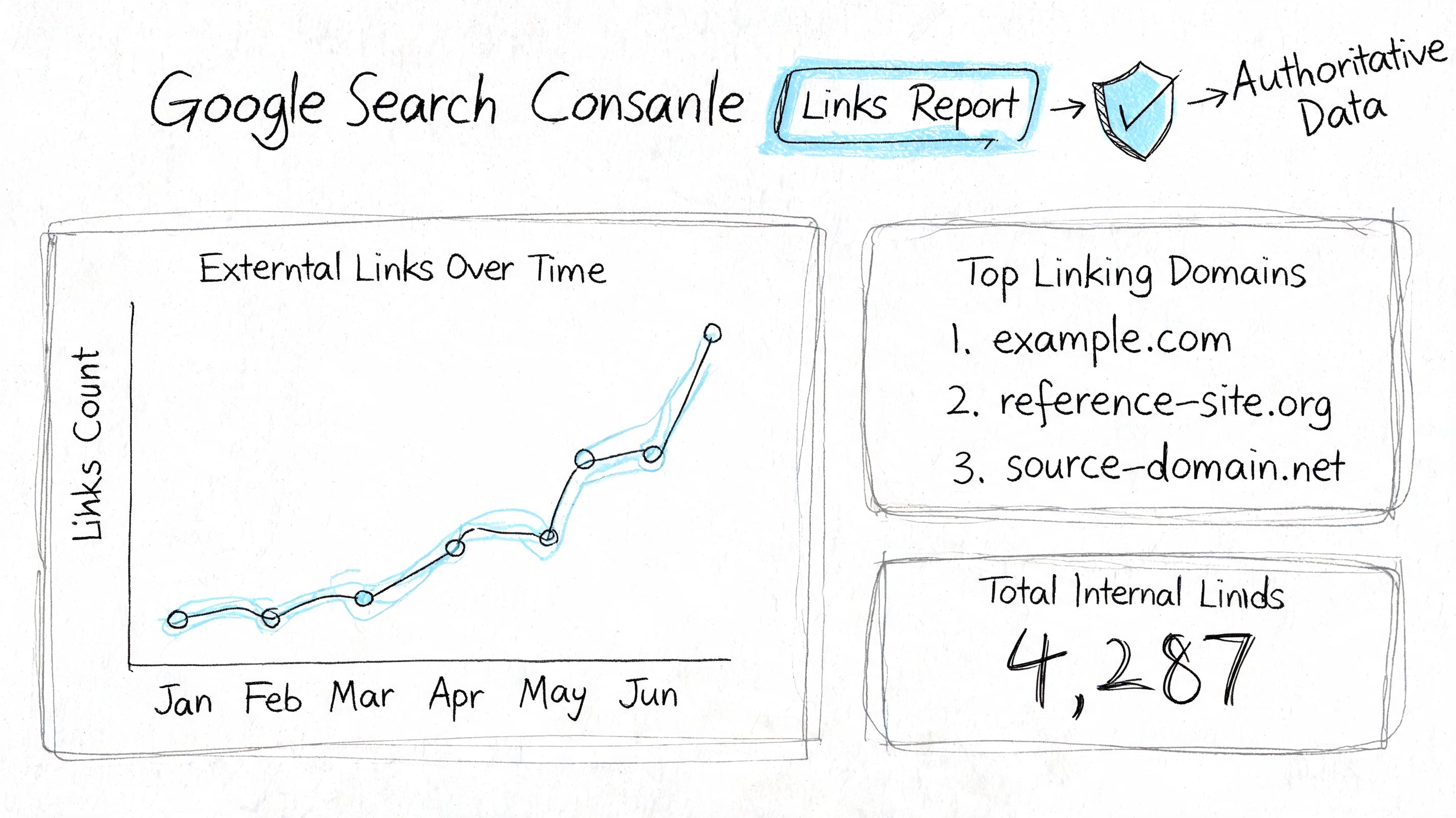
The reason is simple. It gives you first-party visibility into how Google sees links pointing to your property. That’s a very different use case from trying to reverse-engineer backlink patterns through public search results.
What the Links report actually gives you
According to this breakdown of the Google Search Console Links report, the report provides three critical data layers for free: top-linked pages, top-linking sites, and anchor text analysis. It also separates external links from internal links, which helps teams focus on backlinks without mixing them with site architecture data.
That separation is more useful than it sounds. Once you’re in the report, you can see which domains link to you, which pages on your site attract those links, and what anchor text appears most often.
How to use it without getting lost
A simple review flow works well:
- Open the Links report in the property you manage.
- Check top linking sites to see which domains appear repeatedly.
- Check top linked pages to find assets worth protecting, updating, or expanding.
- Review anchor text to spot brand-heavy patterns, descriptive anchors, or strange outliers.
Here’s the practical payoff. If one blog post attracts most of your external links, that page deserves maintenance. If one linking domain sends links to many URLs, that relationship deserves a closer look. If anchor text looks erratic, that tells you where to investigate.
Why this is the minimum standard
For your own site, using anything less than GSC as a baseline is shaky. Manual Google search is too loose. Third-party tools are useful, but they still represent outside crawlers. Search Console is Google’s own view of your property.
That’s why many teams use it as the foundation for recurring backlink reviews and opportunity tracking. If you need a repeatable process around that review cycle, a workflow for backlink review and opportunities helps turn the report into action.
If a backlink matters to your site, check whether it shows up in the property data you control before building a strategy around it.
Scaling Backlink Discovery with Surnex
At this point, the workflow usually becomes clear.
Manual Google search helps with quick spot-checks. Search Console gives you authoritative first-party backlink data for sites you own. But agency work rarely stops there. You still need competitive context, scalable reporting, and a way to connect links with actual business value.
That’s where teams move beyond isolated tools and into a broader operating system for search work.
The missing layer is traffic validation
A backlink list alone doesn’t tell you which links matter most. You also want to know which links drive visits and support useful outcomes.
Verified guidance on GA4 referral traffic analysis shows that Google Analytics 4’s Traffic Acquisition report can validate which backlinks from GSC generate traffic and conversions. By building a custom Page Referrer exploration, teams can inspect referring URLs more closely and identify backlinks that point to broken destinations or 404 pages. That makes backlink recovery much more practical because you can prioritize links that are still capable of sending meaningful referral traffic.
What scalable teams do differently
They stop treating backlinks as a separate spreadsheet exercise.
Instead, they connect backlink review with rankings, page performance, audits, and reporting. That matters when you’re handling multiple clients or large internal portfolios, because the question isn’t just “who links to us?” It’s “which links support pages that matter, which ones are wasted, and where are the gaps against competitors?”
That’s the use case for platforms that unify those layers. One option is Surnex’s SEO suite, which brings backlink analysis together with rankings, audits, and AI visibility tracking in one environment. For agencies especially, that cuts down the handoff friction between discovery, validation, and reporting.
What still works best in practice
The strongest workflow is layered.
- Use Google Search for fast manual spot-checks and idea generation
- Use Search Console for first-party backlink visibility on sites you own
- Use GA4 to confirm whether links produce referral traffic and to catch broken backlink destinations
- Use a broader platform when you need competitive context, repeatable workflows, and multi-client scale
That’s the practical answer to how to find backlinks in google search. Start with the trick. Don’t stop there.
If your team needs one place to track backlinks, rankings, audits, and visibility across both traditional search and AI-driven discovery, take a look at Surnex. It’s built for agencies, in-house teams, and developers who need a clearer way to monitor search presence without bouncing between disconnected tools.