You’re probably doing one of two things right now.
Either you’re exporting CSVs from separate SEO tools and stitching them into a client report by hand, or you’re trying to build a cleaner pipeline and discovering that “SEO data integration” usually means a pile of mismatched endpoints, inconsistent metrics, and too much spreadsheet cleanup.
That’s where the seo moz api becomes useful.
Moz has been one of the long-running sources of foundational SEO metrics, especially for Domain Authority, Page Authority, backlink analysis, and keyword opportunity data. For teams that need repeatable workflows, programmatic access matters more than polished dashboards. If you manage multiple clients, multiple markets, or multiple stakeholders, clicking through a UI stops scaling fast.
The practical value isn’t abstract. An agency needs recurring domain-level reporting, backlink checks, ranking keyword pulls, and a way to compare competitors without analysts repeating the same manual tasks every week. An in-house team needs the same thing, but with tighter integration into internal BI, content planning, and technical monitoring.
Moz gives you the building blocks for that. The key opportunity involves using those blocks in a workflow that isn’t limited to traditional SERP reporting. Search teams now need to connect authority, links, and keyword intent data with newer visibility signals from AI-driven discovery surfaces.
That’s the useful framing for this guide. Not “how to call an endpoint” in isolation. Instead, how to use the Moz API as a stable SEO data layer inside a broader operational setup that saves time, reduces tool sprawl, and supports modern search reporting.
Introduction Why You Need a Unified SEO API
A common reporting day looks messy.
You pull backlink data from one tool, keyword ideas from another, rankings from a tracker, then add notes from Google Search Console and analytics. Someone on the team notices the numbers don’t line up cleanly. Someone else asks for a competitor comparison by afternoon. The account manager wants a client-ready summary, and the developer wants something scriptable instead of another exported spreadsheet.
That workflow breaks once you have more than a few active properties.
The problem isn’t only effort. It’s inconsistency. Different tools calculate different things, export in different shapes, and encourage teams to work in silos. Analysts spend time reformatting instead of evaluating. Developers build one-off connectors instead of durable pipelines. SEO leads end up defending reporting methodology instead of discussing decisions.
A unified API approach fixes the operational side first.
With Moz, you can pull the same underlying classes of SEO data repeatedly through code. That gives your team one source for authority metrics, link intelligence, and keyword metrics. Instead of asking analysts to re-run the same lookups, you can schedule them. Instead of manually checking domains one by one, you can batch requests and push the output into your reporting layer.
Practical rule: If a recurring SEO task happens more than once a month, it should probably be an API job, not a manual job.
This matters even more now because traditional SEO reporting no longer tells the full story. Teams still need domain authority, page authority, spam risk, and keyword opportunity. They also need a way to place that data alongside newer search visibility signals.
That combination is what makes an API-led workflow useful. It gives you repeatability first, then flexibility. Once you have reliable SEO data in code, you can join it with rankings, audits, content workflows, and AI search tracking without rebuilding your stack every quarter.
Understanding The Moz API Technical Landscape
A common failure point shows up fast in implementation. A developer wires Moz into a reporting job as if it were a standard REST service, then spends an hour debugging a perfectly valid URL because the actual contract lives in the request body.
Moz V3 is built around JSON-RPC 2.0 over HTTP POST to a single endpoint, https://api.moz.com/jsonrpc. The endpoint stays the same. Your operation changes through the method field, and the input shape changes through params. That design is compact and predictable once you account for it in your client code.
Your integration choices here affect every downstream use case. If you treat Moz as a one-off metrics source, you end up with brittle scripts tied to individual reports. If you model it correctly as a structured data service, it becomes much easier to pipe authority, link, and keyword data into a broader search workflow that also tracks AI search visibility. That is the more durable pattern behind a modern tech stack for search operations.
What the API design means for implementation
The main difference from many SEO APIs is where complexity lives. With REST, you usually spread logic across multiple paths and verbs. With Moz V3, the URL is stable, so correctness depends more heavily on payload construction and response parsing.
In practice, that leads to a few clear requirements:
- Centralize request building: keep
jsonrpc,id,method, andparamsgeneration in one helper instead of repeating it across scripts - Validate payloads before sending: a typo in
methodor a malformedparamsobject will fail even though the endpoint is correct - Parse JSON-RPC errors explicitly: success and failure handling should inspect the response body, not just the HTTP status
- Abstract vendor specifics early: wrap Moz methods in internal function names your analysts and app code can understand
Teams that skip that abstraction usually pay for it later. Method names leak into dashboards, retry logic gets copied between jobs, and version changes become harder than they need to be. If you maintain internal SDKs or shared connectors, review API versioning best practices before you hardcode assumptions into your interface.
How V3 changes the working model
Older Moz integrations were often narrower and more link-centric. V3 supports a broader set of SEO workflows through one consistent request pattern, including site metrics, keyword metrics, intent-related research, and ranking-oriented retrieval.
That shift is operationally useful. A single client can support technical SEO reporting, prospect qualification, content planning, and competitive checks without forcing your team to maintain different authentication and request patterns for each task.
It also changes how you should design your data layer. Store raw responses for traceability, then map only the fields your reporting or models need. That keeps your warehouse cleaner and makes it easier to join Moz data with rank tracking, crawl outputs, and newer AI visibility signals in the same pipeline.
The trade-off
JSON-RPC is efficient, but it is less self-documenting than a well-structured REST API. Developers cannot infer as much from the URL alone, and debugging usually starts with the payload, not the route.
That is a reasonable trade if you set up the integration with discipline. Use typed request objects, log method names with every failure, and keep a test fixture for known-good calls. Done well, Moz becomes a stable foundation in a unified SEO system instead of another isolated vendor feed.
Authentication and Your First API Call
A good first test happens before you build a dashboard, queue a batch job, or wire Moz into a broader reporting stack. Send one request manually, confirm the response shape, and log the exact payload that worked. That single step prevents a lot of wasted time later when you join Moz data with rank tracking, crawl data, and newer AI visibility reporting in one pipeline.
Moz V3 uses API key authentication and sends requests to one JSON-RPC endpoint over HTTP POST. The practical implication is simple. Authentication problems, method errors, and malformed payloads can all produce similar early failures, so it helps to validate them one at a time.
Get your API key ready
Generate the API key inside your Moz account and store it like any other production credential.
Use an environment variable or secret manager. Do not hardcode the key into scripts that can end up in shared repos, CI output, browser tools, or support screenshots. For teams building a unified SEO workflow, this matters even more. The same service often pulls Moz metrics, search console data, rank tracking, and AI search visibility inputs, so weak credential handling turns one shortcut into a wider security problem.
A pattern that holds up in practice:
- Local development: use an environment file that stays out of version control
- Production jobs: store the key in your deployment platform’s secret store
- Shared internal tools: inject credentials server-side, never from the browser
Make a first request
Start with cURL. It removes SDK noise and shows the exact request your app needs to reproduce.
curl -X POST "https://api.moz.com/jsonrpc" \
  -H "Content-Type: application/json" \
  -H "x-moz-api-key: YOUR_API_KEY" \
  -d '{
    "id": "first-call",
    "jsonrpc": "2.0",
    "method": "keywordMetrics.fetchAll",
    "params": {
      "keyword": "domain authority",
      "locale": "en-US",
      "device": "desktop",
      "engine": "google"
    }
  }'
Each field has an operational purpose:
idgives you a request label for logs and retriesjsonrpcshould be"2.0"methodselects the action to runparamscontains the inputs for that action
For a first call, the goal is not keyword research. The goal is proof that auth works, the method name is valid, and your parser can read the response without special handling. Once that is stable, put the same request into your job runner or ingestion service. Teams that plan to combine Moz with platforms like Surnex for AI search monitoring should keep this first request fixture in source control as a known-good test case. It becomes the quickest way to verify that your SEO foundation still works before debugging the AI layer on top of it.
Validate one working request by hand before you automate anything.
This walkthrough is worth watching if you want a visual companion before wiring the call into your app:
What usually goes wrong first
Early failures usually come from a short list:
- Bad header placement: the API key is missing, misspelled, or sent in the wrong header
- Wrong method name: the endpoint is correct, but the
methodvalue does not match a supported operation - Malformed JSON: a trailing comma, bad quote, or incorrect nesting inside
params - Overbuilt first test: developers start with loops, batching, or app code before they have one confirmed request
Fix those in that order. It is the fastest path to a valid response and a much cleaner handoff into the larger system you will build around Moz data.
A Reference of Core Moz API SEO Metrics
A good Moz integration starts with metric discipline. If a dashboard mixes authority, keyword demand, and link risk into one blended score, the team usually stops trusting it within a week.
Moz is strongest as a source of foundational SEO signals you can reuse across multiple workflows. Use it to answer specific questions. How strong is this domain relative to competitors? Which page has enough authority to support a target keyword? Does this backlink profile need review? Which keywords are worth pursuing before you spend time on content production? That structure also matters if you plan to combine Moz data with AI visibility tracking later. Moz gives the baseline SEO layer. Systems modeled after Surnex then add the answer engine and citation layer on top.
Authority metrics you’ll use often
Domain Authority (DA) is a comparative domain-level score on a 1 to 100 scale. It works well for prospect triage, competitive benchmarking, and trend monitoring across a fixed set of sites. It does not predict rank for a single page, and it should not be treated as a traffic forecast.
Page Authority (PA) applies similar modeling at the page level. This is the metric to check when the decision is page-specific. Examples include choosing which URL to update, where to place an internal link, or whether a target page has enough strength to compete without more link support.
Spam Score is best used as a review trigger. It helps flag subdomains that deserve a closer look before outreach, acquisition, or reporting. In practice, teams get better results when they pair it with manual checks for obvious problems such as thin pages, irrelevant link neighborhoods, or expired-domain abuse.
Keyword metrics that matter for planning
Moz’s keyword data is useful because each field supports a different decision.
- Search volume helps estimate potential demand
- Difficulty helps gauge how hard the SERP will be to win
- Organic CTR helps filter out terms where ads, SERP features, or answer boxes suppress clicks
- Priority helps sort large keyword sets faster when you need a first-pass opportunity score
Used together, these metrics shorten planning cycles. Content leads can filter out low-click SERPs, SEO managers can cluster by realistic difficulty ranges, and analysts can build a tighter production queue instead of debating keywords one by one.
For stakeholder reviews, it helps to show these metrics in context rather than as raw exports. A visual summary such as a domain overview dashboard for SEO benchmarking usually makes the trade-offs clearer for non-technical teams.
Link data and what to do with it
Link metrics are where a lot of teams either overreact or miss the point.
Use Moz link data for jobs with a clear output:
- Backlink audits: find patterns that need cleanup or closer review
- Prospecting: qualify domains before outreach
- Competitive comparison: identify where competitors have stronger page or domain support
- Migration monitoring: watch whether important URLs retain authority signals after redirects and restructuring
The trade-off is simple. Link indexes are powerful for trend analysis and prioritization, but they are still sampled views of the web. For high-stakes decisions, check the actual linking pages before acting.
A metric matters when it changes a decision. DA helps compare sites. PA helps choose pages. Spam Score helps prioritize review. Keyword metrics help decide what to build first.
The common mistake
The failure pattern is familiar. A team pulls every available field, pushes them into a warehouse, and labels the result “SEO health.” That usually creates noise, not direction.
Keep each metric in its lane. Use authority metrics for relative strength, keyword metrics for opportunity selection, and link metrics for profile analysis. Once that foundation is stable, it becomes much easier to join Moz data with AI search monitoring, citation tracking, and answer-surface reporting without losing the meaning of the original SEO signals.
Navigating Key Endpoints and Parameters
A common failure mode shows up right after a team gets authentication working. They start calling whatever method looks relevant, dump the responses into a sheet or warehouse, and only later realize the inputs were inconsistent. The fix is simple. Choose endpoints by workflow, and define the parameter rules before the first scheduled job runs.
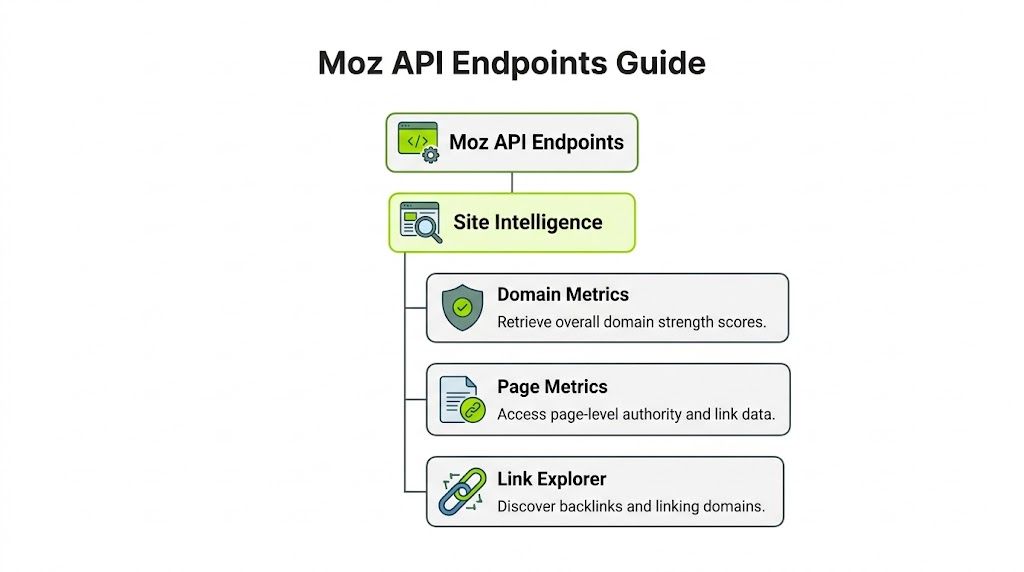
That matters even more if Moz data is only one layer in your stack. In a modern workflow, domain authority, link data, and keyword metrics often feed a broader reporting system that also tracks AI answer visibility, citation presence, and brand mentions across search interfaces. If the Moz side is inconsistent, every joined dataset gets harder to trust.
Quick reference table
| API Method | Primary use | Parameters to control carefully |
|---|---|---|
keywordMetrics.fetchAll | Evaluate a single keyword before content planning or refresh work | keyword, locale, device, engine |
fetchSearchIntent | Classify query intent before choosing page type | query input, market context if supported in your implementation |
listRelatedKeywords | Build topic clusters and expand seed terms | seed keyword, locale, device, engine |
Fetch Brand Authority™ | Compare brand strength across sites or entities | target brand or domain input, normalization rules |
Fetch Site Metrics | Check page or domain strength for audits, migrations, and competitive reviews | target, scope, canonical form of the URL |
List Ranking Keywords | Inspect existing keyword coverage and ranking footprint | target, market settings, result filters |
The useful pattern is to map one method to one business question. Fetch Site Metrics answers, "How strong is this URL or domain relative to alternatives?" List Ranking Keywords answers, "What visibility already exists that we can improve or defend?" That separation keeps reporting clean and makes downstream joins easier if you later combine Moz outputs with AI search monitoring in a platform like Surnex or an internal data model built on the same idea.
Site intelligence methods
Site-level requests break down when teams skip URL normalization. The API call succeeds, but the reporting becomes messy because https://example.com, http://example.com/, and www.example.com may get treated as separate records in your own system.
Set rules early:
- normalize protocol before request generation
- decide how to treat
wwwand other subdomains - remove or preserve trailing slashes consistently
- require the caller to declare page-level or domain-level intent
That last point saves a lot of cleanup time. Page and domain requests serve different decisions, so they should not land in the same table with no context field attached.
Link and backlink retrieval
Link methods usually create the most waste because raw exports get large fast. The practical approach is to filter before retrieval, not after.
Focus on four controls:
- Target: the exact domain or URL under review
- Scope: whether the request should stay page-specific or expand to a broader target context
- Sort: the field that matches the job, such as review priority or prospect quality
- Filters: rules that remove rows you already know you will ignore
Use different defaults for different tasks. A backlink audit needs records that are easy to inspect and triage. Prospecting needs records that help qualify outreach targets. Competitive review often needs a narrower comparison set so the output can feed action, not just a spreadsheet archive.
Pull less data on purpose.
Keyword and intent methods
Keyword endpoints are easier to operationalize because the parameter model matches how SEO teams already work. Market, device, and engine settings should be fixed at the project level unless there is a reason to override them.
For most implementations, these fields deserve validation before the request leaves your app or script:
- locale for the target market
- device for search context
- engine for the search environment
- keyword or seed input in a normalized format
Workflow discipline pays off. If the content team is planning US desktop Google pages and the product team is reviewing another market, store those as separate request profiles. Do not let ad hoc requests mix them in the same report. The API response may still be valid, but the comparison will not be.
fetchSearchIntent is useful before briefs are written because it helps decide whether the right asset is a guide, landing page, comparison page, or product page. listRelatedKeywords is better for expanding coverage around a theme. List Ranking Keywords is the method to use when the question is about current visibility, especially if you want to connect traditional rankings with newer answer-surface tracking in a shared dashboard.
Implementation rules that save time
A thin internal wrapper around selected methods works better than exposing the full API surface to every analyst or account manager. The goal is to reduce invalid combinations and make outputs predictable.
What tends to work well:
- task-specific wrappers with fixed defaults
- request validation before execution
- separate storage for page, domain, keyword, and link entities
- caching for stable lookups that do not need constant refresh
- consistent naming so Moz fields can join cleanly with AI visibility datasets later
What usually creates cleanup work:
- one generic function with loosely typed params
- mixed page and domain records in the same reporting bucket
- full backlink exports without a review question
- dashboards that treat authority, rankings, intent, and links as if they describe the same thing
The fastest path is a small, opinionated request layer. It gives analysts fewer ways to make mistakes and gives engineering a cleaner base for broader search reporting.
Practical Code Samples for Common Languages
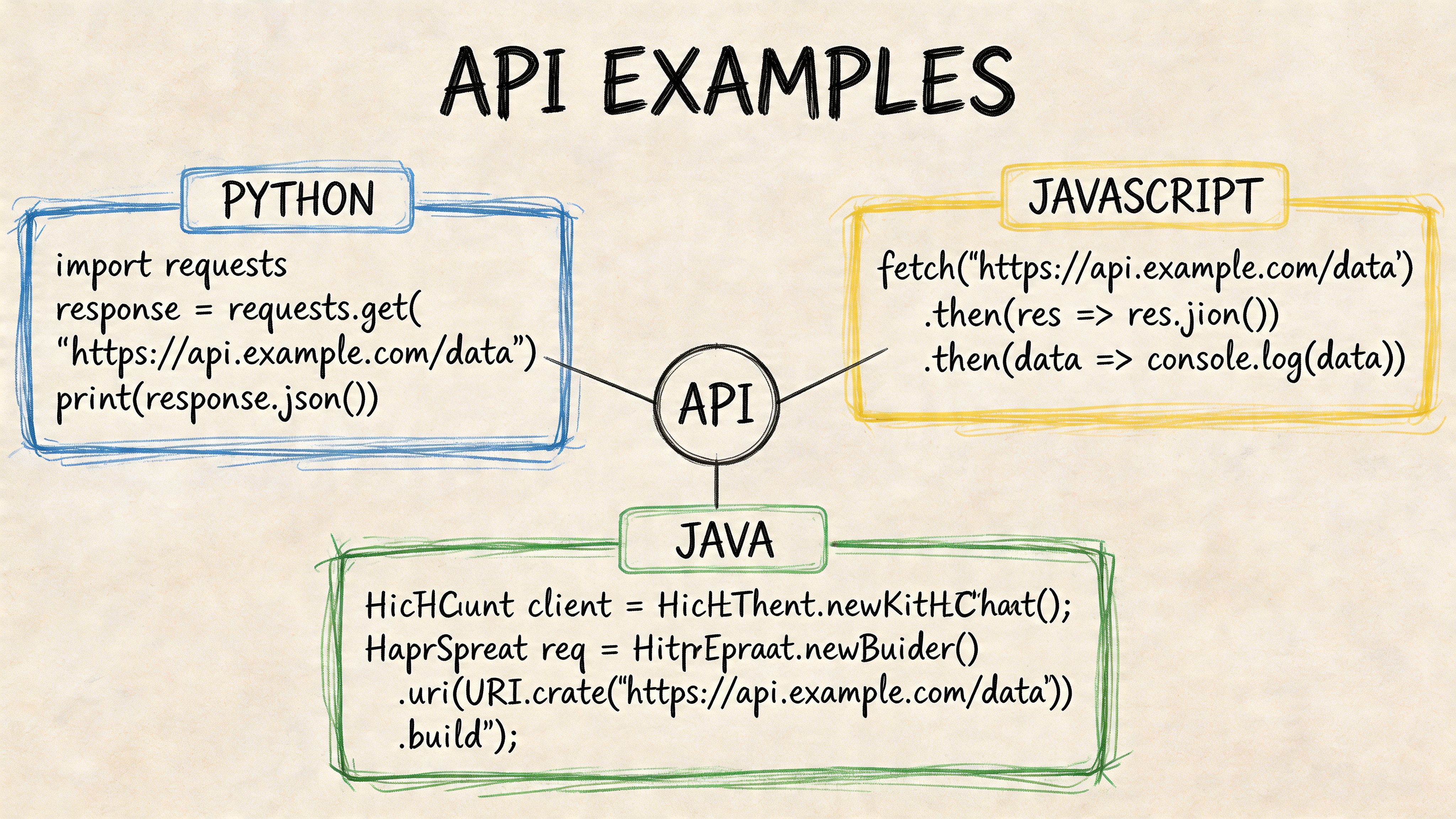
After the first cURL test, teams frequently transition into one of three stacks: Python for data workflows, Node.js for product integrations, or PHP for older internal tools and client portals.
The important part isn’t the language. It’s keeping one request contract across all of them.
Python example
Python is usually the fastest route for reporting jobs and scheduled SEO tasks.
import os
import requests

API_KEY = os.getenv("MOZ_API_KEY")
URL = "https://api.moz.com/jsonrpc"

payload = {
    "id": "python-keyword-check",
    "jsonrpc": "2.0",
    "method": "keywordMetrics.fetchAll",
    "params": {
        "keyword": "domain authority",
        "locale": "en-US",
        "device": "desktop",
        "engine": "google"
    }
}

headers = {
    "Content-Type": "application/json",
    "x-moz-api-key": API_KEY
}

response = requests.post(URL, json=payload, headers=headers, timeout=30)
response.raise_for_status()

data = response.json()

if "error" in data:
    raise Exception(data["error"])

result = data.get("result", {})
print(result)
Use this pattern for scheduled scripts that enrich reports or push metrics into a warehouse.
Node.js example
Node works well when you’re building dashboards, internal tools, or SaaS features.
import axios from "axios";

const apiKey = process.env.MOZ_API_KEY;
const url = "https://api.moz.com/jsonrpc";

const payload = {
  id: "node-site-metrics",
  jsonrpc: "2.0",
  method: "Fetch Site Metrics",
  params: {
    target: "example.com",
  },
};

const headers = {
  "Content-Type": "application/json",
  "x-moz-api-key": apiKey,
};

async function run() {
  try {
    const response = await axios.post(url, payload, { headers, timeout: 30000 });
    const data = response.data;

    if (data.error) {
      console.error(data.error);
      return;
    }

    console.log(data.result);
  } catch (error) {
    console.error(error.response?.data || error.message);
  }
}

run();
If you’re pairing Moz data with daily rank monitoring, a workflow model like rank monitoring and changes is the right mental pattern. Pull data predictably, compare snapshots, then alert on meaningful deltas.
PHP example
PHP still shows up in agency portals and custom CMS admin tools. The main thing is to avoid sloppy cURL defaults.
<?php

$apiKey = getenv('MOZ_API_KEY');
$url = 'https://api.moz.com/jsonrpc';

$payload = json_encode([
    'id' => 'php-related-keywords',
    'jsonrpc' => '2.0',
    'method' => 'listRelatedKeywords',
    'params' => [
        'keyword' => 'technical seo'
    ]
]);

$ch = curl_init($url);

curl_setopt($ch, CURLOPT_POST, true);
curl_setopt($ch, CURLOPT_HTTPHEADER, [
    'Content-Type: application/json',
    'x-moz-api-key: ' . $apiKey
]);
curl_setopt($ch, CURLOPT_POSTFIELDS, $payload);
curl_setopt($ch, CURLOPT_RETURNTRANSFER, true);
curl_setopt($ch, CURLOPT_TIMEOUT, 30);

$response = curl_exec($ch);

if (curl_errno($ch)) {
    throw new Exception(curl_error($ch));
}

curl_close($ch);

$data = json_decode($response, true);

if (isset($data['error'])) {
    throw new Exception(json_encode($data['error']));
}

print_r($data['result']);
Code habits that save time
- Validate inputs before the request: don’t let empty keywords or malformed targets reach the API.
- Check for
errorin the response body: don’t assume HTTP success means method success. - Log the request ID: it makes debugging much easier.
- Abstract auth and transport once: repeat method payloads, not client boilerplate.
That pattern scales better than scattering ad hoc request code across your reporting scripts.
Real-World Use Cases For SEO Teams and Agencies
It is 8:45 on a Monday. The client review starts at 9:30, the latest backlink export is stale, rankings live in another system, and nobody wants to spend the first half of the meeting arguing about which spreadsheet is current. This is the kind of work the seo moz api should absorb.
Moz data is most useful when it becomes part of a shared operating layer, not a standalone report feed. Domain Authority, Page Authority, Spam Score, backlink data, ranking keywords, and intent signals all have value on their own. The bigger win is joining them with your rank tracking, CRM notes, and AI visibility monitoring so teams can explain performance in one place. Platforms built around unified search reporting already follow that model. Moz supplies foundational SEO data, then the broader workflow connects it to what users now see in classic search results and AI-generated answers.
Agency reporting without spreadsheet churn
A recurring client report usually needs the same inputs every month. Branded authority trends, link profile changes, pages gaining or losing strength, and a short list of terms worth pursuing next.
The efficient setup is a scheduled pipeline that does three jobs consistently:
- pull domain and page metrics for agreed client properties
- collect backlink, anchor, or linking domain data for change detection
- refresh ranking keyword and intent inputs used in planning
That saves analyst time, but the primary benefit is consistency. If every monthly report uses the same collection logic, the team can spend review time on causes and decisions instead of rechecking exports.
I have seen agencies get the most value when they separate collection from commentary. The API run happens on a schedule. Analysts review only the exceptions: authority drops, unusual link spikes, or keywords that moved into a range worth targeting with new pages or internal links.
In-house competitor benchmarking
An internal SEO team usually needs fewer client-ready slides and more stable benchmarks. Leadership asks the same questions in slightly different forms. Are we closing the gap with the top three competitors? Did the migration hurt page strength? Are we gaining coverage in topics that convert?
That workflow works best with a fixed competitor set and snapshot storage. Pull the same metrics for the same domains on a set cadence, store the results, and compare trends over time instead of reacting to one-off checks.
In practice, teams usually use Moz data here for four things:
- track comparative authority at the domain and page level
- monitor linking domain growth and obvious quality shifts
- map ranking keyword overlap against content plans
- add context before migrations, relaunches, and digital PR pushes
This becomes more useful when combined with AI search tracking. A competitor can lose traditional rankings on a topic and still appear often in AI-generated answers, or the reverse. Moz gives the authority and link foundation. Your unified workflow should show whether that authority translates into visibility across both search surfaces.
Link risk and cleanup workflows
Spam Score helps with triage. It should not make cleanup decisions by itself.
A practical review process starts with a candidate list of domains or pages, then adds authority metrics, linking context, anchor patterns, and relevance before anyone removes or disavows anything. Teams that skip the manual review step often create more damage than they fix, especially during rushed cleanups after a traffic drop.
Use Moz metrics to prioritize review queues. Keep the final decision in human hands.
Search intent for better content triage
Content teams lose time when the target keyword and page type do not match. The article draft is solid, internal linking is fine, and the page still stalls because the query wanted a comparison page, category page, or product-led asset instead of an educational post.
Intent data helps teams route work earlier. If a term trends commercial, build a page that supports evaluation and conversion. If it trends informational, invest in education-first content and supporting internal links. That sounds obvious, but it is one of the faster ways to reduce wasted production.
The stronger implementation is to pair intent with authority and visibility data. If a keyword has the right business value, but your site lacks page-level strength or supporting links, the answer is not just "write content." The answer may be "build the right page type, support it with internal links, and measure whether it appears in both standard results and AI answer experiences."
Prospecting and post-campaign review
Agencies running outreach or digital PR can use the same data layer before and after a campaign. Before outreach, screen prospects for relevance, authority, and obvious risk signals. After placement, compare linking domain growth and page-level impact against the baseline you stored before launch.
That closes a common reporting gap. Teams stop reporting only on placements won and start reporting on whether those placements improved the domain, the target page, or the keyword set that mattered.
Used this way, the seo moz api is not just a reporting input. It becomes part of the system that helps teams decide what to publish, which links to pursue, where to investigate risk, and how to connect classic SEO metrics with the newer visibility signals that matter in AI search.
Troubleshooting Common API Errors and Rate Limits
Most API failures fall into a few boring categories. That’s good news, because boring problems are easy to harden against.
Authentication failures
If a request fails immediately, check auth first.
Common causes:
- Missing API key
- Wrong header name
- Expired or rotated credential still living in an old environment variable
- Local script using one key while production uses another
Fix this by centralizing credential loading in one place. Don’t let every script read secrets differently.
Malformed request bodies
With JSON-RPC, a valid URL doesn’t mean a valid call.
Look for:
- misspelled
method - invalid JSON
- wrong nesting inside
params - unsupported field names from old internal wrappers
This is why schema validation helps. Even lightweight validation before dispatch will catch most broken requests before they hit the network.
Rate limits and quota pressure
High-volume integrations usually fail because teams build first and think about quota later.
Moz’s own guidance emphasizes respecting rate limits, batching requests with smart params usage, and checking documentation for quota details, based on the V3 overview already referenced earlier. The practical fix is simple:
- Batch intelligently: group related requests where the method supports it
- Cache stable outputs: don’t re-fetch slow-changing data every run
- Throttle your workers: avoid parallel bursts that create avoidable failures
- Track usage daily: don’t wait for the end of the month to discover waste
If you do hit a rate-related response, back off and retry with delay. Don’t hammer the same request loop.
One-time advice: treat retries as part of normal behavior, not an exception path.
Error handling pattern that works
A resilient integration should do this every time:
- send request with request ID
- inspect HTTP status
- parse JSON response
- check for an
errorobject - retry only when the failure type justifies it
- log the final state with enough context to reproduce
What doesn’t work is swallowing the body and logging only “request failed.” That turns a five-minute fix into a support ticket.
Integrating Moz Data into Modern SEO and AI Platforms
A search team pulls Moz metrics for a competitor set on Monday, reviews AI Overview visibility on Wednesday, and still cannot answer the question leadership asked: are stronger domains winning in AI search, or are weaker domains getting cited because their content is easier for models to reuse? Separate dashboards create that gap.
Moz still belongs in the stack because it gives you stable, comparable SEO inputs such as Domain Authority, link equity signals, and ranking context. The problem is architectural. Those metrics need to sit in the same reporting layer as AI visibility, citation frequency, and prompt-driven brand discovery, or they stay interesting but operationally weak.
What a unified workflow actually does
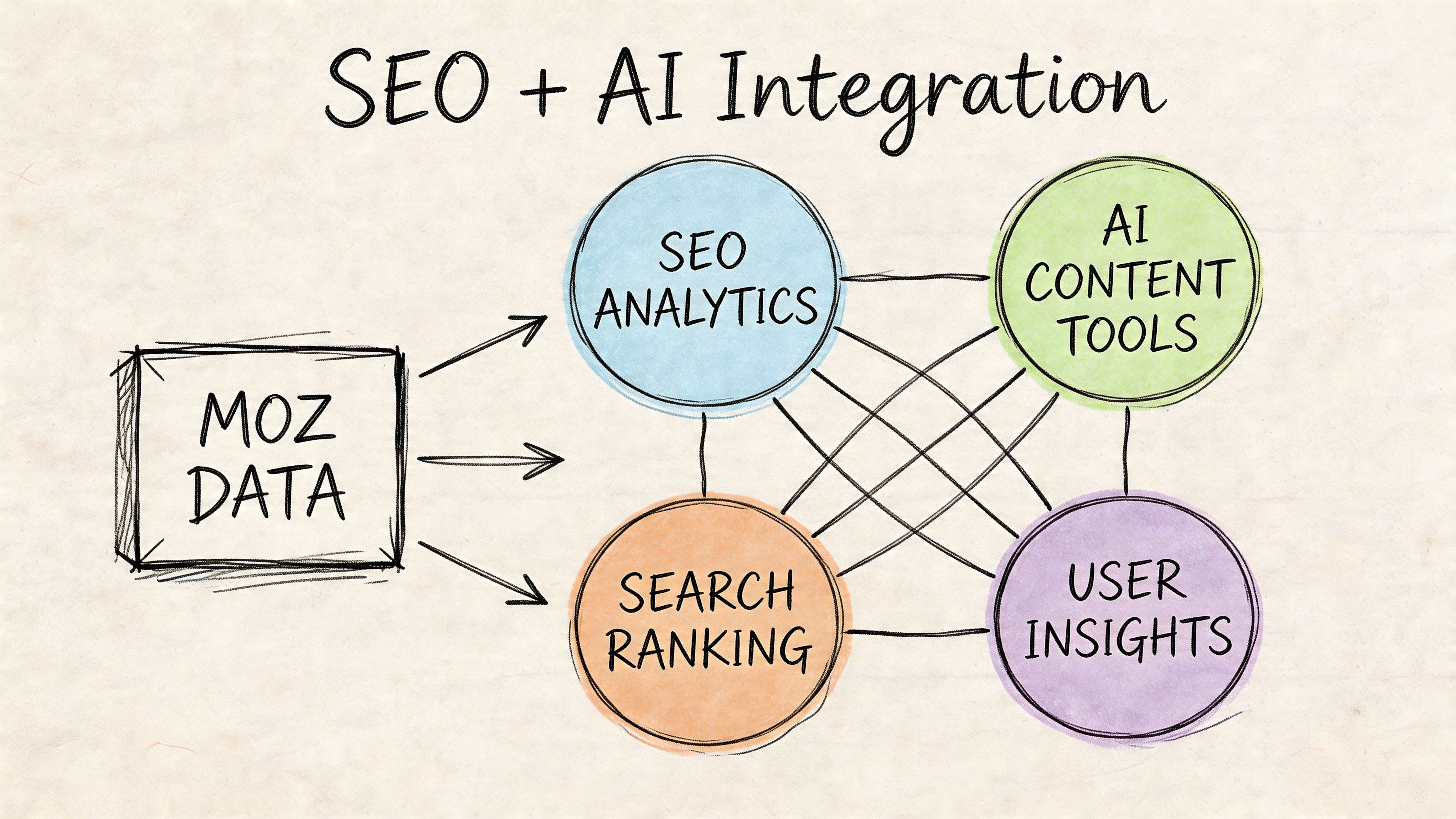
The useful pattern is simple. Use Moz for foundational SEO signals, then join those records with a second system that monitors AI search surfaces and produces a shared reporting model.
A practical flow looks like this:
- Pull Domain Authority and link metrics for your site and competitor domains through the Moz API.
- Pull ranking or page-level context from your existing SEO pipeline.
- In a platform built for SaaS search reporting and AI visibility workflows, track whether those same domains or URLs appear in AI Overviews, chatbot answers, or other AI-driven discovery results for the keyword set you already manage.
- Join the datasets by domain, URL, topic cluster, or keyword group.
- Report on the relationship between authority and AI visibility, including where that relationship breaks.
That last step matters. High authority does not guarantee strong AI visibility. Teams find opportunities when a competitor with lower authority gets cited often for a topic your brand already covers. That usually points to content format, entity clarity, or answer structure rather than a link gap.
The real trade-off
Trying to force AI visibility tracking into an SEO-only tool usually produces shallow reporting. Splitting every metric across isolated tools creates reconciliation work, inconsistent naming, and weak automation.
The better setup keeps Moz in the role it handles well. It supplies the baseline authority and link data. A separate platform tracks AI-era visibility. Your warehouse, reporting layer, or application joins the records and exposes a single view for analysts, account managers, and product teams. The implementation details are standard data engineering. This reference on cloud data integration is useful because the bottleneck is often pipeline design, not metric collection.
Questions this model answers fast
Once the data is joined, teams can answer higher-value questions without manually stitching exports together:
- Which competitor domains appear in AI Overviews despite weaker authority?
- Which topic clusters show strong Moz signals but weak AI citation rates?
- Are high-authority pages getting reused in AI answers, or only ranking in classic search?
- Where should the team improve content structure before spending more time on link acquisition?
- Which client reports need both traditional SEO performance and AI visibility in one view?
This is the practical shift. Moz remains the foundation, not the whole system. Teams that treat it as one layer in a broader search data model get more useful reporting, faster prioritization, and fewer arguments about which dashboard is right.
Surnex helps agencies, in-house teams, and developers unify traditional SEO signals with AI search visibility in one workflow. If you need a cleaner way to track rankings, backlinks, audits, AI Overviews, and LLM discovery without tool sprawl, explore Surnex.