Remember how simple a google cached search used to be? A quick click next to any search result and you were in. That familiar button is gone, but thankfully, the feature isn't. You just have to use the cache: search operator directly now. It's a small change in action but a big shift in our daily SEO workflows.
The End of an Era for Google Cached Search
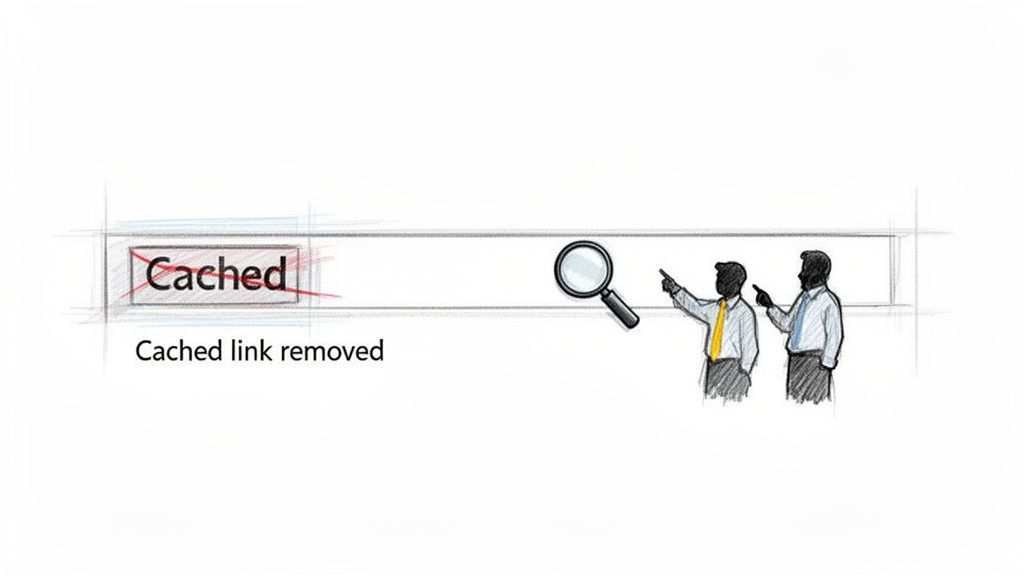
For what feels like an eternity in internet years, SEOs had a dependable friend in Google's search results. That all changed in early 2025 when Google officially retired the direct 'Cached' link, a feature we'd relied on since the early 2000s. We used to just click a little arrow to see the last snapshot Google saved of a page.
This wasn’t just a minor interface tweak. Pulling that one-click access point had a real ripple effect, complicating the once-simple process of checking indexing status or verifying that a content update had been seen.
The New Reality for SEO Workflows
Without that direct link, getting a peek at how Googlebot sees your pages requires a more hands-on approach. The cache: search operator has gone from a niche power-user tool to a daily necessity for many of us. This has made it more important than ever to have a solid grasp of Google’s crawling and indexing behaviors.
The change forces a more intentional approach to SEO diagnostics. Instead of passively checking, we now must actively query the cache, making it a conscious part of our audit process rather than a quick convenience.
This new reality has changed how we tackle our day-to-day tasks:
- Client Reporting: Explaining to a client why a content update isn't reflected in the cache now takes a bit more context than just pointing to a live link.
- Troubleshooting: Figuring out if a ranking drop is from on-page changes or something else is less immediate without that quick cached view.
- Content Verification: Quickly confirming a new page is indexed properly now involves the extra step of manually running a search operator.
The evolution of search is always keeping us on our toes. This change is just one of many, and if you're curious about what's next, you might find our analysis of emerging AI search trends interesting.
Comparing Old vs New Cache Access
To really understand the shift, this quick table breaks down how our workflow has changed.
Google Cache Access Before and After the Update
| Feature | The Old Way (Pre-2025) | The New Way (2026 and Beyond) |
|---|---|---|
| Access Method | Click the arrow on a SERP, select 'Cached' | Type cache:yourdomain.com in the search bar |
| Convenience | High; immediately available from results | Medium; requires manual input and operator knowledge |
| Use Case | Quick visual check and basic diagnostics | Deliberate diagnostic and verification tool |
What was once an intuitive click now requires specific knowledge.
Ultimately, the core function is still there, but how we get to it has fundamentally changed. Adapting to this is just part of staying sharp in modern SEO.
How to Check Google's Cache in 2026
Ever since Google removed the handy "Cached" link from the search results, many people think the feature is gone. It's not. The cache: search operator is still alive and well, and it's your direct line to seeing your site through Google's eyes.
Honestly, knowing how to do this isn't just a neat trick anymore—it's a core skill for anyone serious about SEO.
It's simple. Just head to Google and type cache: right before the URL you want to check. Make sure there’s no space between the command and the URL.
For instance, if you wanted to see the cached version of a blog post, you'd search for: cache:https://yourwebsite.com/blog/recent-post
This command tells Google to pull up its last saved snapshot of that page. What you see isn't the live page on your server; it's the version Googlebot crawled and stored. That difference is exactly why a google cached search is so critical for diagnosing problems.
What to Look For on a Cached Page
When the cached page loads, you’ll see a gray banner at the very top. This banner is where the gold is.
It gives you a clear snapshot of the page, but more importantly, it tells you when Google last stopped by.
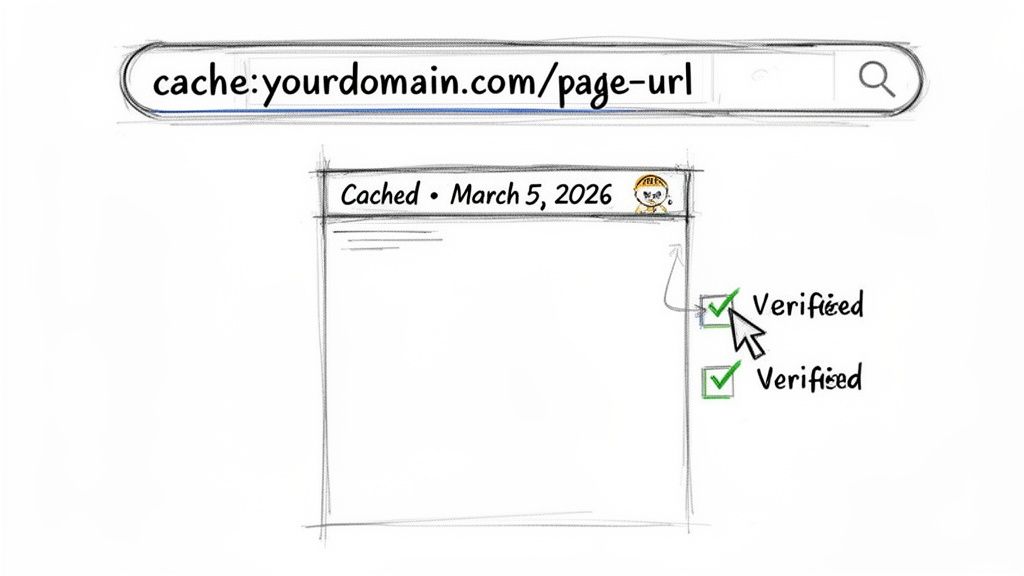
That timestamp is everything. It's the exact date and time (in GMT) that Googlebot crawled and indexed this specific version.
Think of it this way: The cached version is the only version of your page that Google knows about for ranking purposes. If what you see in the cache doesn't match what's on your live site, then your latest changes essentially don't exist in Google's world yet.
Here’s a real-world scenario. Let's say you're an SEO who just overhauled a client's homepage. An hour later, they're asking if Google has seen the new design. A quick cache:clientwebsite.com search gives you an immediate, factual answer. If the timestamp is from two days ago, you can confidently tell them, "Not yet, but we'll know the moment it's updated." It’s a simple way to manage expectations and look like you have everything under control.
When to Use a Cache Check in Your Daily Workflow
Checking the cache isn't just for emergencies. I find myself using it all the time for routine SEO work.
- Confirming Content Updates: Did you just optimize a product page or add a new section? A quick cache check is the fastest way to confirm if Google has seen your hard work.
- Diagnosing Rendering Issues: Sometimes a page looks fine in your browser but appears broken to Googlebot due to JavaScript or CSS issues. The cache can give you a clue if Google is "seeing" the page incorrectly.
- Catching Unwanted Changes: I’ve seen developers accidentally push a staging site’s "Lorem Ipsum" text to a live page. The cache is a historical record that can help you pinpoint exactly what changed and when.
This kind of spot-check is a fundamental part of any technical SEO review. Of course, for a deeper dive across your entire site, a structured audit is the way to go. You can learn more about that process in our guide to conducting a comprehensive site audit.
And remember, a cache that’s a few days or even weeks old isn't necessarily a bad sign, especially for pages that rarely change, like an "About Us" page. But for your most important, frequently updated pages, a fresh cache is a great indicator of a healthy crawl schedule.
Using Cached Pages for Advanced SEO Audits
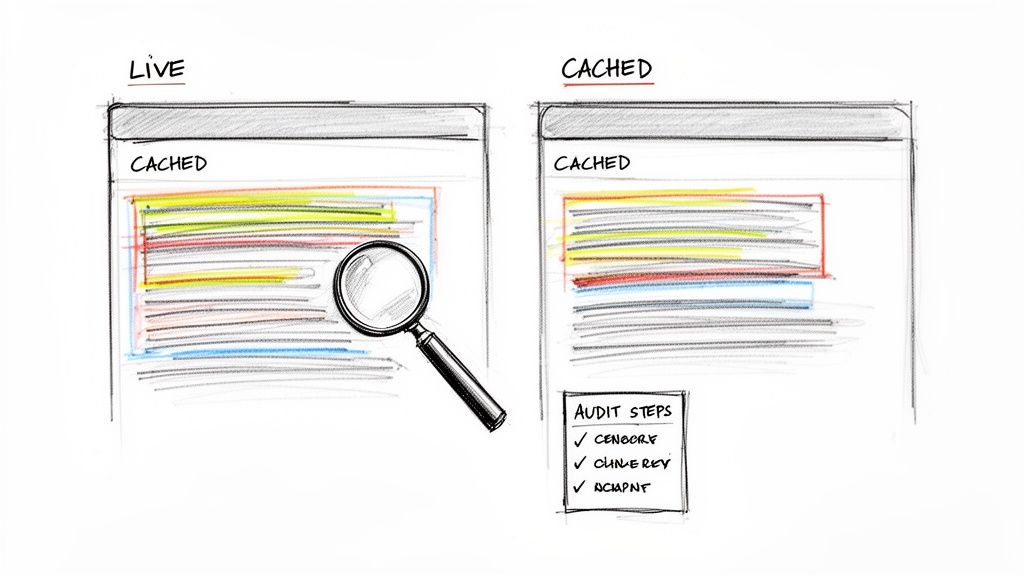
For seasoned SEOs, a google cached search is far more than just a way to see an old version of a page. It's a powerful diagnostic tool we use to get to the bottom of some really tricky technical puzzles. The real magic happens when you compare the live version of a page to what Google has stored in its cache—this comparison can instantly spotlight subtle problems that are dragging down your rankings.
Let’s say a critical landing page suddenly tanks in the search results. Your first move could be to pull up the cached version. If you see that a huge chunk of valuable content is missing from the cache but looks fine on the live site, you've probably found your culprit. It’s a classic sign that a recent update hasn't been seen or indexed correctly by Google.
Uncovering Technical SEO Issues
The cache is essentially a window into what Googlebot sees and remembers. This perspective is priceless for finding technical glitches that are completely invisible to the naked eye.
One of the most important things to check for is cloaking. This is where your server shows one thing to Googlebot and another to your human visitors. It can be unintentional, but it's a major violation of Google's guidelines. If the cached page looks wildly different from what you see—maybe it's just a wall of links instead of your beautifully crafted article—that's a massive red flag. You need to investigate that immediately.
These insights are a core part of building a powerful SEO content strategy, as they directly inform how Google is actually interpreting the content you publish.
Cache Frequency as a Health Metric
How often Google decides to take a new snapshot of your page speaks volumes about its perceived importance. Pages on major news sites might get cached several times a day, while a static "About Us" page could go weeks between crawls.
By keeping an eye on the cache date for your key URLs, you get a direct read on their crawl priority.
- Stale Cache: If your main product pages haven't been re-cached after you pushed significant updates, it could point to a low crawl budget or weak internal linking. Google just doesn't think it's worth visiting often.
- Fresh Cache: On the other hand, a consistently fresh cache for your blog posts is a great sign. It means Google sees them as timely, valuable content that's worth checking on frequently.
A sudden drop in cache frequency can be an early warning sign. If a page that was cached daily is now only being crawled weekly, it might be losing authority or relevance in Google's eyes.
The way we work with the cache has definitely shifted since the prominent link was removed from search results back in 2024. Before that, the feature was a staple, generating an estimated 500 million monthly views globally, and around 75% of SEOs relied on it weekly for quick diagnostics. Now, we're adapting. Many tools have integrated alternatives like the Wayback Machine, which holds an incredible archive of over 900 billion pages.
Tracking cache frequency helps you strategically refine your content updates and internal linking. If you want to see how these signals fit into the bigger picture, our guide on conducting a technical site audit breaks it down further. By paying close attention, you can turn a simple cache check into a real strategic advantage.
Troubleshooting Common Cache Issues
The cache: command is usually a reliable tool, but every now and then, it throws a curveball. You might pull up a version of your page that's weeks old, or worse, get a "not found" error that sends you into a panic.
Don't worry. These issues are almost always less dire than they seem, and they can actually tell you a lot about how Google sees your website.
When you use the google cached search and hit a 404 error, your first thought might be that the page has been deindexed. That's rarely the case. More often, it just means Google hasn't gotten around to creating a snapshot for that URL.
This can happen for a couple of common reasons. The page could be brand new, and Google's crawlers just haven't paid it a visit yet. It could also be a page that Google considers lower-priority, so it doesn't get crawled as frequently.
Why Your Cached Page Is Old
Finding an ancient cached version of a page you just updated can be incredibly frustrating. This is almost always a sign that Google isn't crawling that page as often as you'd like, which boils down to its perceived importance.
A stale cache is Google's way of telling you one of two things:
- Low Crawl Priority: Google doesn't think the page is important enough to check on regularly. This is often the case for static content like a privacy policy or an old "About Us" page.
- Poor Internal Linking: The page might be buried so deep in your site structure that Googlebot struggles to find it again. If there are very few internal links pointing to it, it can easily fall off the crawler's radar.
Think of Googlebot's crawl budget like a limited amount of time it can spend on your site. It will prioritize pages it deems most valuable. A consistently old cache for a key page is a signal that you need to improve its internal prominence.
Let's say you've overhauled a critical service page. If you check back in a few weeks and the cache date hasn't budged, that's your cue. It’s a clear sign you need to build more high-quality internal links from your homepage or popular blog posts to lead Googlebot back to the updated content.
Checking for a Noarchive Tag
Sometimes, the answer is much more straightforward. If you know a page is indexed and driving traffic but has no cached version available, the likely culprit is a noarchive tag.
This is a specific command in your page’s HTML that tells search engines not to save a copy. It’s a simple line of code in the <head> section of your page:
<meta name="robots" content="noarchive">
This tag is genuinely useful for pages where a cached version would be more confusing than helpful—think live stock tickers or event pages with real-time updates. But it can also be added by mistake, especially by SEO plugins or during a site migration.
If an important page is missing its cache, popping open the page's source code (right-click and select "View Page Source") to search for "noarchive" should be your first move. If you find it, removing that tag will put the page back on Google's caching list for its next crawl.
Moving Beyond Manual Cache Monitoring
Let's be honest. Manually running a google cached search for a couple of pages is one thing. But when you're managing a site with hundreds or thousands of URLs? It's just not realistic. For those of us in the trenches—in-house SEOs, agency pros—we have to work smarter, not harder.
The one-click cache link going away was a pain, but it also pushed the industry forward. Modern SEO platforms are now filling the void, offering what I'd call 'cache-equivalent' data. They bring together crawl stats, indexation status, and content changes into one place.
This is a huge shift. We’re moving from putting out fires to actual, proactive strategy.
Gaining Strategic Insights at Scale
Automating this kind of monitoring gives you a new level of intelligence for both diagnostics and competitive analysis. Instead of just seeing if one page was cached, you can start tracking trends across your entire website—and even see how you stack up against the competition.
Here’s what that actually looks like:
- Benchmark Crawl Frequency: How often are your most important pages crawled compared to your top three competitors? If they're getting more love from Googlebot, it’s a clear signal you need to improve your content's authority or internal linking.
- Get Staleness Alerts: Imagine getting an automatic ping when your homepage or a key service page hasn't been re-cached in a while. This helps you spot potential crawl budget problems before they ever start to affect your rankings.
- Prioritize Technical Fixes: By looking at aggregated crawl data, you can quickly find whole sections of your site that Googlebot is ignoring. This tells you exactly where to focus your technical SEO efforts for the biggest win.
When you're digging into cache issues that these tools uncover, you'll likely follow a workflow like this one.
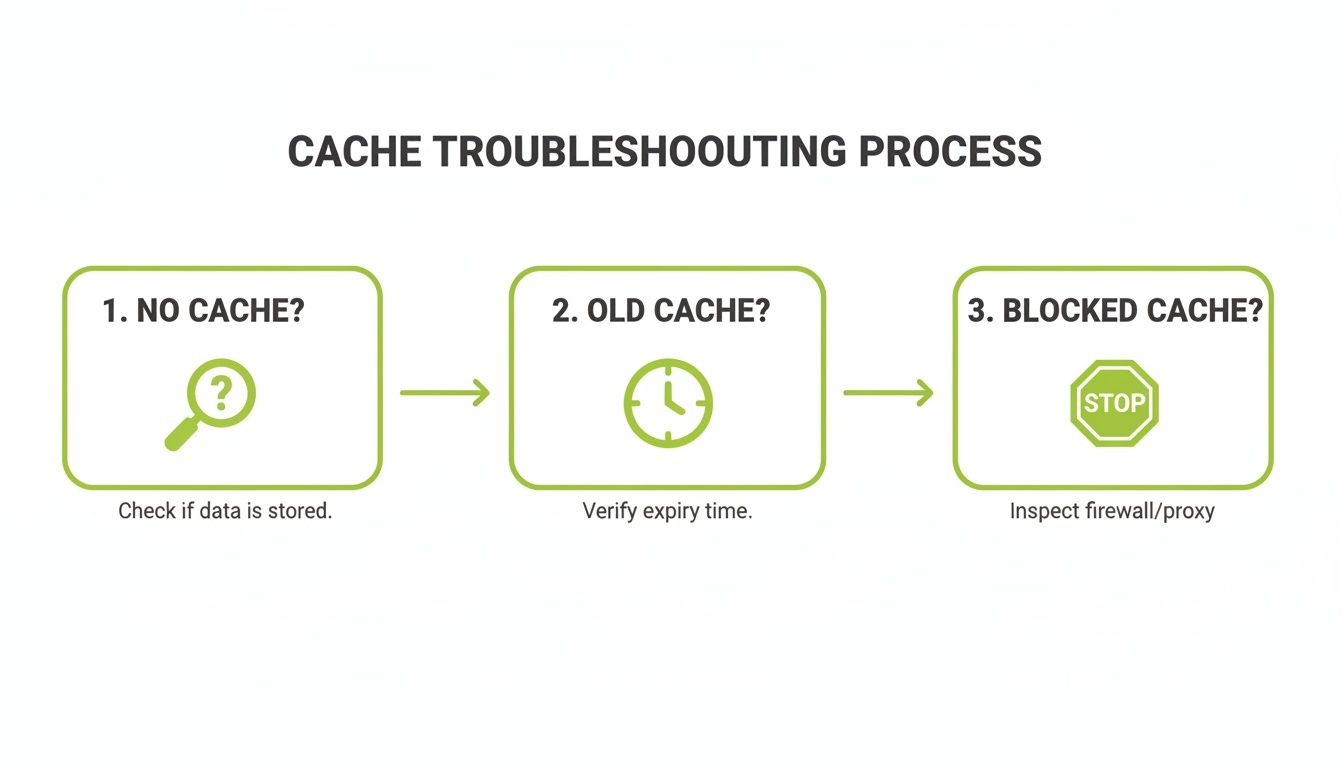
This simple process—checking for a missing cache, an old one, or a block—is exactly what automated tools can do for you across thousands of pages, saving you an incredible amount of time.
The Power of API-Driven Monitoring
This entire shift toward automation really shines a light on the power of API-driven solutions. For an agency juggling multiple clients, it’s a complete game-changer. API-first platforms can automate tracking not just for traditional search but for newer formats like AI Overviews, too. We’ve seen this approach lead to a 30% jump in crawl frequency after a solid backlink audit.
When you consider the 4.5 billion search users worldwide, the ability for a business to pull rankings, backlinks, and crawl data into a single dashboard can cut reporting time by up to 25%.
The real takeaway here is that automated monitoring turns cache data from a simple "last seen" date into a dynamic KPI for your site's health and your competitive edge.
To really get a complete picture, learning to monitor webpage changes using techniques like DOM and visual diffing is the next logical step. It adds a powerful layer of verification to your audits.
Ultimately, building these automated workflows into your process frees you up to focus on high-level strategy instead of getting bogged down in manual checks. When you automate change detection and crawl monitoring, you can make decisions with more confidence and prove your value much more effectively. To see how this fits into a broader SEO strategy, explore our guide on https://surnex.io/workflows/rank-monitoring-and-changes for better results.
Common Questions (and a Few Myths) About Google Cache
Even after you get the hang of the cache: operator, a few questions always seem to pop up. Let's tackle some of the most common points of confusion I hear from people trying to master Google's cached pages.
How Often Does Google Actually Cache a Page?
This is the big one, and the honest answer is: it depends entirely on how important Google thinks your page is.
Think of it this way. A breaking news story on a major publisher’s site might get re-cached several times in a single day. On the flip side, a static "Contact Us" page that hasn't changed in years might only get a fresh snapshot every few weeks.
The refresh rate really comes down to a few signals:
- Site Authority: Big, trusted websites are simply crawled more often.
- Update Cadence: If you regularly update a page (like a popular blog), you're teaching Google to check back more frequently.
- Content Type: News, event listings, and other time-sensitive content naturally get crawled more than "evergreen" pages that rarely change.
What if the Cache Command Doesn't Work?
So you've tried the cache: command and hit a 404 error. Don't panic. This usually just means Google hasn't taken a snapshot of that specific URL yet. It’s not necessarily a sign that something is broken.
When this happens, or if you need to see how a page looked weeks, months, or even years ago, you have other tools in your belt.
My first stop is always the Wayback Machine. It's a fantastic digital archive for viewing historical versions of websites. For SEOs, it's perfect for tracking how a competitor's landing page has evolved over time.
Your other key resource is right inside Google Search Console. The URL Inspection tool won't show you a pretty, rendered version of the cache, but it gives you something even more valuable: direct feedback from Google. You can see when the page was last crawled, if it's indexed, and if Google ran into any issues rendering it.
A failed cache lookup isn't a dead end. It’s a signal to switch tools. The Wayback Machine gives you historical context, while GSC gives you the direct technical story from Google's perspective.
Is a Fresh Google Cache a Direct Ranking Factor?
This is a persistent myth. Having a very recent cache snapshot is not a direct ranking factor. Google doesn't hand out bonus points just because your page was cached an hour ago.
However, a fresh cache is a strong symptom of a healthy, authoritative website.
A frequently updated cache means your site commands a high crawl priority. This happens because you have strong authority, publish fresh content, and have your technical SEO in order—all things that do influence rankings. So while the cache itself doesn't cause you to rank higher, it's a quality you'll almost always see in top-ranking sites.
Managing how your brand shows up in search is more complex than ever. Surnex unifies AI visibility tracking with core SEO metrics so you can manage performance, explain shifts to clients, and build stronger search strategies from a single platform. Learn more at https://surnex.io.