Trying to get a list of every single page on a website? The quickest ways are usually to check the site's XML sitemap, run a crawler like Screaming Frog, or look at your coverage report in Google Search Console. Each of these methods gives you a solid list of URLs, including pages you might not find through normal browsing.
Why Finding Every Page Matters More Than Ever
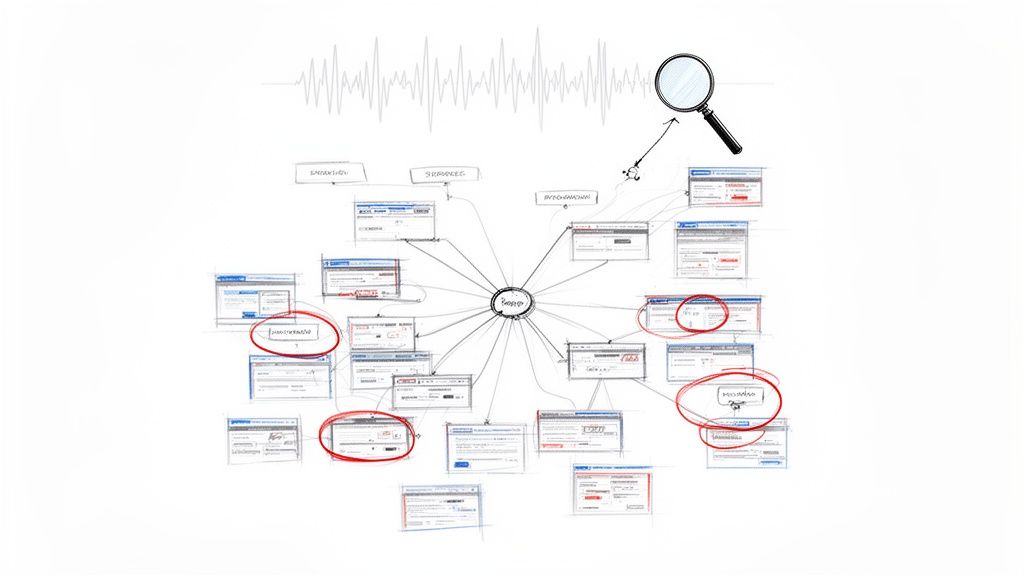
Knowing how to find every page on a website used to be a niche task for SEOs. Now, it's a core part of any smart digital strategy, especially as AI continues to change how search works. The reason is simple: you can't optimize what you can't find.
Pages that have no internal links pointing to them—often called "orphan pages"—are silent killers for your site's performance. They can water down your website's authority, make Google waste its precious crawl budget on old or irrelevant content, and create huge blind spots in how you understand your customer's journey.
Imagine a potential customer landing on an old, outdated promotion page from a long-forgotten link. That’s a frustrating experience, and it's one you'd never even know was happening if you didn't have a complete map of your site.
The High Stakes of Incomplete Page Discovery
The consequences of having an incomplete site map are bigger than you might think. With Google's AI Overviews and other conversational search features becoming more common, having a full and well-organized content library is non-negotiable. These AI systems need to understand your entire domain to give accurate answers.
If a large chunk of your website is invisible to crawlers, it's also invisible to AI. That means you’re missing out on chances to be featured and answer your audience's questions directly in the search results.
In fact, we're already seeing a clear connection here. Websites with over 90% of their pages discoverable are seeing 2.5x more appearances in Google's AI Overviews. Completeness is directly tied to performance in this new AI-driven search world.
Methods for Website Page Discovery at a Glance
Before diving into the detailed techniques, it helps to see a high-level overview. Each method has its own strengths and is suited for different situations.
| Method | Complexity | Typical Use Case | Best For |
|---|---|---|---|
| XML Sitemaps | Low | Quick checks, verifying what you've submitted to Google. | Finding pages the site owner wants crawlers to find. |
| Google Search Console | Low | Understanding what Google has actually indexed. | Site owners analyzing their own Google performance. |
| Website Crawlers | Medium | Deep technical audits, finding orphan pages. | SEO professionals and developers needing a complete picture. |
| Custom Scripts | High | Specialized, large-scale, or automated data extraction. | Developers with specific requirements. |
This table should give you a starting point for choosing the right tool for the job. For a quick look, the sitemap is great. For a deep dive, a crawler is your best friend.
A Unified View for Modern Search
This is why modern SEO platforms are so valuable—they pull together the technical audit with AI visibility tracking. Tools like Surnex, for example, are built to give you a single view that shows not just what pages you have, but how they're performing in both traditional search and AI-powered results.
This kind of complete picture is essential for a few key groups:
- Digital Marketing Agencies who need to deliver accurate reports and find hidden growth opportunities for their clients.
- In-house SEO Teams trying to maximize organic traffic and keep the website healthy.
- Developers who must ensure every single part of the site is accessible and working correctly.
The data backs this up. For instance, some advanced page discovery tools have helped users get their indexing rate up to 85%. This is a massive improvement when you consider historical challenges, like the 2018 "Mobilegeddon" update that tanked indexing for non-responsive sites by 28%, costing brands an estimated $1.2 billion in lost traffic. I’ve seen agencies run automated site audits that uncover over 10,000 orphan pages for a single client. Once those pages are properly linked, their backlink profiles often jump by an average of 40%. You can find more historical statistics on web trends that show how big an impact these technology shifts have.
Ultimately, knowing how to get all pages of a website is the first, most critical step in building a strong and competitive search strategy for 2026 and beyond.
Simple Methods Using Sitemaps and Search Consoles
Before you jump into running complex crawlers, let’s start with the basics. Often, the quickest way to get a solid list of a site's pages is by looking at what the website is already telling search engines. These methods are my go-to for a fast overview—no special software needed.
This is the perfect starting point if you're a marketer or an account manager who just needs a quick, reliable snapshot of a website's footprint.
The first, and most obvious, place to check is the website’s XML sitemap. It’s essentially a public list of URLs that the site owner wants search engines to find and index. You can usually find it by just typing domain.com/sitemap.xml or domain.com/sitemap_index.xml into your browser.
What you get is a great starting point. It's the site owner’s official version of what pages matter. But I've learned from experience that this list is rarely the complete or final story.
Finding and Reading XML Sitemaps
Once you have the sitemap URL, just open it in your browser. You'll either see a direct list of pages or, on bigger sites, a "sitemap index" file. Think of an index file as a table of contents, pointing you to other sitemaps, often broken down by section like products, blog posts, or categories.
A quick look can tell you a lot. Are there pages in the sitemap that lead to errors? Are new articles or products actually showing up here? The sitemap gives you clues about how well the site is being managed.
Pro Tip: Never take a sitemap as gospel. I've audited countless sites where the sitemap was either stuffed with useless, auto-generated URLs or was a static file that hadn't been touched in years. Always treat it as one data point and verify it against others.
What's missing from a sitemap can be just as telling as what's included. This is more than just a technical detail; it has huge business implications. One study of 20 million domains found that a staggering 55% of pages are basically invisible to crawlers because of noindex tags, bad internal linking, or other issues. As AI-powered search becomes more common in 2026, failing to get all your pages indexed means you're being left out of a massive new channel for discovery. You can explore more insights on Our World in Data to see just how vast web data trends have become.
Using Search Console to See What's Really Indexed
If a sitemap shows you the plan, then Google Search Console shows you the reality. GSC tells you exactly which pages Google has successfully found, crawled, and decided to add to its massive index. This is the ground truth for any website's visibility on Google.
After you've verified your site, head over to the Pages report, which you'll find under the Indexing section. This is where the real work begins.
As you can see, the report immediately splits your site into two buckets: "Indexed" and "Not indexed." It's the most direct feedback you can get on how Google is processing your site.
You can export the full list of indexed URLs right from this report. But the real gold is in the "Not indexed" tab, where Google tells you why pages are being left out. You'll commonly see reasons like:
- Discovered - currently not indexed: Google found the page but hasn't gotten around to crawling it yet. This could signal a crawl budget problem or that Google doesn't think the site is important enough to check frequently.
- Crawled - currently not indexed: Google looked at the page but deemed it not worthy of the index. This is a classic sign of thin content or duplicate pages.
- Page with redirect: Just URLs that forward to another page.
- Blocked by robots.txt: Pages you’ve specifically told Google to ignore.
By comparing your sitemap list with your GSC indexed list, you start to see the full picture. The gaps and discrepancies between these two sources are exactly where you'll find the most critical action items for a thorough site audit. And don't forget to check Bing Webmaster Tools for similar reports; it's always smart to see how you appear on more than one search engine.
Diving Deeper with Web Crawlers
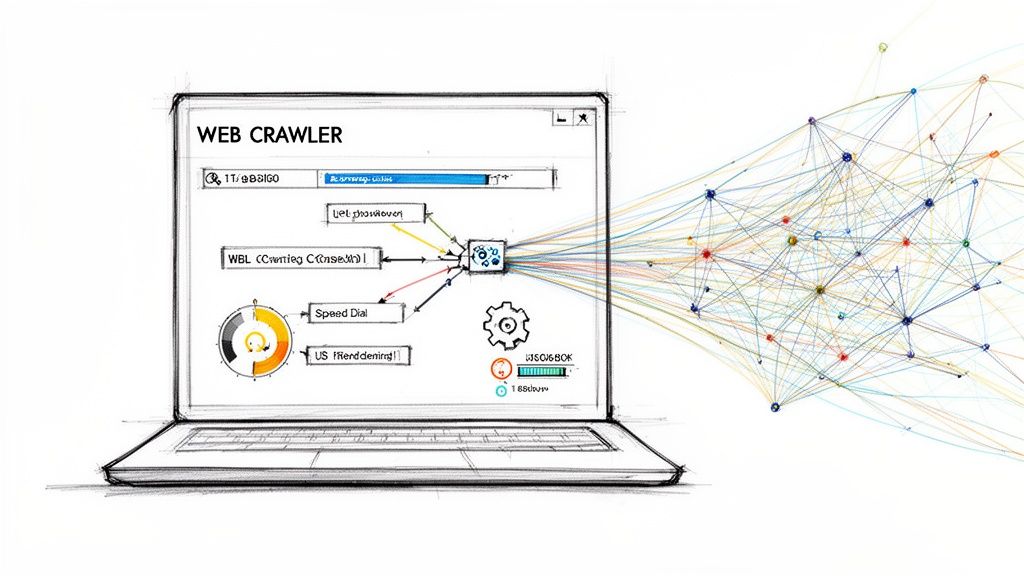
When sitemaps and search consoles just aren't enough, it's time to bring out the heavy artillery: a web crawler. If you need to find every single page on a website—and I mean every page, including the forgotten ones—this is the only way to be certain.
These tools work by mimicking a search engine bot. You give it a starting point, usually the homepage, and it meticulously follows every internal link it can find, building a complete map of the site. It’s the foundation for any real technical site audit workflow.
Think about an in-house SEO at a huge e-commerce company. For them, a quarterly crawl isn't just a box to check. It's a vital health check to hunt down broken links, spot redirect chains before they become a problem, and make sure every last product page is actually findable by customers and search engines.
Your First Crawl Using a GUI Tool
For most people, the easiest entry point is a crawler with a graphical user interface (GUI). Tools like the Screaming Frog SEO Spider are incredibly powerful yet have a visual, point-and-click setup that doesn't require a computer science degree.
Here’s a look at Screaming Frog’s dashboard, a common sight for anyone in the SEO world.
This is your command center. You can watch in real time as URLs are discovered and see crucial data like status codes and other SEO metrics. It’s perfect for spotting issues as they pop up.
Getting started is as simple as plugging in the website's URL and hitting "Start," but the real power is in the configuration. Before you launch, take a moment to tweak these settings for a much smarter crawl:
- User-Agent: You can tell the crawler to identify itself as Googlebot, Bingbot, or a standard web browser. I always recommend running a crawl as Googlebot at some point. It helps you see if a site is serving different content to search engines than it is to regular users.
- Crawl Speed: Don't be that person who crashes a client's server. A crawler can hit a site hard and fast. I always dial the speed back to 2-3 URLs per second to be a good web citizen and avoid causing any trouble.
- JavaScript Rendering: Modern sites are built on JavaScript. A standard HTML crawl will miss a huge chunk of content and links that are loaded dynamically. You must enable JavaScript rendering to make the crawler behave like a real browser, executing the code to uncover links that would otherwise be invisible.
I’ve seen technical debt cripple page discovery efforts for years. Old studies showed that, on average, Fortune 500 sites had an indexing rate of around 48%. A staggering 30% of pages on platforms heavy with APIs were simply missed due to JavaScript rendering issues. We've come a long way, and it’s projected that by 2026, modern platforms will enable agencies to hit a 95% crawl completion rate. If you're interested in the history of web data, Princeton's LibGuides have some fascinating archives.
Going Headless with Command-Line Crawlers
GUI tools are fantastic for hands-on audits, but for automation, developers and technical SEOs turn to the command-line interface (CLI). Tools like Wget, or better yet, custom Python scripts, give you total control.
Imagine a dev team that wants to catch broken links before they ever go live. They can integrate a CLI crawler right into their deployment pipeline, running an automatic check every time new code is pushed. This is how you build a truly bulletproof system.
This approach lets you create a custom solution that pulls all of a website's pages and pipes that data directly into another tool, like a content inventory spreadsheet or an internal analytics dashboard.
GUI vs CLI Crawlers What to Choose
So, which path should you take? The decision between a graphical tool and a command-line crawler really comes down to your technical skills and what you're trying to accomplish.
To help you decide, here’s a quick comparison.
| Feature | GUI Crawlers (e.g., Screaming Frog) | CLI Crawlers (e.g., Wget, Custom Scripts) | Surnex Platform |
|---|---|---|---|
| Ease of Use | High (Visual interface, easy to start) | Low (Requires command-line knowledge) | High (Unified dashboard, automated) |
| Use Case | Manual site audits, one-off analyses | Automated tasks, server-side crawling | Continuous monitoring, AI visibility |
| Output | Rich visual reports, exportable CSVs | Raw data files (e.g., text, logs) | Integrated reports, API endpoints |
| Best For | SEOs, marketers, small-to-medium sites | Developers, large-scale data extraction | Agencies, in-house teams, developers |
Ultimately, there's no single "best" tool—they serve different purposes. A good strategy often involves both. Use a GUI crawler for deep-dive analysis and hands-on investigation, and use CLI tools to automate and scale your page discovery efforts across the board.
Advanced Scripting to Extract Every URL
Sometimes, the off-the-shelf tools just don’t cut it. When you need absolute control or have a very specific goal in mind, writing your own script is the way to go. This is a common path for developers and technical SEOs who want to, for example, feed a list of URLs directly into a custom analytics dashboard.
With just a bit of Python, you can build an incredibly powerful crawler from scratch. It’s less about memorizing code and more about understanding the core logic: you start with a URL, find all the links on that page, and then systematically visit each of those new links.
Building Your Own Python Crawler
Python is my go-to for this kind of work. Its syntax is clean, and the community has built some amazing libraries for web scraping. You'll primarily be working with two: requests to fetch the web page and BeautifulSoup to make sense of the HTML.
Think of it this way: requests acts like a web browser, grabbing the raw source code of a page. Then, BeautifulSoup steps in to parse that code, letting you easily pinpoint and extract all the links.
The process itself is a simple loop. You start with the homepage on a "to-visit" list. Your script grabs that URL, fetches the page content, and uses BeautifulSoup to find every <a> tag. For each link it finds, it checks if it's new and, if so, adds it to the list. The script just keeps running until there are no more URLs left to visit.
That’s the basic concept. Of course, building a truly effective and polite crawler involves a few more details. If you're looking to build your own page discovery tools from the ground up, this Python Web Scraping Tutorial is a fantastic starting point.
Professional Touches for Your Script
A simple script is a great start, but a professional one anticipates the messy reality of the web. One of the first hurdles you'll hit is handling different URL formats. You'll find both absolute URLs (the full https://example.com/about-us) and relative URLs (like /contact or products/widget). Your script needs to be smart enough to convert those relative paths into complete, visitable URLs.
For instance, imagine your script lands on the Python.org homepage.
It has to correctly identify links like "About," "Downloads," and "Documentation," figure out their full URLs, and add them to the queue for crawling.
Another non-negotiable best practice is to be a good web citizen. Don't hammer the server with hundreds of requests a second—it’s a surefire way to get your IP address blocked and can degrade the site’s performance for everyone else.
A simple
time.sleep(1)between requests is all it takes. This one-second "polite delay" ensures your script gathers data responsibly without causing any trouble. It’s a small piece of code with a huge impact.
You'll also want an efficient way to keep track of where you've been. Using a Python set for your "visited" list is perfect for this. Sets automatically prevent duplicates and provide lightning-fast lookups, which stops your crawler from getting stuck in an infinite loop or re-visiting the same pages over and over. You can see how we apply these principles at scale by looking at how our own tech stack powers automated insights.
When a Custom Script Is the Best Choice
While I love tools like Screaming Frog for most day-to-day tasks, a custom script truly shines in a few key situations:
- Large-Scale Crawling: Need to crawl millions of pages? A custom script running on a cloud server is far more scalable and cost-effective than a desktop app that might run out of memory.
- Targeted Data Extraction: Maybe you don't just want URLs. You might need the page title, H1, and word count from every single page. A script lets you grab exactly what you need and save it directly to a CSV or JSON file.
- Integration and Automation: This is where scripts become incredibly powerful. You could schedule a script to run every morning, find new blog posts, and automatically send a summary to a Slack channel or update an internal database.
Ultimately, building your own script gives you the power to not just get all the pages on a website, but to turn that raw data into something genuinely useful and strategic.
Managing and Refining Your List of Pages
Alright, so you’ve run a crawler and now you’re staring at a massive text file with thousands of URLs. Getting that raw list is the easy part. A huge, unfiltered export is just noise; turning it into a clean, actionable list is where the real work—and the real value—begins.
Think of this as your playbook for post-crawl processing. We’ll walk through how to clean, deduplicate, and filter that data so you can see your website with absolute clarity and turn that noise into genuine insight.
Deduplicating and Cleaning Your Raw URL List
Your initial export is almost guaranteed to be messy. Crawlers often find the same page multiple times through different paths—think links with and without a trailing slash, or with inconsistent capitalization. The very first thing you need to do is standardize everything and get rid of the duplicates.
I usually handle this with a simple script or even just a spreadsheet. My go-to move is to convert all URLs to lowercase and strip any trailing slashes before I even think about deduplicating. This simple step ensures that https://example.com/Page/ and https://example.com/page are treated as the same URL, because for all practical purposes, they are.
This process is a core part of any automated page discovery script. You find a URL, clean it up, and then check it against what you've already found.
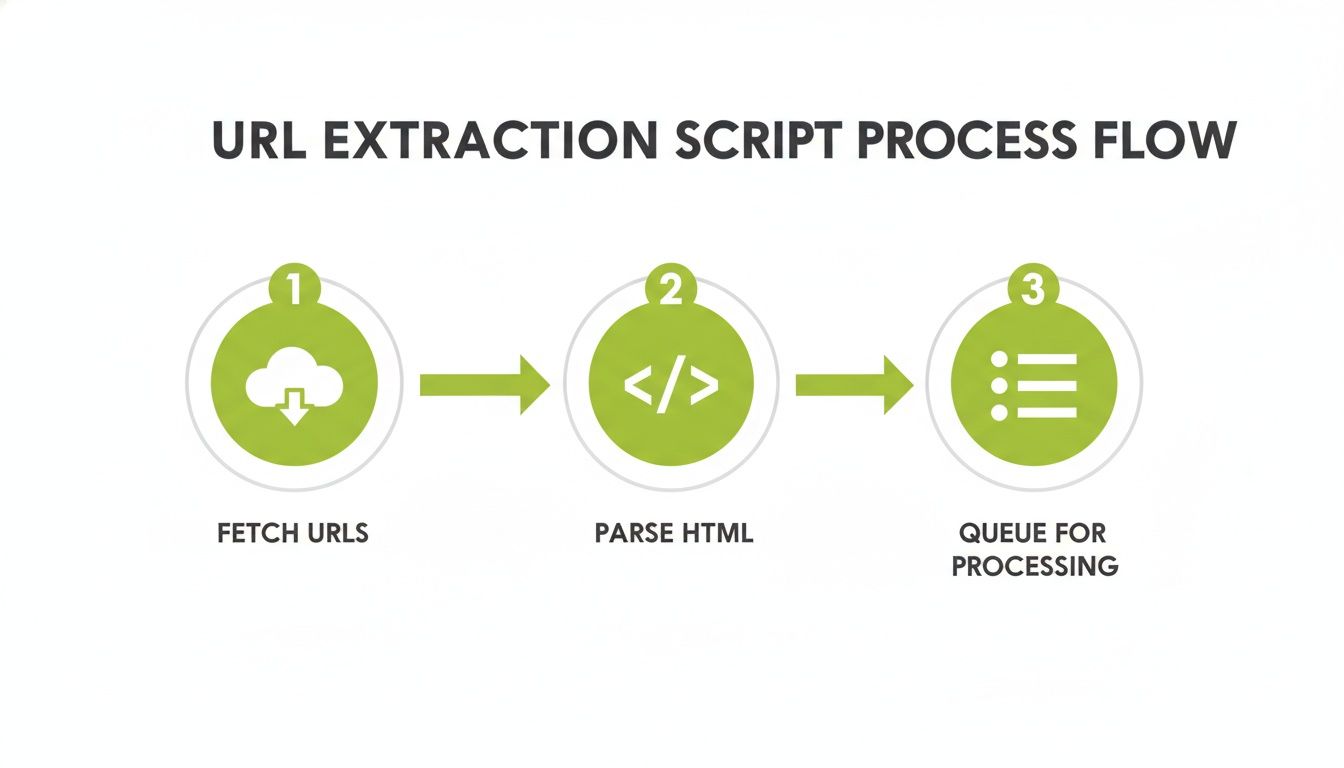
As the diagram shows, it’s a constant loop: fetch, parse, and queue. Every new link you find has to be processed systematically to build a complete picture of the site.
Filtering Out Unnecessary Parameters
The next thing to tackle is URL parameters. These are the bits and pieces tacked onto a URL after a question mark (?), often used for tracking marketing campaigns, filtering products, or managing user sessions. While some parameters are essential, many create thousands of "unique" URLs that all point to the exact same page content.
For example, a crawler might see these as three completely different pages, even though they all load the same content:
yoursite.com/products?sort=priceyoursite.com/products?utm_source=facebookyoursite.com/products?session_id=12345
You need to tell your tool or script to ignore common tracking and session parameters like utm_, fbclid, or gclid. Most professional crawlers have a setting where you can specify parameters to exclude, which cleans up your data immensely and prevents this digital clutter from ever hitting your final report.
I once audited a retail site where the initial crawl suggested they had over 1.5 million product pages. It was completely overwhelming. After we filtered out all the session IDs and sorting parameters, the actual number was closer to 50,000. That’s a 30x difference that totally changed our content audit strategy.
Segmenting by HTTP Status Code
Not every URL you discover is a live, working page. Your crawl data is packed with clues about the website's technical health, and those clues are the HTTP status codes. Sorting your URLs by their status code is one of the most powerful ways to refine your list.
I always break my master list down into these key buckets:
- 200 OK: These are your healthy, live pages. This is the foundation of your content inventory.
- 3xx Redirects: These aren't pages, but signposts. Analyzing your 301 (permanent) and 302 (temporary) redirects is critical for understanding how users and search engines navigate the site.
- 4xx Client Errors: This is where you'll find your 404 Not Found pages and 403 Forbidden errors. This bucket is your immediate to-do list for fixing broken links.
- 5xx Server Errors: These point to serious backend problems that need a developer's attention right away.
Breaking your list down like this helps you prioritize. Fixing 404s and analyzing redirects are often the quickest wins with the biggest impact. If you’re preparing reports for clients, presenting these segmented lists is a fantastic way to deliver clear, actionable recommendations. For more on this, check out our guide on creating client-ready reporting workflows. It's how you turn a simple page list into a strategic technical SEO roadmap.
Playing by the Rules: Crawling with Respect
When you set out to map all the pages on a website, it’s easy to get caught up in the technical side of things. But how you collect that data is just as important as what you collect. Think of yourself as a guest on someone else's property—your crawler is using their server resources, and being a good digital neighbor is crucial. It’s not just about being polite; it’s about protecting your professional reputation and staying on the right side of the law.
Your first port of call, always, is the robots.txt file. This little text file, sitting at the root of a domain (like example.com/robots.txt), is the site owner's rulebook. It explicitly tells crawlers like yours where they can and can't go.
Following these rules is non-negotiable. Ignoring a robots.txt file is the digital equivalent of hopping a fence with a "No Trespassing" sign on it. At best, you’ll get your IP address blocked. At worst, you could face legal trouble.
Don't Overwhelm the Server
Even when you have a green light to crawl, you need to be mindful of your speed. Every page your crawler requests puts a small load on the website's server. If you fire off hundreds of requests a second, you could easily slow the site to a crawl for real users or even knock it offline entirely, especially if it's a smaller site on a shared server.
I’ve seen it happen, and it’s not a good look. As a general rule of thumb, throttle your crawler to make no more than 2-3 requests per second. Many robots.txt files even include a Crawl-delay directive, which tells you exactly how many seconds to wait between hits. Honor it.
The golden rule is simple: get the data you need without disrupting the website. Your job is to conduct analysis, not to accidentally launch a denial-of-service attack. This is the bright line that separates a professional from someone who is just being reckless.
Finally, be clear about your objective. Your goal is to discover public URLs, not to steal content. There's a huge ethical and legal difference between finding a list of all blog post URLs and systematically scraping the full text of every article to republish elsewhere. Never attempt to grab private user information or content that's behind a login. Stick to page discovery, and you'll stay out of trouble.
Frequently Asked Questions
Even with a solid grasp of the methods for finding a website's pages, you're bound to run into some tricky real-world situations. Here are a few common questions I hear all the time.
How Can I Find Orphan Pages on My Site?
Orphan pages—those with no internal links pointing to them—are ghosts to standard website crawlers. Finding them requires a bit of detective work. The most reliable way is to compare lists from different sources.
Here's the process I use:
- First, crawl your website to get a complete list of every page you can find through internal links.
- Next, pull URL lists from your XML sitemaps, Google Analytics, and the performance report inside Google Search Console.
- Finally, compare these lists. Any URL that shows up in your sitemaps or analytics but is missing from your crawl report is likely an orphan page.
This cross-referencing quickly shines a light on pages that are live but completely cut off from the rest of your site's navigation.
Will These Methods Work on My JavaScript-Heavy Website?
That really depends on the technique you're using. Analyzing a sitemap works perfectly fine, since JavaScript doesn't affect it. But if you use a basic crawler that only reads the initial HTML, you'll miss any links or content that gets loaded dynamically by JavaScript.
For any modern, JS-heavy site, it's essential to use a tool that can render JavaScript.
Most modern GUI crawlers like Screaming Frog have a specific "JavaScript Rendering" mode. You have to actively enable it. This makes the crawler act like a real browser, executing scripts to see the final, fully-rendered page. If you're writing your own scripts, you can do the same thing with libraries like Puppeteer or Selenium.
For more answers to common questions about web analytics and tracking, feel free to read our FAQs.
What Is the Fastest Way to Get Pages From a Massive Website?
When you're dealing with a website that has over a million pages, trying to run a crawl from your personal computer is a recipe for frustration. It's incredibly slow and will likely eat up all your memory. You need to think bigger.
Your first stop should always be the XML sitemap index file. It’s the quickest and easiest way to get a huge list of URLs. If you have direct server access, you can also get a complete and accurate list by querying the site’s database or analyzing server log files.
If you don't have server access and need to analyze a massive site externally, your only real option is an enterprise-grade, cloud-based crawler. These tools are built specifically to handle the scale and performance demands of crawling millions of pages without breaking a sweat.
At Surnex, we unify AI visibility tracking with essential SEO metrics to give you a complete picture of your search performance. Our platform helps you move faster, work smarter, and build a stronger search strategy for today and tomorrow. Learn more at https://surnex.io.